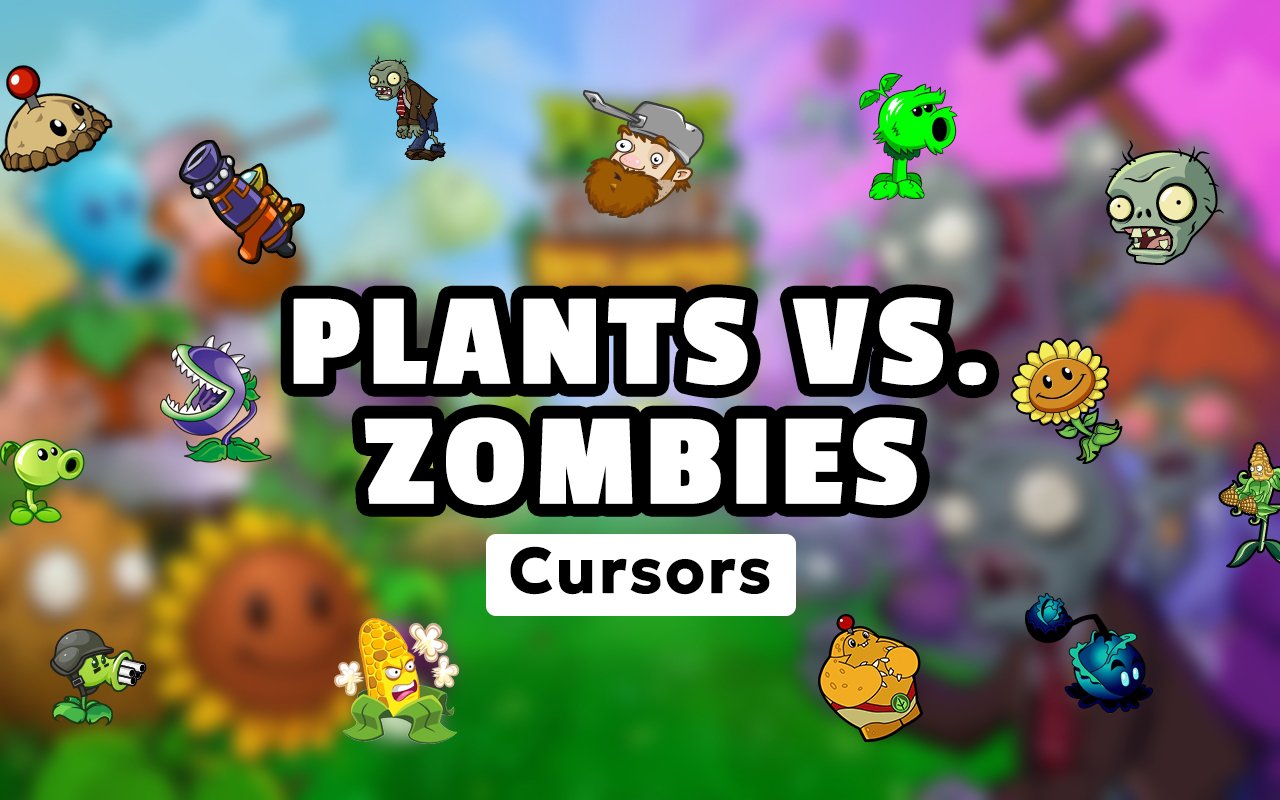
What Is The Plants vs Zombies Cursor?
The Plants vs Zombies Cursor is a Chrome extension that replaces your standard browser cursor with custom-designed cursors inspired by the beloved Plants vs. Zombies franchise. Every time you move your mouse across the screen, you see iconic characters and imagery from the game instead of the default pointer. The extension installs directly into Chrome and activates the themed cursor across your browsing sessions immediately.
Plants vs. Zombies is a tower defense game series developed by PopCap Games that has captured the attention of millions of players worldwide since its original release. The franchise features memorable characters such as Peashooter, the pea-shooting frontline defender, Sunflower, the cheerful healer, and Crazy Dave, the eccentric neighbor who guides players through the zombie invasion. The zombie horde itself, complete with cone-headed and bucket-headed variants, has become just as iconic as the plants defending the lawn.
This extension appeals to fans of all ages who want to bring a piece of the game into their everyday browsing, whether they are longtime players or newcomers who discovered the series through its many sequels and spin-offs.
Key Features of The Plants vs Zombies Cursor Extension
Complete Plants vs Zombies Cursor Collection
The cursor library draws from the full roster of Plants vs. Zombies characters and in-game elements, giving fans a wide range of designs to choose from. Characters and props spanning the entire game are represented, including Peashooter, Sunflower, Crazy Dave, the Basic Zombie, Chomper, Wall-nut, Snow Pea, Cherry Bomb, the Zomboss robot, and the signature lawn setting. The available cursor designs include:
- Peashooter cursor
- Sunflower cursor
- Crazy Dave cursor
- Basic Zombie cursor
- Chomper cursor
- Wall-nut cursor
- Snow Pea cursor
- Cherry Bomb cursor
Original Animation Art Style
The cursors in this collection reflect the bright, cartoonish visual identity that defines the Plants vs. Zombies series. PopCap’s original art direction leans into bold outlines, saturated greens, warm yellows, and the grotesque yet comedic gray tones of the zombie designs. Each cursor faithfully captures these qualities, making Peashooter’s round green head and Sunflower’s radiant petals immediately recognizable at any screen size. The result is a set of cursors that feel genuinely rooted in the game’s aesthetic rather than resembling generic fan art.
Adjustable Cursor Size
The extension includes a size slider that lets you scale your active cursor up or down to suit your display and personal preference. Users with high-resolution monitors or large external screens can increase the cursor size for better visibility, while those on compact laptops can keep it smaller to avoid obscuring content. Finding the right size takes only a few seconds of adjustment within the extension panel.
Favorites System for Quick Switching
The favorites system lets you bookmark the cursor designs you return to most often, so you can access them without scrolling through the full collection each time. Once a design is saved as a favorite, it appears in a dedicated section of the extension panel for immediate selection. Your saved favorites persist across browser sessions, meaning your preferred choices are still there the next time you open Chrome.
Lightweight and Performance-Friendly
The extension is designed to run quietly in the background without consuming noticeable browser resources. It has no measurable effect on Chrome’s memory usage, page load times, or overall responsiveness, even during graphic-intensive browsing or gaming sessions. Users on older machines can run the extension without any concern about performance impact.
Easy Toggle On and Off
A simple on/off toggle lets you disable the custom cursor whenever you need to revert to the standard browser pointer, such as during video calls, remote work sessions, or when using web applications that rely on precise cursor behavior. Re-enabling the extension takes a single click, and Chrome remembers the last active cursor design so you never have to reselect it manually.
How to Install The Plants vs Zombies Cursor
- Open Google Chrome on your desktop or laptop.
- Go to the Chrome Web Store and search for Plants vs Zombies Cursor.
- Click the extension listing to open its detail page.
- Click Add to Chrome and confirm when the popup appears.
- Click the extension icon in your Chrome toolbar to open the cursor library.
- Select any design to activate it immediately — no browser restart needed.
Why Plants vs Zombies Cursor Fans Love This Extension
For players who spent hours defending their lawn from zombie invasions, seeing Peashooter or Sunflower appear as their browser cursor brings an immediate sense of nostalgia. The Plants vs. Zombies franchise has a uniquely affectionate fanbase because of how the game balances lighthearted humor with genuine strategic depth, and characters like Crazy Dave and Cherry Bomb carry strong memories of specific in-game moments. Having those characters follow your cursor across every web page you visit keeps that connection alive in a subtle but satisfying way. It is a small detail that fans of the series will notice and appreciate every single time they browse.
This extension is particularly well suited to students, gamers, and remote workers who spend long hours in front of a browser and want their workspace to reflect something they genuinely enjoy. A Plants vs. Zombies fan setting up a study session or browsing between gaming matches will find that the cursor adds a personal touch without being distracting or out of place.
Frequently Asked Questions
Does this extension work on all websites?
The cursor is active across virtually all websites you visit in Chrome. A small number of sites with strict content security policies may limit custom cursor behavior, but this is uncommon and the extension works normally on the vast majority of pages.
Can I use multiple Plants vs Zombies Cursor cursors at once?
Only one cursor can be active at a time, but switching between designs is quick. The favorites system lets you save your preferred characters and switch between them in seconds without scrolling through the entire collection.
Will this extension slow down my browser?
No. The Plants vs Zombies Cursor extension is built to be lightweight and runs quietly in the background. It has no noticeable impact on Chrome’s speed, memory usage, or page load performance.
Is the Plants vs Zombies Cursor extension free?
Yes. The extension is completely free to download and use from the Chrome Web Store. You get access to the full cursor library without any subscription or in-app purchases.




Community comments
Comments are reviewed before they appear publicly.