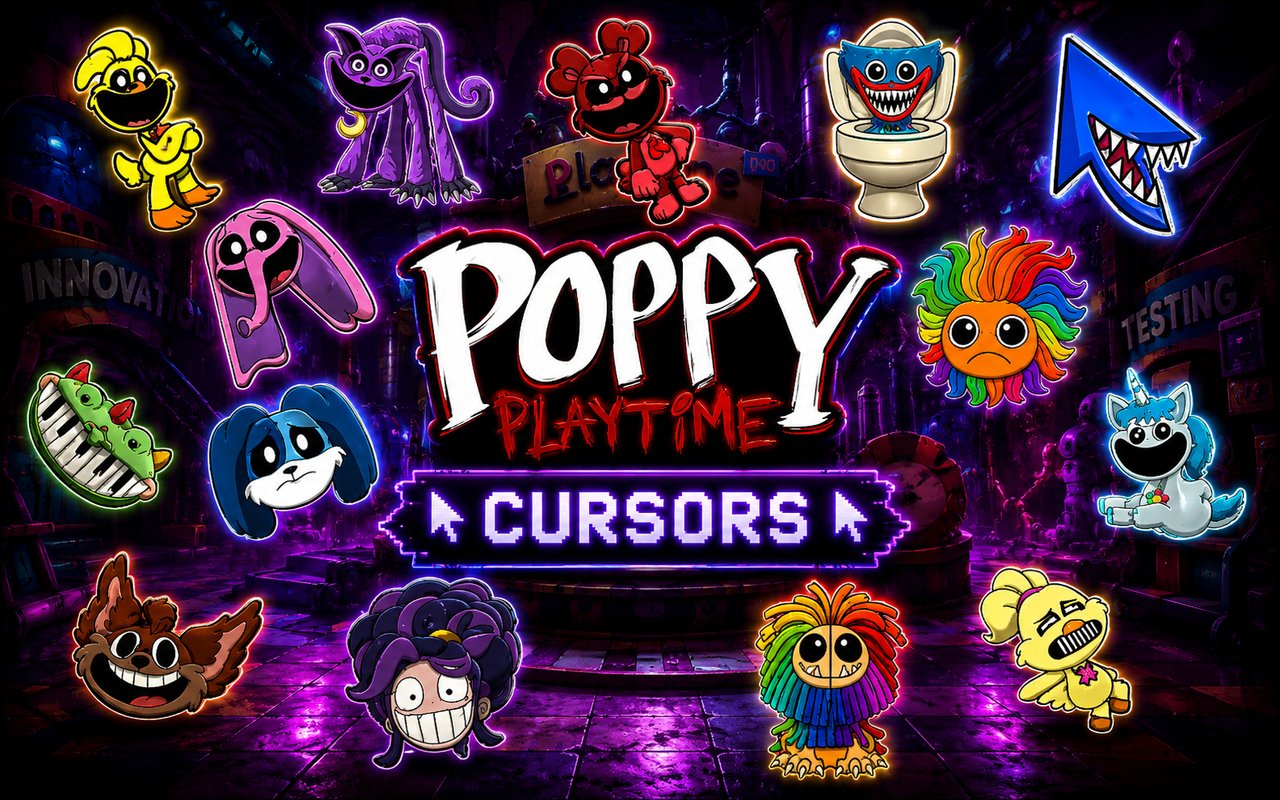
What Is The Poppy Playtime Cursor?
The Poppy Playtime Cursor is a Chrome extension that replaces your standard browser cursor with themed designs drawn from the Poppy Playtime universe, letting fans bring the world of Playtime Co. directly into their everyday browsing. Once installed, every click and scroll is accompanied by a character or icon from the franchise rather than the default system arrow. The extension works instantly across Chrome tabs and requires no technical setup.
Poppy Playtime is a horror-survival game developed by MOB Games, set inside an abandoned toy factory run by the fictional Playtime Co. corporation. The franchise features instantly recognizable characters including the towering blue monster Huggy Wuggy, the unsettling feline Catnap, and the colorful cast of Smiling Critters. The series has built a massive fanbase drawn to its mix of childhood nostalgia and creeping dread.
This extension appeals to players, collectors, and horror-game enthusiasts who want a persistent connection to the Poppy Playtime world while browsing, studying, or gaming online.
Key Features of The Poppy Playtime Cursor Extension
Complete Poppy Playtime Cursor Collection
The collection draws from across the franchise, featuring characters and symbols that fans will recognize immediately. From the iconic Huggy Wuggy and the eerie Catnap to the Smiling Critters lineup and Playtime Co. imagery, the library covers a wide range of the game’s most beloved and feared designs. Characters and themes included are:
- Huggy Wuggy
- Catnap
- Smiling Critters
- Poppy (the doll)
- Playtime Co. branding and logos
- Mommy Long Legs
Original Animation Art Style
Each cursor is designed to reflect the distinct visual identity of the Poppy Playtime franchise, with deep saturated blues, purples, and warm toy-factory yellows that mirror the game’s striking color palette. Character outlines are bold and expressive, capturing the exaggerated proportions and unsettling charm that define the game’s aesthetic. Details like Huggy Wuggy’s wide grin and Catnap’s hazy purple haze are rendered with care to stay faithful to the source material. The result is a set of cursors that feel authentically tied to the game rather than loosely inspired by it.
Adjustable Cursor Size
The extension includes a size slider that lets you scale your cursor up or down to suit your screen resolution and personal preference. Smaller sizes work well on compact laptop displays, while larger sizes are easier to track on wide monitors or during fast-paced browsing sessions. Adjustments take effect immediately without reloading the page or restarting Chrome.
Favorites System for Quick Switching
You can bookmark any cursor design as a favorite so it appears in a dedicated shortlist for fast access. This means you do not have to scroll through the full Poppy Playtime library every time you want to change your cursor. Favorites are saved to the extension and persist across browser sessions, so your preferred designs are always ready when you open Chrome.
Lightweight and Performance-Friendly
The extension runs quietly in the background and places no measurable load on Chrome’s memory or processing resources. Page load times, tab performance, and overall browser speed remain unaffected even when browsing graphic-heavy sites or running multiple tabs. It is equally well-suited to older machines as it is to high-end setups.
Easy Toggle On and Off
A single click on the extension icon toggles the custom cursor on or off, letting you revert to your system default whenever needed — such as during work tasks, video calls, or on web apps that function better with a standard cursor. Re-enabling the extension restores your last active cursor design without requiring you to reselect it. The switch is immediate and seamless.
How to Install The Poppy Playtime Cursor
- Open Google Chrome on your desktop or laptop.
- Go to the Chrome Web Store and search for Poppy Playtime Cursor.
- Click the extension listing to open its detail page.
- Click Add to Chrome and confirm when the popup appears.
- Click the extension icon in your Chrome toolbar to open the cursor library.
- Select any design to activate it immediately — no browser restart needed.
Why Poppy Playtime Cursor Fans Love This Extension
For fans of the Poppy Playtime series, the characters carry a strong emotional resonance — Huggy Wuggy’s looming presence in the opening chapter of the game left a lasting impression on millions of players, and Catnap’s dreamlike horror from Chapter 3 quickly earned him a devoted following. Having these figures appear as part of your cursor brings a small but satisfying piece of that atmosphere into daily screen time. The Smiling Critters in particular have become beloved beyond the horror elements of the game, appealing to fans who connect with the franchise’s toy-era nostalgia as much as its scares.
Students who play the game in their downtime, content creators who stream Poppy Playtime, and younger fans who collect Playtime Co. merchandise will all find the extension adds a personal touch to their browsing without any disruption to productivity. It is a low-effort way to keep your favorite franchise visible throughout the day.
Frequently Asked Questions
Does this extension work on all websites?
The cursor is active across virtually all websites you visit in Chrome. A small number of sites with strict content security policies may limit custom cursor behavior, but this is uncommon and the extension works normally on the vast majority of pages.
Can I use multiple Poppy Playtime Cursor cursors at once?
Only one cursor can be active at a time, but switching between designs is quick. The favorites system lets you save your preferred characters and switch between them in seconds without scrolling through the entire collection.
Will this extension slow down my browser?
No. The Poppy Playtime Cursor extension is built to be lightweight and runs quietly in the background. It has no noticeable impact on Chrome’s speed, memory usage, or page load performance.
Is the Poppy Playtime Cursor extension free?
Yes. The extension is completely free to download and use from the Chrome Web Store. You get access to the full cursor library without any subscription or in-app purchases.




Community comments
Comments are reviewed before they appear publicly.