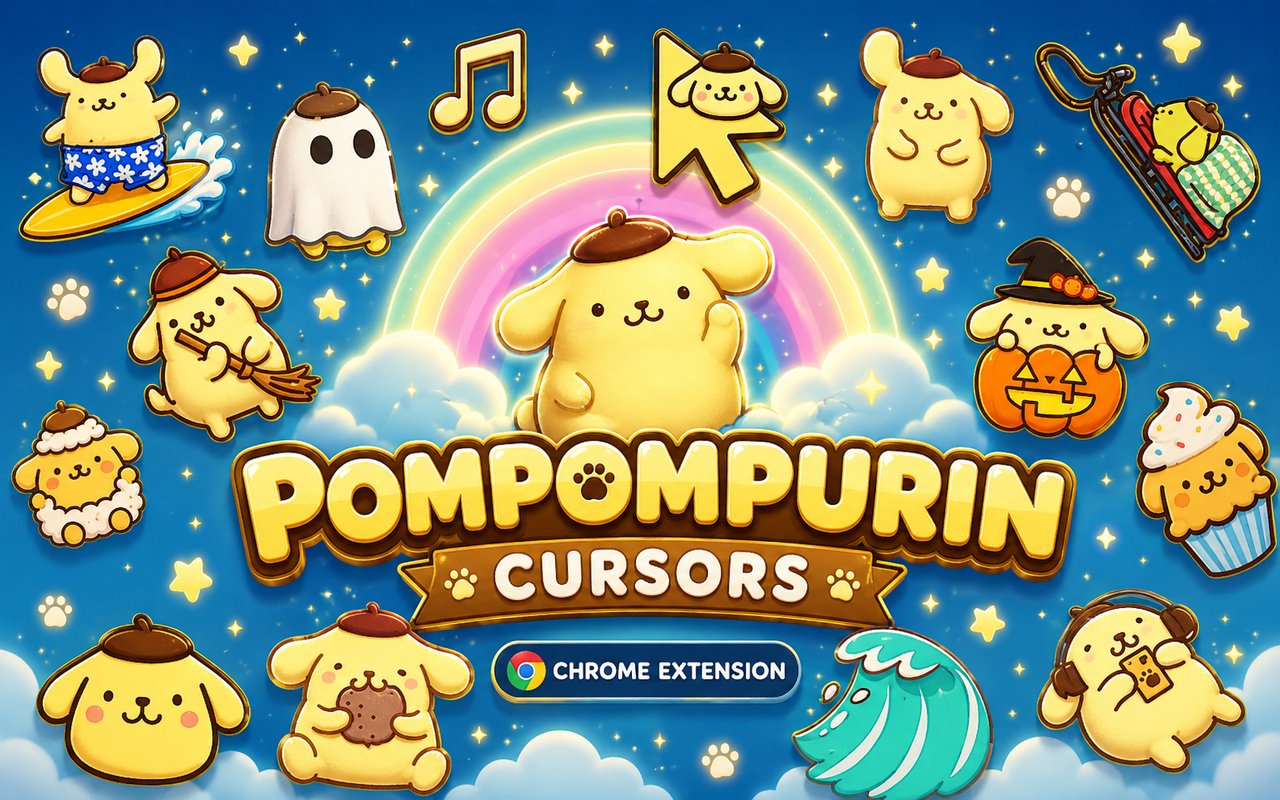
What Is The Pompompurin Cursor?
The Pompompurin Cursor replaces your standard Chrome browser cursor with custom-designed pointers inspired by the beloved Sanrio character Pompompurin, the cheerful golden retriever puppy known for his pudding-shaped hat and laid-back personality. Every time you move your mouse across the screen, you are greeted by artwork drawn directly from this iconic Sanrio universe. The extension installs in seconds and activates across your entire browsing experience without any complicated setup.
Pompompurin is a Sanrio original character introduced in 1996, beloved for his warm golden color palette, his affection for pudding, and his gentle, sleepy charm. The wider Sanrio world he inhabits includes familiar friends such as his companion Macaroon the hamster, the mischievous crows who occasionally cause him trouble, and the cozy home setting where much of his gentle storytelling takes place. His sweetness and simple joy have made him one of Sanrio’s most enduring and recognizable characters worldwide.
This extension is a natural fit for Sanrio collectors, Pompompurin merchandise fans, and anyone who wants a touch of soft, cheerful character art present throughout their daily browsing sessions.
Key Features of The Pompompurin Cursor Extension
Complete Pompompurin Cursor Collection
The cursor library draws on the full visual world of Pompompurin, featuring designs built around his signature beret-style pudding hat, his golden retriever form, his love of pudding desserts, and his sleepy resting expressions. Characters and design elements you can expect to find include:
- Pompompurin in his classic golden retriever design
- Pompompurin wearing his iconic brown pudding beret
- Macaroon the hamster companion
- Pudding cup and dessert motif designs
- Pompompurin in seasonal and special outfit variations
- Cheerful paw print and sweet adventure themed pointers
Original Animation Art Style
The cursors faithfully reflect the soft, rounded aesthetic that defines Pompompurin’s visual identity across Sanrio’s official artwork. The color palette leans heavily into warm golden yellows, creamy whites, and rich caramel browns that echo both his fur and the pudding motif central to his character. Line work is clean and gentle, consistent with the smooth, friendly style Sanrio uses across plush toys, stationery, and animated content. The overall result feels cohesive and recognizable to any fan familiar with official Pompompurin merchandise and media.
Adjustable Cursor Size
A built-in size slider lets you scale each cursor up or down to suit your monitor and personal preference. Whether you are working on a compact laptop display or a wide desktop monitor, you can dial in a size that feels comfortable and visible. Larger sizes work well for presentations or accessibility needs, while smaller sizes keep the look subtle during focused work sessions.
Favorites System for Quick Switching
The favorites system lets you bookmark the cursor designs you return to most often, so you never have to scroll through the entire library to find them. Saved favorites are stored persistently, meaning they remain available every time you open the extension across different browsing sessions. Switching between a saved Pompompurin design and another favorite takes only a single click.
Lightweight and Performance-Friendly
The extension is designed to run quietly in the background without drawing on Chrome’s memory or processing resources in any meaningful way. It does not interfere with page load speeds, video playback, or performance-intensive web applications. Users on older machines or modest hardware can run it comfortably alongside their regular browsing activities.
Easy Toggle On and Off
A simple on/off toggle lets you disable the custom cursor instantly whenever you need to revert to Chrome’s default pointer. This is useful during video calls, screen shares, or when using web tools where a standard cursor is preferable. Once you re-enable the extension, it restores the last cursor you had active without requiring you to reselect it.
How to Install The Pompompurin Cursor
- Open Google Chrome on your desktop or laptop.
- Go to the Chrome Web Store and search for Pompompurin Cursor.
- Click the extension listing to open its detail page.
- Click Add to Chrome and confirm when the popup appears.
- Click the extension icon in your Chrome toolbar to open the cursor library.
- Select any design to activate it immediately — no browser restart needed.
Why Pompompurin Cursor Fans Love This Extension
For fans who grew up collecting Pompompurin plush toys, stickers, and stationery, seeing that familiar golden face attached to their cursor brings a genuine sense of warmth and comfort to an otherwise ordinary part of the screen. Pompompurin’s personality — unhurried, sweet-natured, and fond of simple pleasures like eating pudding and napping — resonates strongly with people who appreciate calm, cozy aesthetics in their everyday lives. The connection to Sanrio’s broader universe of friendship and gentle storytelling gives the extension an emotional weight that goes beyond simple visual customization. For longtime fans, every click carries a small reminder of a character they have loved for years.
Students decorating their study setup, remote workers adding personality to long browsing sessions, and Sanrio collectors who want their digital spaces to match their physical collections all find a natural home in this extension. It is especially popular among fans who curate kawaii-themed desktops and want every detail, down to the cursor, to feel intentional and on-brand.
Frequently Asked Questions
Does this extension work on all websites?
The cursor is active across virtually all websites you visit in Chrome. A small number of sites with strict content security policies may limit custom cursor behavior, but this is uncommon and the extension works normally on the vast majority of pages.
Can I use multiple Pompompurin Cursor cursors at once?
Only one cursor can be active at a time, but switching between designs is quick. The favorites system lets you save your preferred characters and switch between them in seconds without scrolling through the entire collection.
Will this extension slow down my browser?
No. The Pompompurin Cursor extension is built to be lightweight and runs quietly in the background. It has no noticeable impact on Chrome’s speed, memory usage, or page load performance.
Is the Pompompurin Cursor extension free?
Yes. The extension is completely free to download and use from the Chrome Web Store. You get access to the full cursor library without any subscription or in-app purchases.




Community comments
Comments are reviewed before they appear publicly.