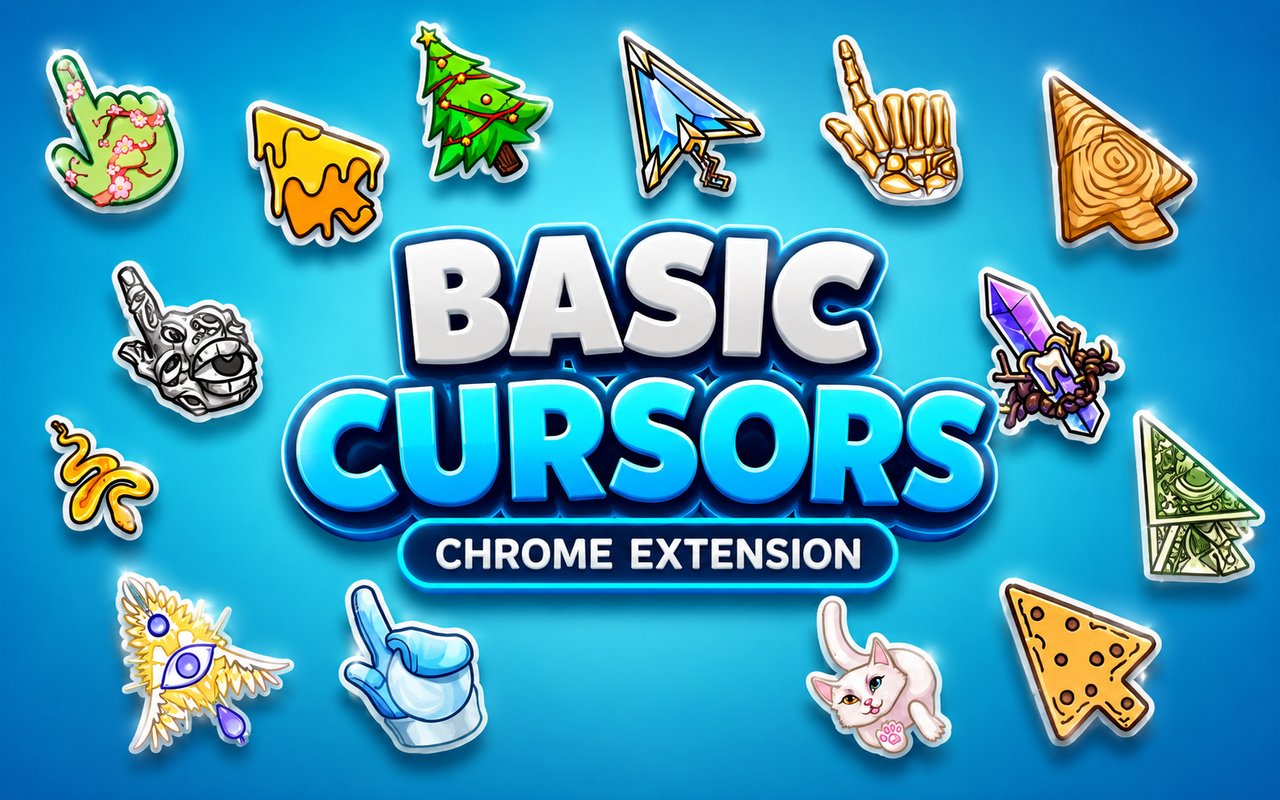
What Is The Basic Cursor?
Basic Cursor is a Chrome extension that replaces your standard browser cursor with a collection of over 25 custom-designed cursor styles, ranging from cute and aesthetic to cool and themed. Each cursor is crafted to bring a distinct personality to your browsing, covering themes like holidays, fantasy, whimsy, and more. The extension installs directly into Chrome and activates your chosen design instantly across all web pages.
The collection draws from a wide range of charming and recognizable themes, including a White Cat cursor for a soft, minimalist look, a Witch cursor with dark fantasy appeal, and a Dungeons and Dragons inspired design for tabletop fans. Seasonal and novelty options like the Christmas cursor and the Cookie cursor round out a library that has something for nearly every taste and mood.
This extension appeals to anyone who wants their browser to feel more personal and expressive, whether they prefer something cute and pastel or something with a little more edge and character.
Key Features of The Basic Cursor Extension
Complete Basic Cursor Custom Collection
The library includes over 25 distinct cursor designs covering a broad range of aesthetics and themes. Characters and styles such as White Cat, Witch, Christmas, D and D, Cookie, and more are all available, giving users a genuinely varied selection to choose from. Here is a breakdown of some of the standout designs included:
- White Cat cursor
- Witch cursor
- Christmas cursor
- Dungeons and Dragons cursor
- Cookie cursor
- Cute aesthetic cursors
- Cool themed cursors
Original Illustration Art Style
Each cursor in the collection is drawn with clean, expressive line work and a carefully chosen color palette that suits its theme. The White Cat design uses soft whites and gentle outlines, while the Witch cursor leans into deep purples and sharp silhouettes. Seasonal designs like the Christmas cursor incorporate warm reds and festive details that feel polished rather than generic. The overall style balances cute illustration sensibilities with enough variety to feel fresh across every design in the library.
Adjustable Cursor Size
The extension includes a size slider that lets you scale your cursor up or down to suit your display and personal preference. Whether you are working on a compact laptop screen or a large high-resolution monitor, you can dial in the exact size that feels comfortable. This makes the cursors accessible and usable across a wide range of screen setups without any loss in visual quality.
Favorites System for Quick Switching
You can bookmark any cursor design as a favorite, keeping your most-used selections within easy reach at all times. Instead of scrolling through the full library each time you want to change your cursor, your saved favorites appear at the top for instant access. These preferences are stored persistently, so your favorites remain available even after closing and reopening Chrome.
Lightweight and Performance-Friendly
The extension runs quietly in the background without consuming meaningful browser resources or slowing down your Chrome sessions. It has no measurable effect on page load times, memory usage, or overall browser performance. You can keep it active during everyday browsing, streaming, or even more demanding web-based tasks without any concern about slowdown.
Easy Toggle On and Off
A simple on and off toggle lets you disable the custom cursor in seconds whenever you need to revert to your system default. This is useful for video calls, certain web applications, or professional settings where a standard cursor is more appropriate. When you re-enable the extension, it remembers the last active cursor and restores it immediately without requiring you to reselect it.
How to Install The Basic Cursor
- Open Google Chrome on your desktop or laptop.
- Go to the Chrome Web Store and search for Basic Cursor.
- Click the extension listing to open its detail page.
- Click Add to Chrome and confirm when the popup appears.
- Click the extension icon in your Chrome toolbar to open the cursor library.
- Select any design to activate it immediately — no browser restart needed.
Why Basic Cursor Fans Love This Extension
There is something genuinely satisfying about seeing a tiny White Cat or a perfectly rendered Witch cursor glide across your screen instead of the same plain arrow you have used for years. For people who appreciate cute and aesthetic design in their everyday digital spaces, these cursors feel like a small but meaningful act of self-expression. The D and D cursor in particular resonates with tabletop gaming fans who want that world to bleed into their online browsing, while the Cookie and Christmas cursors bring a seasonal warmth that feels fun and lighthearted. Each design carries enough personality to spark a reaction, whether it is a smile or a comment from someone watching over your shoulder.
Students decorating their study setup, hobbyists browsing forums, and creative professionals who spend long hours in a browser all find that a thoughtfully chosen cursor adds a welcome touch of personality to an otherwise standard interface. Someone who has spent time curating the look of their desktop wallpaper, icons, and browser theme will naturally appreciate having a cursor that fits the same aesthetic vision.
Frequently Asked Questions
Does this extension work on all websites?
The cursor is active across virtually all websites you visit in Chrome. A small number of sites with strict content security policies may limit custom cursor behavior, but this is uncommon and the extension works normally on the vast majority of pages.
Can I use multiple Basic Cursor cursors at once?
Only one cursor can be active at a time, but switching between designs is quick. The favorites system lets you save your preferred characters and switch between them in seconds without scrolling through the entire collection.
Will this extension slow down my browser?
No. The Basic Cursor extension is built to be lightweight and runs quietly in the background. It has no noticeable impact on Chrome’s speed, memory usage, or page load performance.
Is the Basic Cursor extension free?
Yes. The extension is completely free to download and use from the Chrome Web Store. You get access to the full cursor library without any subscription or in-app purchases.




Community comments
Comments are reviewed before they appear publicly.