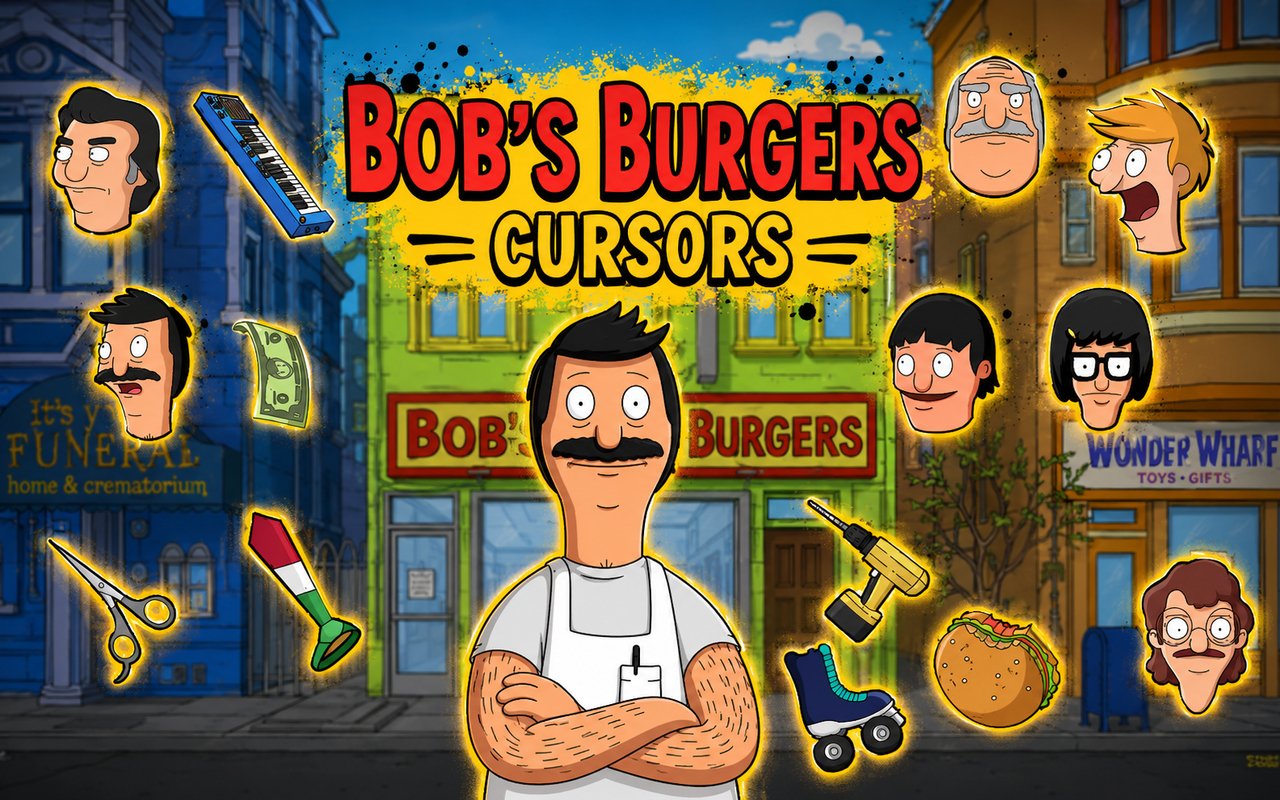
What Is The Bob’s Burgers Cursor?
The Bob’s Burgers Cursor is a Chrome extension that replaces your standard browser cursor with custom designs inspired by the beloved animated television series. Each cursor is crafted around characters and elements from the show, giving fans a way to bring a piece of the Belcher family into their everyday web browsing. The extension installs directly into Chrome and activates your chosen design with a single click.
Bob’s Burgers is an animated comedy series that has run on Fox since 2011, following the Belcher family as they run a small burger restaurant on the waterfront. The show features a cast of memorable characters including the warm-hearted Bob, the enthusiastic Tina with her love of horses and fan fiction, the scheming and sharp-tongued Louise with her signature pink bunny ears, the musical Gene, and the endlessly optimistic Linda. Its mix of dry humor, heartfelt family moments, and eccentric side characters has earned it a devoted and passionate fanbase.
This extension appeals to longtime fans of the show who want a small but personal way to express their love for the Belcher family while browsing the web.
Key Features of The Bob’s Burgers Cursor Extension
Complete Bob’s Burgers Cursor Collection
The collection draws from the core cast and iconic imagery of the series, giving fans a range of recognizable designs to choose from. Characters represented include Bob, Tina, Louise, Gene, and Linda, along with additional designs that capture the visual humor and charm of the show. Whether you favor Louise’s mischievous grin or Tina’s deadpan expression, there is a cursor to match your favorite character.
- Bob Belcher cursor
- Tina Belcher cursor
- Louise Belcher cursor
- Gene Belcher cursor
- Linda Belcher cursor
- Themed design elements from the show
Original Animation Art Style
Every cursor in this collection is designed to match the distinctive visual identity of the Bob’s Burgers animated series. The artwork uses the show’s characteristic warm color palette, featuring the muted earth tones of the restaurant interior alongside the bright, expressive outfits each family member is known for. Character designs maintain the rounded, simple linework that defines the show’s animation style, making each cursor instantly recognizable to fans. Louise’s pink bunny ears, Tina’s glasses, and Gene’s keyboard are among the small details that make these cursors feel authentic rather than generic.
Adjustable Cursor Size
The extension includes a size slider that lets you scale your cursor up or down to suit your display. Whether you are working on a compact laptop screen or a large external monitor, you can find a size that feels comfortable and visible. Larger sizes are particularly useful for high-resolution displays where a standard-sized cursor can appear small.
Favorites System for Quick Switching
The favorites system allows you to bookmark the cursor designs you return to most often, so you do not have to browse the full library every time you want to switch. Saved favorites remain accessible across browser sessions, meaning your preferred Belcher family member is always just one click away. This is especially handy if you like rotating between a few designs depending on your mood.
Lightweight and Performance-Friendly
The extension runs quietly in the background without placing any meaningful demand on Chrome’s resources. There is no noticeable effect on page load times, browser speed, or memory consumption, even during longer browsing sessions or while running other extensions simultaneously. It performs just as smoothly on older hardware as it does on newer machines.
Easy Toggle On and Off
A simple on/off toggle lets you disable the custom cursor whenever you need a clean, standard pointer — useful for work presentations, video calls, or web applications that benefit from a default cursor. Re-enabling it is equally quick, and the extension remembers which cursor was active so you never lose your selection when switching back.
How to Install The Bob’s Burgers Cursor
- Open Google Chrome on your desktop or laptop.
- Go to the Chrome Web Store and search for Bob’s Burgers Cursor.
- Click the extension listing to open its detail page.
- Click Add to Chrome and confirm when the popup appears.
- Click the extension icon in your Chrome toolbar to open the cursor library.
- Select any design to activate it immediately — no browser restart needed.
Why Bob’s Burgers Cursor Fans Love This Extension
Bob’s Burgers has built one of the most loyal fanbases in modern animation, largely because its characters feel genuinely human and deeply funny at the same time. Tina’s awkward sincerity, Louise’s relentless scheming, and Bob’s quiet resilience are the kinds of character traits that fans quote and reference long after episodes air. Having these characters appear every time you move your mouse across the screen is a small but satisfying reminder of the moments and episodes that made the show special. For fans who have grown up watching the Belcher family navigate burger orders, school projects, and family crises, this extension carries a real sense of warmth and familiarity.
Students who rewatch the show while studying, remote workers who keep the series on in the background, and dedicated fans who follow the show across social media will all find that this extension adds a genuinely personal touch to their browser. It is a particularly good fit for anyone who has a favorite Belcher and wants that character front and center every time they open Chrome.
Frequently Asked Questions
Does this extension work on all websites?
The cursor is active across virtually all websites you visit in Chrome. A small number of sites with strict content security policies may limit custom cursor behavior, but this is uncommon and the extension works normally on the vast majority of pages.
Can I use multiple Bob’s Burgers Cursor cursors at once?
Only one cursor can be active at a time, but switching between designs is quick. The favorites system lets you save your preferred characters and switch between them in seconds without scrolling through the entire collection.
Will this extension slow down my browser?
No. The Bob’s Burgers Cursor extension is built to be lightweight and runs quietly in the background. It has no noticeable impact on Chrome’s speed, memory usage, or page load performance.
Is the Bob’s Burgers Cursor extension free?
Yes. The extension is completely free to download and use from the Chrome Web Store. You get access to the full cursor library without any subscription or in-app purchases.




Community comments
Comments are reviewed before they appear publicly.