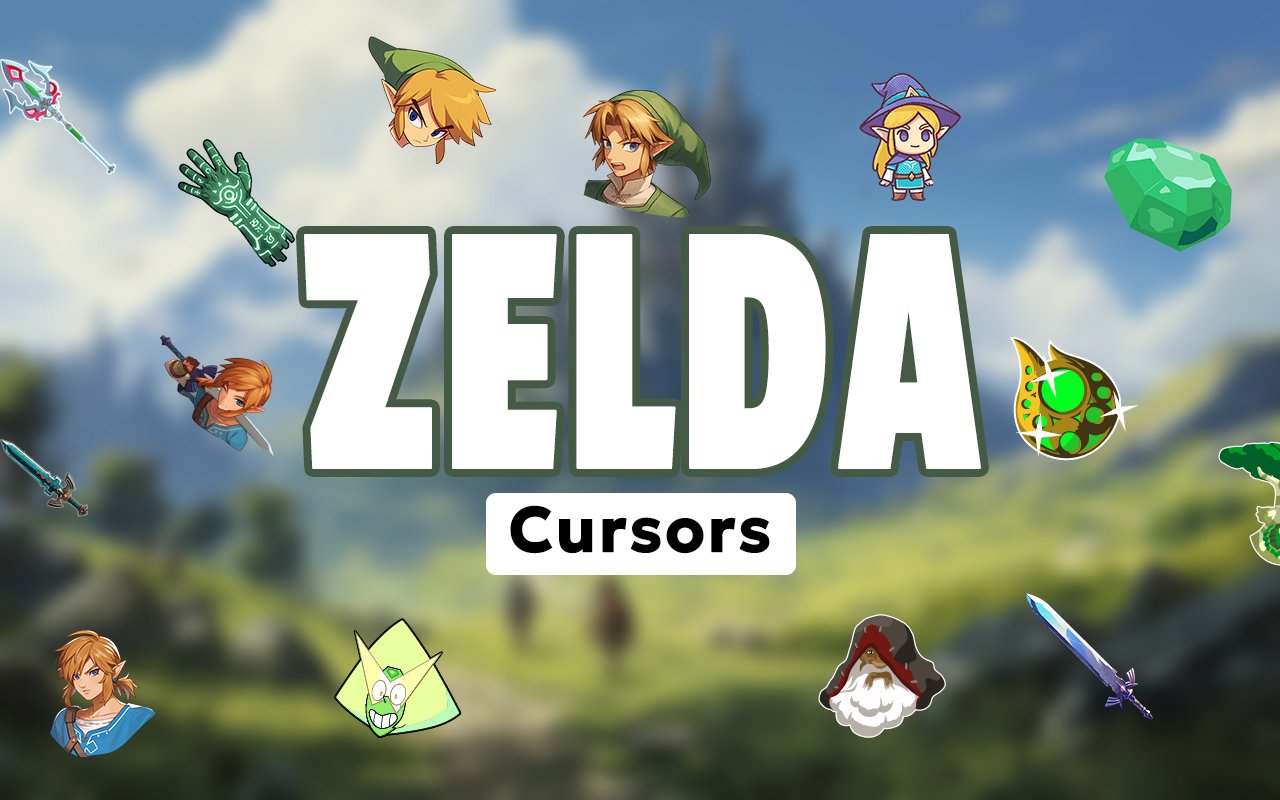
What Is The Zelda Cursor?
The Zelda Cursor is a Chrome extension that replaces your standard browser cursor with custom designs drawn from the iconic Legend of Zelda franchise. Once installed, every click and scroll becomes an interaction with Hyrule’s most recognizable heroes, weapons, and symbols. The extension works automatically across your browsing sessions without requiring any technical setup.
The Legend of Zelda is one of Nintendo’s longest-running and most beloved adventure series, following the hero Link on quests across Hyrule to defeat the dark lord Ganon and protect the sacred Triforce. The series is packed with unforgettable imagery, from the gleaming Master Sword to the ethereal Princess Zelda and the shadowy menace of Ganondorf. Decades of games have built a world rich with characters, lore, and visual symbols that fans immediately recognize.
This extension is a natural fit for Legend of Zelda fans who want a small, personal touch of Hyrule present throughout their everyday browsing without altering their workflow.
Key Features of The Zelda Cursor Extension
Complete Legend of Zelda Cursor Collection
The collection draws from across the Legend of Zelda series, featuring hero and villain designs alongside legendary items and sacred symbols. Characters and elements like Link, Princess Zelda, Ganondorf, the Master Sword, the Triforce, Epona, Navi, Sheik, the Hylian Shield, and the Ocarina of Time are all represented in carefully crafted cursor form.
- Link cursor design
- Princess Zelda cursor design
- Ganondorf cursor design
- Master Sword cursor design
- Triforce cursor design
- Hylian Shield cursor design
- Navi the fairy cursor design
- Sheik cursor design
- Epona cursor design
- Ocarina of Time cursor design
Original Animation Art Style
Each cursor reflects the distinct visual identity that has defined the Legend of Zelda series across its most celebrated entries. The designs draw on the warm greens and golds of Hyrule’s landscapes, the sharp cel-shaded outlines familiar from titles like The Wind Waker, and the detailed fantasy armor and weaponry seen throughout Ocarina of Time and Breath of the Wild. Link’s signature green tunic and pointed hat, the glowing blue of Navi, and the deep purples associated with Ganon are all rendered faithfully at cursor scale. The result feels cohesive with the source material rather than generic fantasy artwork.
Adjustable Cursor Size
The extension includes a size slider that lets you scale your cursor up or down to suit your monitor and personal preference. Whether you are working on a compact laptop display or a large widescreen monitor, you can find a size that feels natural and visible. Larger sizes work particularly well for high-resolution screens where default cursors can feel small.
Favorites System for Quick Switching
You can mark any cursor design as a favorite to save it for fast access later. Instead of scrolling through the full Zelda collection each time you want to change designs, your saved favorites appear at the top for immediate selection. These preferences are stored and persist across browser sessions, so your chosen designs are always ready when you reopen Chrome.
Lightweight and Performance-Friendly
The extension is designed to run quietly in the background without placing any demand on your system resources. There is no measurable effect on Chrome’s page load speeds, memory consumption, or overall responsiveness. It performs just as well on older machines as it does during graphic-intensive browsing or gaming-related research sessions.
Easy Toggle On and Off
A single click on the extension icon toggles the custom cursor on or off at any time. This makes it simple to switch back to your default system cursor when you need a clean setup for a video call, a presentation, or a particular web application. When you re-enable the extension, it immediately restores the last cursor you had active.
How to Install The Zelda Cursor
- Open Google Chrome on your desktop or laptop.
- Go to the Chrome Web Store and search for Zelda Cursor.
- Click the extension listing to open its detail page.
- Click Add to Chrome and confirm when the popup appears.
- Click the extension icon in your Chrome toolbar to open the cursor library.
- Select any design to activate it immediately — no browser restart needed.
Why Zelda Cursor Fans Love This Extension
For many players, the Legend of Zelda series represents some of the most formative gaming experiences of their lives. The moment Link first draws the Master Sword from the Pedestal of Time, the haunting melody of Zelda’s Lullaby, or the sight of the Triforce gleaming against a golden sky — these are memories that carry real emotional weight. Having those symbols present during everyday browsing is a quiet way to keep that connection alive, even while working through a to-do list or reading the news. The extension taps into that nostalgia without demanding attention, sitting at the edge of the screen as a familiar and comforting presence.
Students who grew up playing Ocarina of Time or Breath of the Wild, as well as dedicated fans who follow every new Zelda release, will find this extension fits naturally into long browsing or study sessions. It adds personality to the desktop without distraction, making it a particularly good match for anyone who spends hours in a browser and wants their setup to reflect who they are.
Frequently Asked Questions
Does this extension work on all websites?
The cursor is active across virtually all websites you visit in Chrome. A small number of sites with strict content security policies may limit custom cursor behavior, but this is uncommon and the extension works normally on the vast majority of pages.
Can I use multiple Zelda Cursor cursors at once?
Only one cursor can be active at a time, but switching between designs is quick. The favorites system lets you save your preferred characters and switch between them in seconds without scrolling through the entire collection.
Will this extension slow down my browser?
No. The Zelda Cursor extension is built to be lightweight and runs quietly in the background. It has no noticeable impact on Chrome’s speed, memory usage, or page load performance.
Is the Zelda Cursor extension free?
Yes. The extension is completely free to download and use from the Chrome Web Store. You get access to the full cursor library without any subscription or in-app purchases.




Community comments
Comments are reviewed before they appear publicly.