What Is The Watercolor Cursor?
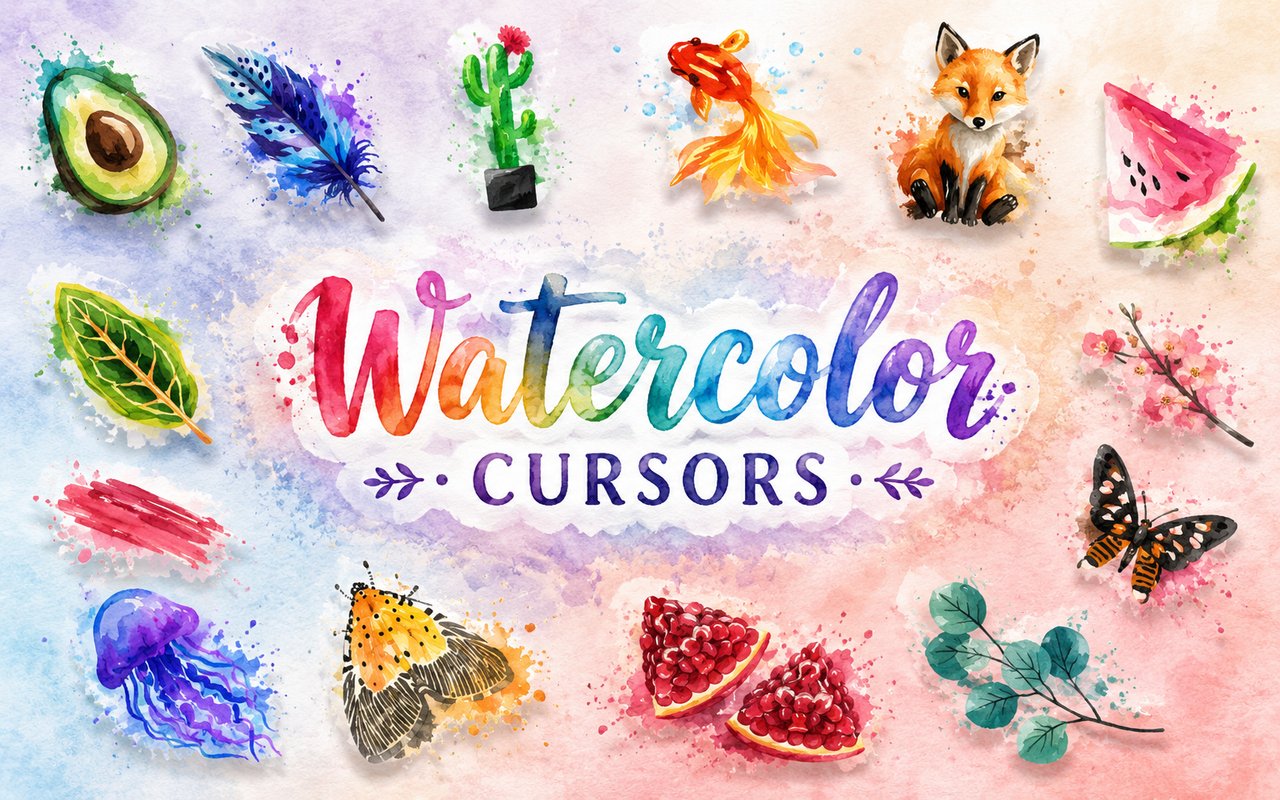
The Watercolor Cursor replaces your standard Chrome browser cursor with a curated set of hand-painted style designs drawn from the soft, flowing world of watercolor art. Each cursor in the collection features delicate botanical illustrations, aquatic creatures, and floral motifs rendered in translucent washes of color that feel like brushstrokes on wet paper. The extension installs directly into Chrome and activates instantly, giving every website you visit a gentle artistic touch.
The visual world behind this extension draws from a rich tradition of East Asian-inspired watercolor art, where sakura branches in bloom, trailing jellyfish, and darting goldfish are recurring symbols of natural beauty and transience. The collection also incorporates soft botanical brush art — leaves, petals, and organic forms painted with loose, expressive strokes that recall traditional ink and wash techniques. Together these elements form a cohesive aesthetic that feels both timeless and quietly striking.
This extension appeals to artists, design enthusiasts, and anyone who appreciates a calm, visually refined browsing environment that carries a sense of handcrafted beauty through every click.
Key Features of The Watercolor Cursor Extension
Complete Watercolor Art Cursor Collection
The collection includes a range of carefully illustrated designs inspired by nature and traditional watercolor motifs. You will find sakura branches, jellyfish, goldfish, and soft botanical brush art alongside additional floral and aquatic elements, all rendered in the signature translucent style of the theme. Each design is crafted to feel cohesive as a set while remaining individually distinctive:
- Sakura branch cursor with falling blossoms
- Jellyfish cursor with trailing watercolor tendrils
- Goldfish cursor in warm amber and red tones
- Soft botanical leaf brush art cursor
- Floral petal watercolor cursor
- Aquatic plant and water motif cursor
Original Animation Art Style
Every cursor in this collection is designed with the specific visual language of traditional watercolor painting in mind, using soft wet-on-wet color blending, feathered edges, and a muted, luminous palette of blush pinks, translucent blues, warm golds, and deep greens. The brushwork is loose and organic, avoiding sharp lines in favor of the gentle bleed and flow that defines authentic watercolor technique. Aquatic and botanical subjects are rendered with careful attention to their natural forms, giving each cursor a sense of quiet realism within an artistic style. The overall effect is a browser cursor that looks less like a digital asset and more like a detail lifted from a painted illustration.
Adjustable Cursor Size
A built-in size slider lets you scale each cursor up or down to suit your screen resolution, display size, and personal preference. Smaller settings keep the designs subtle and unobtrusive on compact laptop screens, while larger sizes allow the full detail of the watercolor artwork to come through on high-resolution monitors. Adjusting the size takes only a moment and applies instantly without requiring a page reload.
Favorites System for Quick Switching
The extension includes a favorites system that lets you bookmark the cursor designs you return to most often, saving them in a dedicated section for fast access. Rather than scrolling through the entire collection each time you want a change, your saved favorites are available immediately when you open the extension panel. Favorites are stored persistently in Chrome, so your saved selections remain intact across browser sessions and restarts.
Lightweight and Performance-Friendly
The extension is built to run quietly in the background without drawing on Chrome’s memory or processing resources in any meaningful way. There is no impact on page load times, browser speed, or performance during graphic-intensive tasks such as streaming video or running web-based applications. It functions equally well on older hardware and on modern high-performance machines.
Easy Toggle On and Off
A single click on the extension icon is all it takes to switch the custom cursor on or off at any time. This makes it straightforward to revert to the default system cursor for professional video calls, screen-sharing sessions, or web tools where a standard cursor is preferable. When you toggle the extension back on, it remembers and restores the last cursor you had active.
How to Install The Watercolor Cursor
- Open Google Chrome on your desktop or laptop.
- Go to the Chrome Web Store and search for Watercolor Cursor.
- Click the extension listing to open its detail page.
- Click Add to Chrome and confirm when the popup appears.
- Click the extension icon in your Chrome toolbar to open the cursor library.
- Select any design to activate it immediately — no browser restart needed.
Why Watercolor Cursor Fans Love This Extension
For people who are drawn to the quiet beauty of traditional watercolor art, having these designs present throughout their browsing day creates a small but consistent connection to an aesthetic they genuinely love. The sakura motif in particular carries a strong emotional resonance — associated with fleeting beauty, seasonal change, and the kind of meditative calm that many seek out in art. Seeing a jellyfish drift or a goldfish glide as your cursor moves across the screen brings a moment of softness into an otherwise utilitarian digital environment. These are not generic decorations but carefully chosen subjects with real artistic and cultural weight.
Students, writers, illustrators, and creative professionals who spend long hours in front of a screen often look for small ways to make that environment feel more personal and less sterile, and this extension offers exactly that without requiring any effort to maintain. Someone who keeps watercolor paintings on their desk or fills sketchbooks with botanical drawings will find the extension a natural extension of their aesthetic identity into their browser.
Frequently Asked Questions
Does this extension work on all websites?
The cursor is active across virtually all websites you visit in Chrome. A small number of sites with strict content security policies may limit custom cursor behavior, but this is uncommon and the extension works normally on the vast majority of pages.
Can I use multiple Watercolor Cursor cursors at once?
Only one cursor can be active at a time, but switching between designs is quick. The favorites system lets you save your preferred designs and switch between them in seconds without scrolling through the entire collection.
Will this extension slow down my browser?
No. The Watercolor Cursor extension is built to be lightweight and runs quietly in the background. It has no noticeable impact on Chrome’s speed, memory usage, or page load performance.
Is the Watercolor Cursor extension free?
Yes. The extension is completely free to download and use from the Chrome Web Store. You get access to the full cursor library without any subscription or in-app purchases.




Community comments
Comments are reviewed before they appear publicly.