What Is The Texture Cursor?
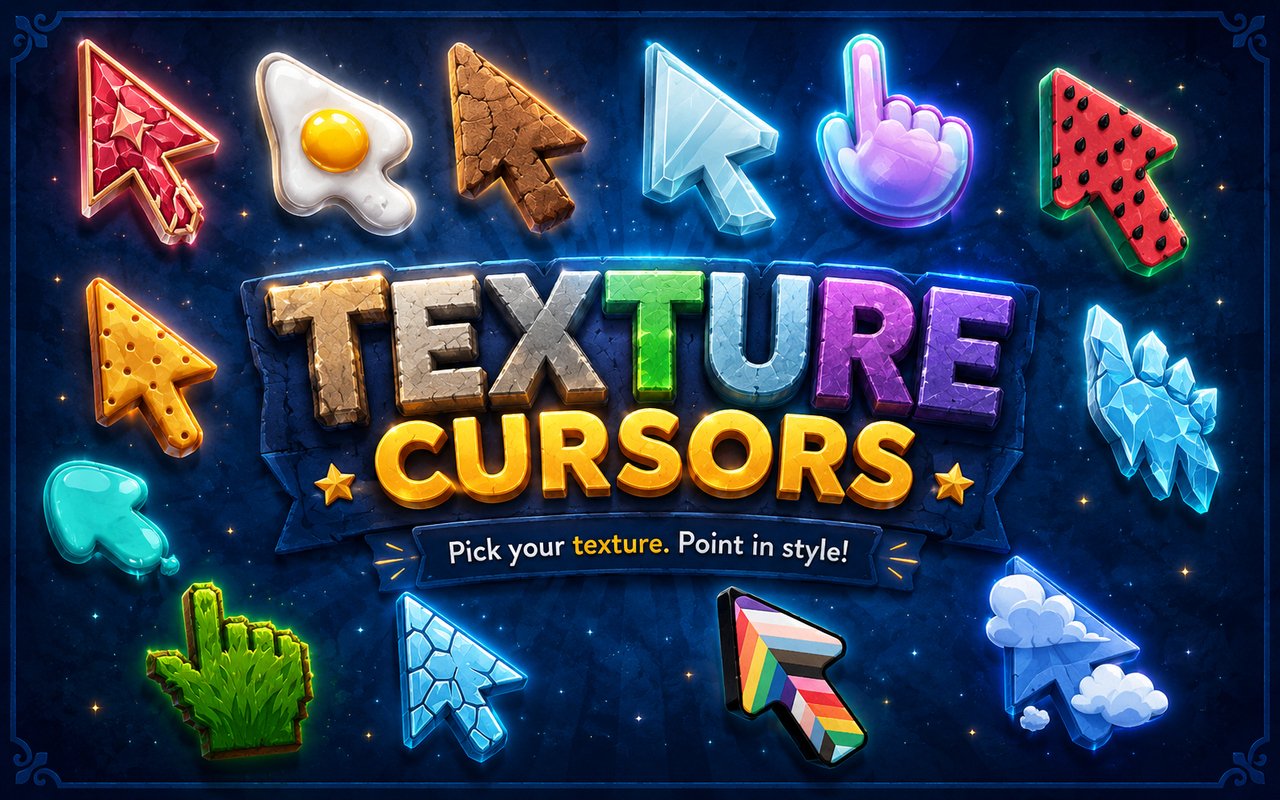
Texture Cursor is a Chrome extension that replaces your standard browser cursor with richly textured designs inspired by natural and visual materials. Instead of the plain default arrow, your cursor takes on the appearance of tactile, stylized surfaces drawn from the world around us. The extension installs directly into Chrome and activates your chosen texture immediately across all browsing sessions.
The designs in this collection draw from some of the most visually striking textures found in nature and everyday materials. Marble brings its swirling veined patterns, while Glass offers a clean, translucent aesthetic. Gold Glitter adds a sparkling metallic finish, and Ice gives the cursor a cool, crystalline edge.
This extension appeals to anyone who wants their browser to feel more personal and visually interesting without any complicated setup or ongoing maintenance.
Key Features of The Texture Cursor Extension
Complete Texture Cursor Collection
The library includes six distinct texture-based cursor designs, each crafted to reflect a different visual character. From the organic elegance of Marble to the playful freshness of Watermelon, there is a design to suit a wide range of tastes. The full collection includes:
- Marble cursor
- Glass cursor
- Ice cursor
- Gold Glitter cursor
- Clouds cursor
- Watermelon cursor
Original Texture Art Style
Each cursor in the collection is rendered with careful attention to the visual qualities of its source texture. The Marble design features realistic swirling veins in muted greys and whites, while Gold Glitter captures a dense, sparkling shimmer with warm metallic tones. Ice uses cool blues and frosted transparency to suggest a crystalline surface, and Watermelon brings in the bold greens, reds, and seed details that make it immediately recognizable. The result is a set of cursors that feel cohesive yet visually distinct from one another.
Adjustable Cursor Size
The extension includes a size slider that lets you scale your cursor up or down to match your display and personal preference. Larger cursors work well on high-resolution or wide monitors where a small pointer can be difficult to track, while a smaller size keeps things subtle on compact laptop screens. You can adjust the size at any time directly from the extension panel.
Favorites System for Quick Switching
The favorites system lets you bookmark any cursor design so it appears at the top of your library for fast access. Rather than scrolling through the full collection each time you want to change your cursor, your saved designs are always one click away. Your favorites are stored persistently and remain in place across browser sessions and restarts.
Lightweight and Performance-Friendly
The extension runs quietly in the background without drawing on Chrome’s resources in any meaningful way. There is no impact on page load times, memory usage, or browser speed, even during graphic-intensive sessions or when multiple tabs are open. It is equally well-suited to older machines as it is to newer setups.
Easy Toggle On and Off
A single click on the extension icon lets you switch the custom cursor off entirely, reverting to Chrome’s default pointer whenever you need it. This is useful during video calls, focused work sessions, or when using web applications that have their own cursor behavior. When you toggle it back on, the extension automatically restores whichever cursor was last active.
How to Install The Texture Cursor
- Open Google Chrome on your desktop or laptop.
- Go to the Chrome Web Store and search for Texture Cursor.
- Click the extension listing to open its detail page.
- Click Add to Chrome and confirm when the popup appears.
- Click the extension icon in your Chrome toolbar to open the cursor library.
- Select any design to activate it immediately — no browser restart needed.
Why Texture Cursor Fans Love This Extension
There is something deeply satisfying about surrounding yourself with textures that feel beautiful or meaningful. For people drawn to the cool elegance of marble surfaces, the sparkling appeal of gold glitter, or the quiet calm of cloud imagery, having those textures present throughout the day adds a small but consistent sense of visual pleasure to an otherwise ordinary activity. Browsing with a Watermelon or Ice cursor brings a lightness to the experience that a plain grey arrow simply cannot offer.
Students who spend long hours researching online, creatives who live in their browsers, and anyone who takes pride in curating their digital space will find this extension a natural fit. It is the kind of small personalisation that costs nothing but adds a lot to how your workspace feels over the course of a day.
Frequently Asked Questions
Does this extension work on all websites?
The cursor is active across virtually all websites you visit in Chrome. A small number of sites with strict content security policies may limit custom cursor behavior, but this is uncommon and the extension works normally on the vast majority of pages.
Can I use multiple Texture Cursor cursors at once?
Only one cursor can be active at a time, but switching between designs is quick. The favorites system lets you save your preferred textures and switch between them in seconds without scrolling through the entire collection.
Will this extension slow down my browser?
No. The Texture Cursor extension is built to be lightweight and runs quietly in the background. It has no noticeable impact on Chrome’s speed, memory usage, or page load performance.
Is the Texture Cursor extension free?
Yes. The extension is completely free to download and use from the Chrome Web Store. You get access to the full cursor library without any subscription or in-app purchases.




Community comments
Comments are reviewed before they appear publicly.