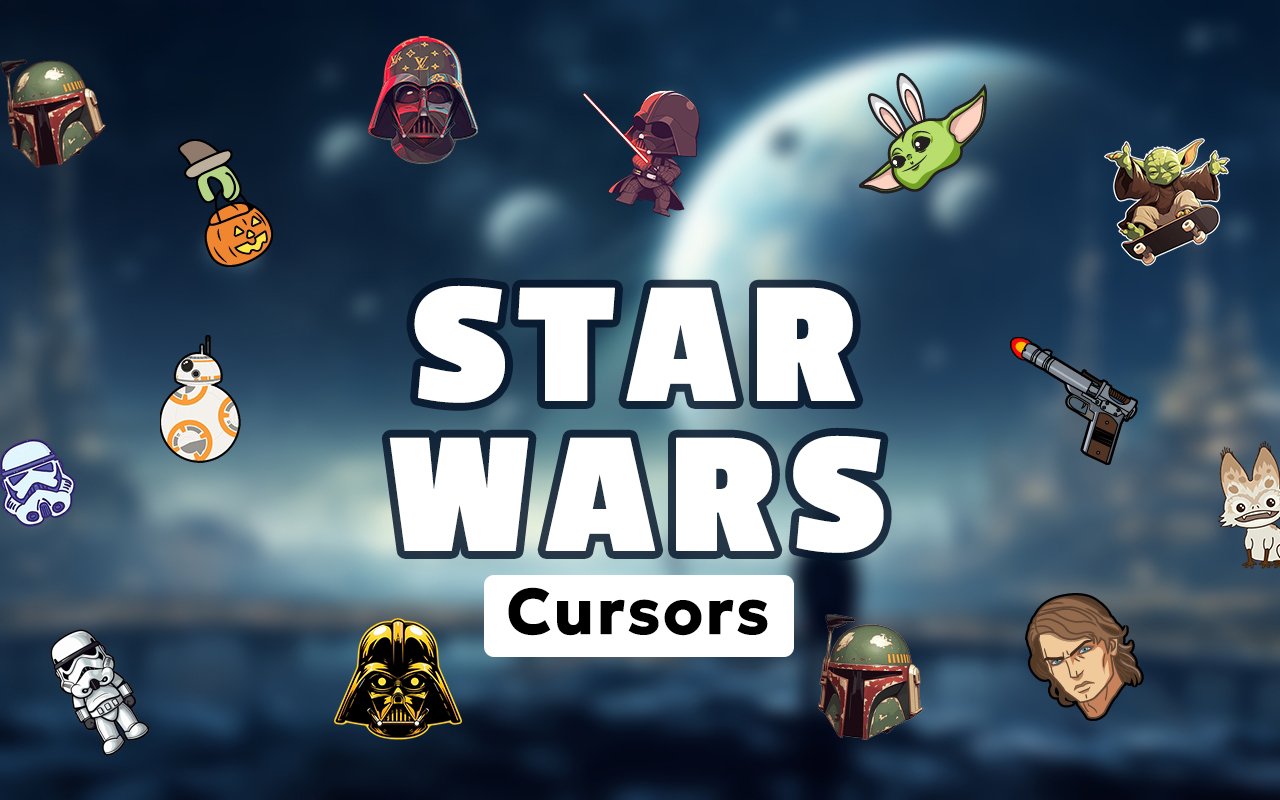
What Is The Star Wars Cursor?
The Star Wars Cursor is a Chrome extension that replaces your default browser pointer with custom cursor designs inspired by the iconic Star Wars universe. Once installed, every click and scroll becomes a nod to one of the most beloved franchises in cinematic history. The extension works automatically across your Chrome tabs as soon as a design is selected.
Star Wars spans decades of films, animated series, and spin-off shows, giving rise to some of the most recognizable characters in popular culture. From the menacing presence of Darth Vader and the ancient wisdom of Yoda to the armored bounty hunter Din Djarin of The Mandalorian and the beloved Baby Yoda, the franchise offers an enormous cast of iconic figures. The Lightsaber alone has become one of the most universally recognized symbols in science fiction.
This extension appeals to lifelong Star Wars enthusiasts and casual fans alike, offering a small but meaningful way to carry that passion into everyday browsing without disrupting productivity.
Key Features of The Star Wars Cursor Extension
Complete Star Wars Cursor Collection
The collection draws from across the Star Wars saga, featuring characters and props that fans will recognize instantly. Designs include Darth Vader, Yoda, Baby Yoda, the Mandalorian, a Lightsaber, Stormtrooper, R2-D2, and the Galactic Empire symbol, among others. Each cursor is crafted to reflect its source character clearly, even at the small scale of a browser pointer.
- Darth Vader cursor
- Yoda cursor
- Baby Yoda cursor
- The Mandalorian cursor
- Lightsaber cursor
- Stormtrooper cursor
- R2-D2 cursor
- Galactic Empire symbol cursor
Original Animation Art Style
Each cursor design captures the visual identity of the Star Wars universe with a crisp, stylized art style that balances detail with clarity at small sizes. The color palette leans into the deep blacks and grays of the Empire, the earthy greens associated with Yoda and the forest planets, and the vivid blues and reds of clashing Lightsabers. Character silhouettes are drawn to be immediately recognizable, ensuring that Darth Vader’s helmet or the Mandalorian’s beskar armor reads clearly even as a tiny pointer. The result feels consistent with the franchise’s aesthetic rather than generic sci-fi clipart.
Adjustable Cursor Size
The extension includes a size slider that allows you to scale each cursor up or down to suit your screen and personal preference. Whether you are working on a compact laptop display or a large 4K monitor, you can adjust the cursor to a size that feels natural and visible. This flexibility makes the extension practical for a wide range of hardware setups.
Favorites System for Quick Switching
The favorites system lets you bookmark the cursor designs you return to most often, saving them in a dedicated shortlist for instant access. Rather than scrolling through the entire collection each time you want to change your pointer, your saved designs are always one click away. Favorites are stored persistently, so your shortlist remains intact even after closing and reopening Chrome.
Lightweight and Performance-Friendly
The extension is designed to run quietly in the background without consuming meaningful browser resources. It does not interfere with page load times, JavaScript execution, or Chrome’s memory allocation, even during graphic-intensive sessions like streaming or online gaming. Users on older machines can install it without any concern about performance degradation.
Easy Toggle On and Off
A simple on/off toggle lets you disable the custom cursor in seconds whenever you need to switch back to the standard Chrome pointer for work tasks, video calls, or web applications that require precision input. Re-enabling the extension is equally quick, and it automatically restores whichever cursor design was active when you turned it off. No settings are lost when you toggle the extension.
How to Install The Star Wars Cursor
- Open Google Chrome on your desktop or laptop.
- Go to the Chrome Web Store and search for Star Wars Cursor.
- Click the extension listing to open its detail page.
- Click Add to Chrome and confirm when the popup appears.
- Click the extension icon in your Chrome toolbar to open the cursor library.
- Select any design to activate it immediately — no browser restart needed.
Why Star Wars Cursor Fans Love This Extension
Star Wars has shaped the childhoods and adult lives of fans across multiple generations, and characters like Darth Vader and Yoda carry deep emotional weight that goes well beyond casual pop culture familiarity. Seeing the silhouette of the Mandalorian or the green glow of a Lightsaber while browsing brings a small but genuine moment of connection to a story that many fans have followed for years or even decades. The arrival of Baby Yoda through The Mandalorian series introduced a new wave of affection for the franchise, and having that character as a cursor resonates strongly with fans who watched that series. For many users, it is not about flashy customization — it is about keeping something they love close by throughout the day.
Students writing essays late at night, remote workers sitting through long browsing sessions, and gamers researching builds between matches all find that a small personalisation like this makes their screen feel more their own. Star Wars fans in particular tend to incorporate the franchise into many aspects of their daily lives, and a themed cursor fits naturally alongside their wallpapers, keychains, and desktop setups.
Frequently Asked Questions
Does this extension work on all websites?
The cursor is active across virtually all websites you visit in Chrome. A small number of sites with strict content security policies may limit custom cursor behavior, but this is uncommon and the extension works normally on the vast majority of pages.
Can I use multiple Star Wars Cursor cursors at once?
Only one cursor can be active at a time, but switching between designs is quick. The favorites system lets you save your preferred characters and switch between them in seconds without scrolling through the entire collection.
Will this extension slow down my browser?
No. The Star Wars Cursor extension is built to be lightweight and runs quietly in the background. It has no noticeable impact on Chrome’s speed, memory usage, or page load performance.
Is the Star Wars Cursor extension free?
Yes. The extension is completely free to download and use from the Chrome Web Store. You get access to the full cursor library without any subscription or in-app purchases.




Community comments
Comments are reviewed before they appear publicly.