What Is The Sports Cursor?
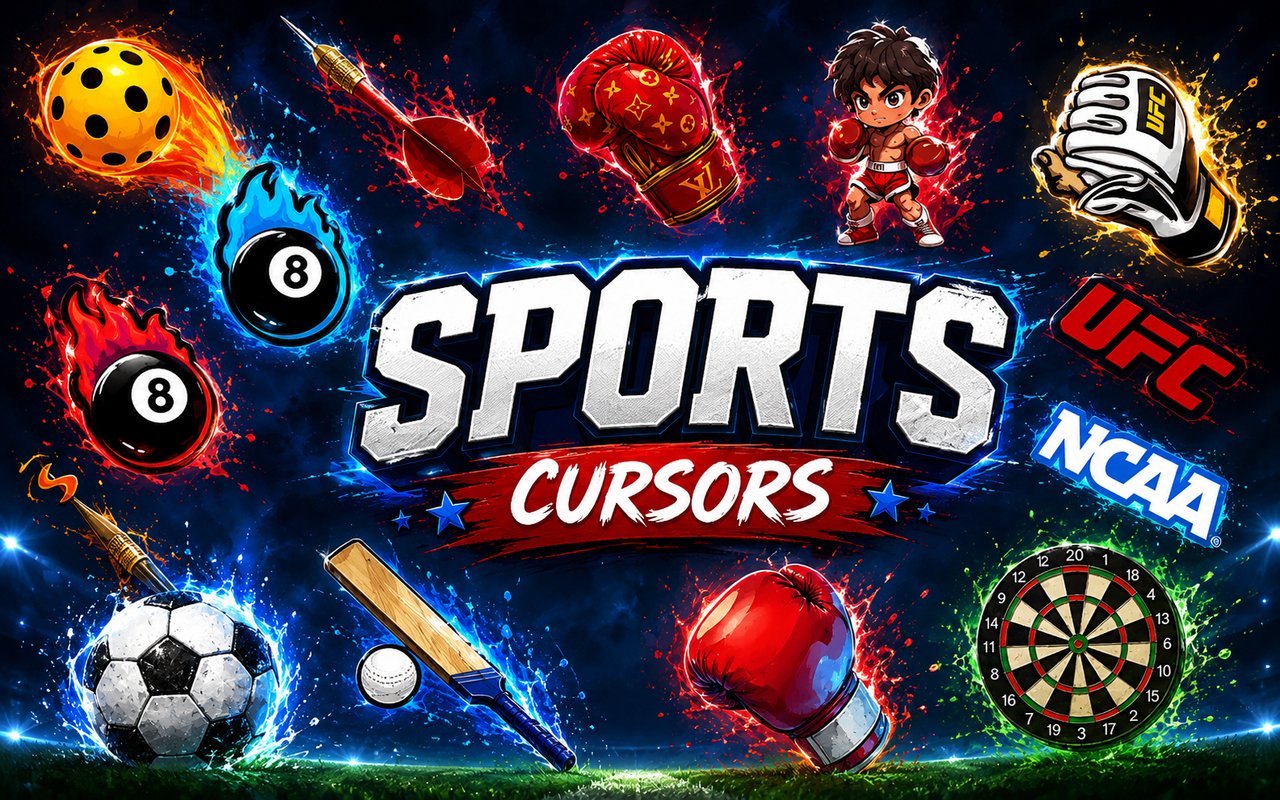
Sports Cursor is a Chrome extension that replaces your standard browser pointer with custom cursor designs themed around the world of sports and competitive culture. From combat sports to team athletics, it brings iconic visuals directly into your everyday browsing experience. The extension installs quickly and activates without any configuration beyond choosing your preferred design.
The source material spans some of the most passionate corners of the sports world, including UFC, boxing, football, cricket, and the Olympic Games. Icons like championship belts, boxing gloves, MMA cages, and Olympic rings are all represented, alongside nods to esports culture through FaZe Clan. Whether you follow the fights of professional MMA or the discipline of cricket and track events, the range covers a broad athletic landscape.
This extension appeals to sports fans, esports followers, and competitive gaming enthusiasts who want their browser to reflect the same energy they bring to watching and playing.
Key Features of The Sports Cursor Extension
Complete Sports and Combat Cursor Collection
The library draws from UFC, boxing, football, cricket, the Olympic Games, and FaZe Clan, giving fans across multiple disciplines something to choose from. You will find designs built around boxing gloves, MMA gloves, a cricket bat, a football, Olympic torch, championship belts, and FaZe Clan branding. The collection includes:
- Boxing gloves cursor
- MMA gloves and UFC-themed cursor
- Football cursor
- Cricket bat and ball cursor
- Olympic torch cursor
- Championship belt cursor
- FaZe Clan logo cursor
- Olympic rings cursor
Original Animation Art Style
Each cursor is designed with bold, high-contrast visuals that match the intensity and energy of competitive sports. The color palette pulls from the deep reds and golds of combat sports, the bright whites and blues associated with Olympic branding, and the sharp monochrome of esports aesthetics. Line work is clean and deliberate, making each design immediately recognizable even at small sizes. The result is a set of cursors that feel authentic to their respective sports rather than generic clip art.
Adjustable Cursor Size
The extension includes a size slider that lets you scale your cursor up or down to suit your monitor resolution and personal preference. Whether you are working on a compact laptop screen or a wide desktop display, you can find a size that feels comfortable and visible. Larger sizes are particularly useful for presentations or screen sharing where cursor visibility matters.
Favorites System for Quick Switching
You can mark any cursor design as a favorite to save it for fast access without browsing the entire library every time. This is useful when you want to rotate between a boxing cursor during fight nights and a football cursor on match days. Favorites are stored persistently so they remain saved across browser sessions without needing to be re-selected.
Lightweight and Performance-Friendly
The extension runs quietly in the background and places no measurable load on Chrome’s memory or processing resources. Page load times and browsing speed remain completely unaffected, even during sessions involving video streaming or graphics-heavy websites. It performs reliably on older machines as well as high-performance setups.
Easy Toggle On and Off
A single click on the extension icon lets you switch the custom cursor off and revert to your default system pointer whenever needed. This is handy for video calls, work applications, or any context where a standard cursor is more appropriate. Once you are ready to switch back, one click re-enables the extension and restores the last active cursor design automatically.
How to Install The Sports Cursor
- Open Google Chrome on your desktop or laptop.
- Go to the Chrome Web Store and search for Sports Cursor.
- Click the extension listing to open its detail page.
- Click Add to Chrome and confirm when the popup appears.
- Click the extension icon in your Chrome toolbar to open the cursor library.
- Select any design to activate it immediately — no browser restart needed.
Why Sports Cursor Fans Love This Extension
For fans who follow UFC pay-per-view events, tune in for major boxing bouts, or track cricket series across the world, sports are not just entertainment but a genuine part of daily life. Having a cursor that reflects that passion — whether it is a championship belt from the world of MMA or an Olympic torch representing years of athletic achievement — is a small but meaningful touch. FaZe Clan supporters in particular find the crossover between esports culture and browser customization a natural fit. These designs are recognizable to anyone who follows competitive sports at any level.
Students keeping up with sports news, fantasy league managers tracking stats, and fans browsing highlight reels will find this extension adds personality to time they are already spending online. It is especially well suited to anyone who has a dedicated sports browsing routine and wants their setup to match their interests.
Frequently Asked Questions
Does this extension work on all websites?
The cursor is active across virtually all websites you visit in Chrome. A small number of sites with strict content security policies may limit custom cursor behavior, but this is uncommon and the extension works normally on the vast majority of pages.
Can I use multiple Sports Cursor cursors at once?
Only one cursor can be active at a time, but switching between designs is quick. The favorites system lets you save your preferred characters and switch between them in seconds without scrolling through the entire collection.
Will this extension slow down my browser?
No. The Sports Cursor extension is built to be lightweight and runs quietly in the background. It has no noticeable impact on Chrome’s speed, memory usage, or page load performance.
Is the Sports Cursor extension free?
Yes. The extension is completely free to download and use from the Chrome Web Store. You get access to the full cursor library without any subscription or in-app purchases.




Community comments
Comments are reviewed before they appear publicly.