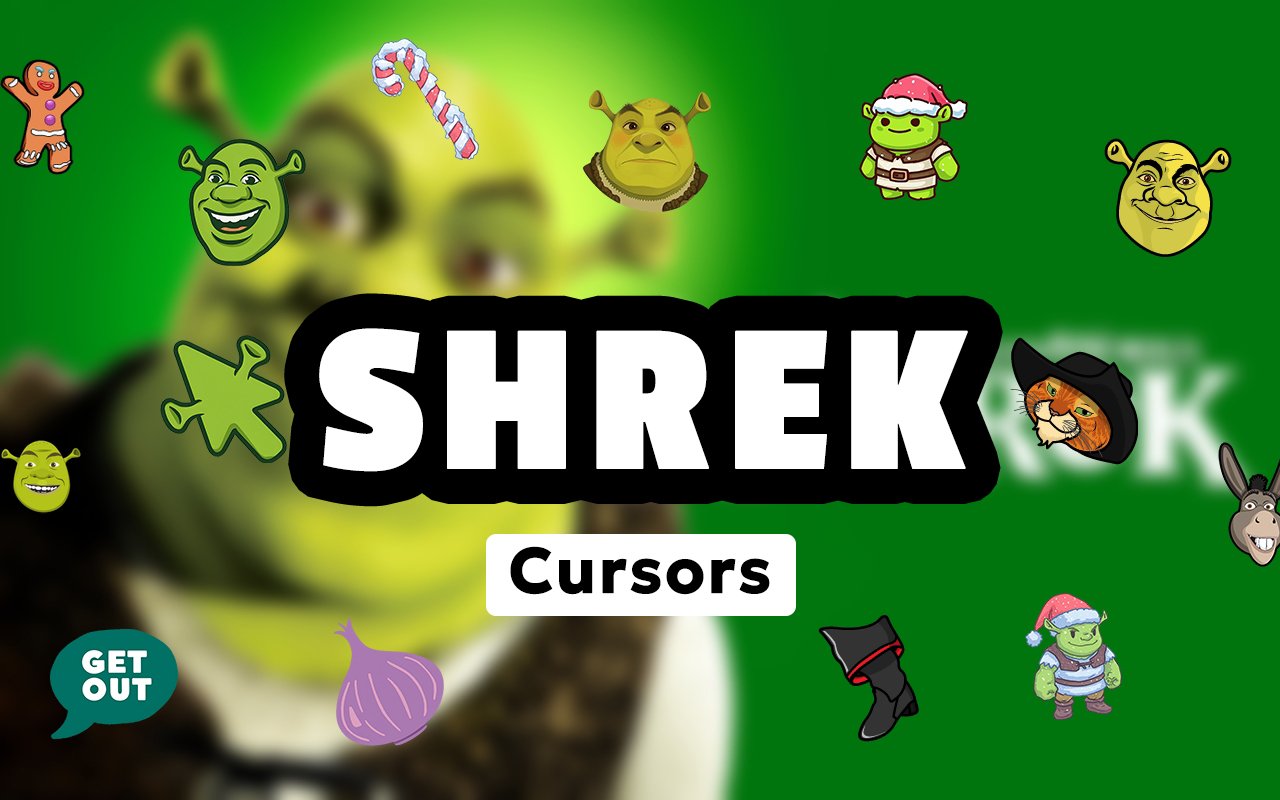
What Is The Shrek Cursor?
The Shrek Cursor is a Chrome extension that replaces your standard browser cursor with custom-designed pointers based on characters and elements from the beloved Shrek franchise. Once installed, every click, scroll, and hover uses a cursor drawn straight from the world of Far Far Away. The extension integrates directly with Chrome and activates immediately after installation.
Shrek is one of the most iconic animated franchises in cinema history, spanning multiple films, spin-offs, and a dedicated fanbase that has only grown over the decades. The series is packed with memorable characters, from the lovably grumpy ogre Shrek himself to the fast-talking Donkey, the swashbuckling Puss in Boots, and the cheerful Gingerbread Man known as Gingy. These characters, along with Fiona, Lord Farquaad, and the rest of the Far Far Away cast, have made the franchise a lasting part of popular culture.
This extension is a natural fit for Shrek fans who want a fun, personality-driven touch on their everyday browsing without any complicated setup or ongoing effort.
Key Features of The Shrek Cursor Extension
Complete Shrek Character Cursor Collection
The collection draws from across the Shrek universe, giving fans cursors featuring Shrek, Donkey, Puss in Boots, Gingy, Princess Fiona, and a range of other fan-favorite characters and iconic props from the films. Whether you want the main ogre hero front and center or prefer one of the charming supporting cast members, the library covers the full roster. Available cursor designs include:
- Shrek cursor
- Donkey cursor
- Puss in Boots cursor
- Gingy (Gingerbread Man) cursor
- Princess Fiona cursor
- Lord Farquaad cursor
Original Animation Art Style
Each cursor reflects the distinctive visual language of the Shrek animated films, with the warm greens and earthy browns that define the swamp setting and the broader Far Far Away world. Character designs stay faithful to their on-screen counterparts, capturing the rounded, expressive features that made the CGI animation so recognizable. The bold outlines and saturated colors ensure the cursors remain clear and visible against a wide variety of website backgrounds. Every design feels like it was lifted directly from the films rather than from generic fan art.
Adjustable Cursor Size
The extension includes a size slider that lets you scale each cursor up or down to match your screen resolution and personal preference. Larger displays often benefit from a bigger cursor, while compact laptop screens may work better with a more modest size. The adjustment takes effect instantly, so finding the right fit requires no guesswork.
Favorites System for Quick Switching
The favorites system lets you bookmark the cursor designs you return to most often, so you can access them without browsing through the entire collection each time. Simply mark a cursor as a favorite and it will appear in a dedicated shortlist for fast retrieval. Your saved favorites persist across browser sessions, meaning your preferred characters are always ready the next time you open Chrome.
Lightweight and Performance-Friendly
The extension runs quietly in the background without placing any measurable load on Chrome’s memory or processing resources. Page load times and browsing speed are completely unaffected, even during graphic-intensive sessions like streaming or gaming. Users on older machines will notice no slowdown from running this extension alongside their normal tabs and applications.
Easy Toggle On and Off
A single click on the extension icon toggles the custom cursor on or off, letting you revert to your default system cursor whenever a situation calls for it, such as during a video call, a presentation, or a web app that requires precise default cursor behavior. Re-enabling it is equally instant, with no need to select your cursor again. The extension automatically remembers the last active design so it is ready the moment you switch back on.
How to Install The Shrek Cursor
- Open Google Chrome on your desktop or laptop.
- Go to the Chrome Web Store and search for Shrek Cursor.
- Click the extension listing to open its detail page.
- Click Add to Chrome and confirm when the popup appears.
- Click the extension icon in your Chrome toolbar to open the cursor library.
- Select any design to activate it immediately — no browser restart needed.
Why Shrek Cursor Fans Love This Extension
Shrek holds a unique place in the hearts of a generation that grew up watching the films and has continued to celebrate them through internet culture ever since. There is genuine affection for Shrek’s gruff warmth, Donkey’s relentless enthusiasm, and Puss in Boots delivering that iconic wide-eyed stare. Having these characters appear every time you move your mouse across a page is a small but genuinely enjoyable nod to a franchise that has brought so much humor and heart to so many people. For fans who grew up quoting the films, this kind of detail carries real meaning.
Students, remote workers, and casual browsers who spend long hours in front of a screen often appreciate small personal touches that make their setup feel more like their own, and a Shrek cursor delivers exactly that. It is especially popular among fans who keep a themed desktop setup or who simply want a daily reminder that this is, in fact, their swamp.
Frequently Asked Questions
Does this extension work on all websites?
The cursor is active across virtually all websites you visit in Chrome. A small number of sites with strict content security policies may limit custom cursor behavior, but this is uncommon and the extension works normally on the vast majority of pages.
Can I use multiple Shrek Cursor cursors at once?
Only one cursor can be active at a time, but switching between designs is quick. The favorites system lets you save your preferred characters and switch between them in seconds without scrolling through the entire collection.
Will this extension slow down my browser?
No. The Shrek Cursor extension is built to be lightweight and runs quietly in the background. It has no noticeable impact on Chrome’s speed, memory usage, or page load performance.
Is the Shrek Cursor extension free?
Yes. The extension is completely free to download and use from the Chrome Web Store. You get access to the full cursor library without any subscription or in-app purchases.




Community comments
Comments are reviewed before they appear publicly.