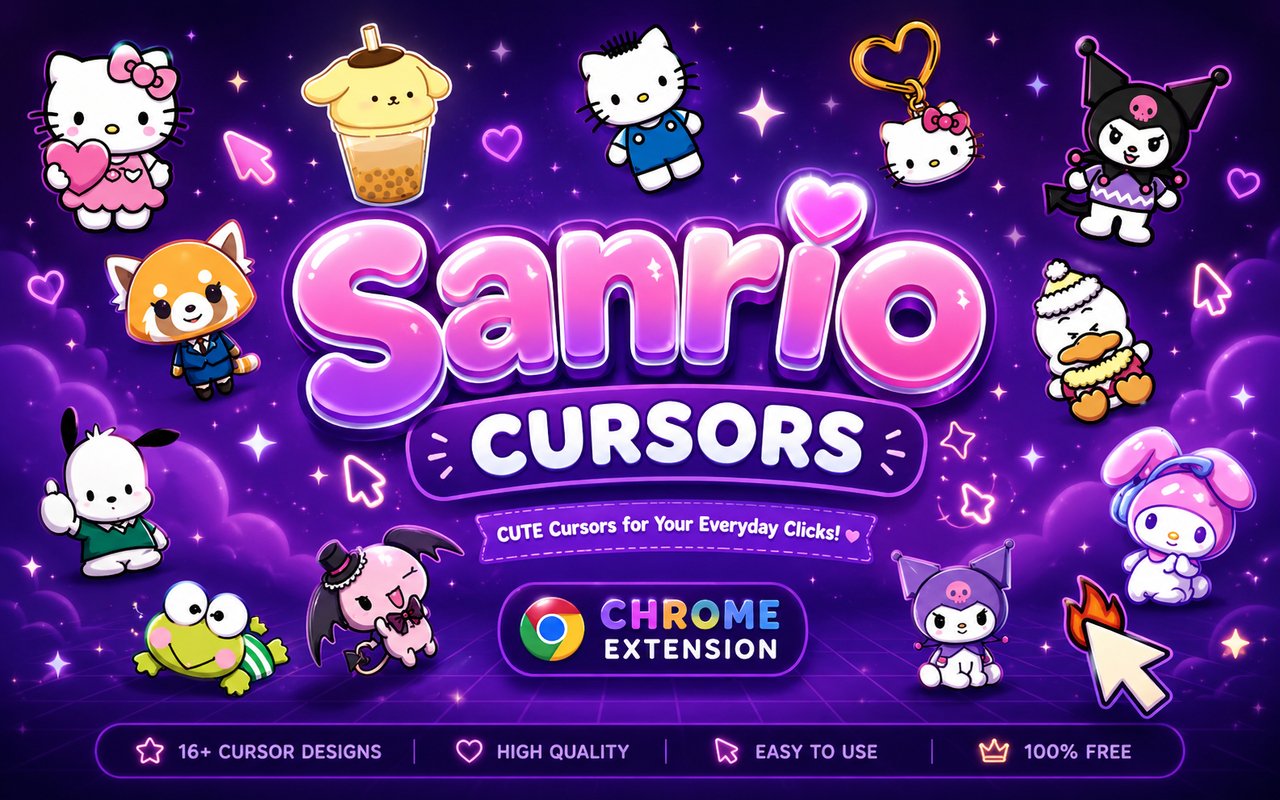
What Is The Sanrio Cursor?
Sanrio Cursor is a Chrome extension that replaces your standard browser cursor with custom designs inspired by the beloved Sanrio character universe. Once installed, every click and scroll is accompanied by an iconic character from the franchise, bringing a playful touch to your everyday browsing. The extension integrates directly into Chrome without requiring any additional software or configuration.
Sanrio is a Japanese character brand that has been creating instantly recognisable characters since the 1960s, with Hello Kitty becoming one of the most recognised fictional characters in the world. Alongside Hello Kitty, the Sanrio roster includes fan favourites such as Kuromi, the mischievous black-hooded rabbit, My Melody, the gentle pink-eared bunny, Cinnamoroll, the fluffy white puppy with big blue eyes, and Aggretsuko, the red panda office worker known for her secret love of death metal karaoke. These characters each carry their own distinct visual identity and dedicated fanbase.
This extension is ideal for Sanrio enthusiasts who want to carry their love of these characters into their online space, whether they are studying, working, or casually browsing the web.
Key Features of The Sanrio Cursor Extension
Complete Sanrio Character Cursor Collection
The extension offers a thoughtfully assembled library of cursors drawing from across the Sanrio character roster. Fans can expect designs featuring Hello Kitty, Kuromi, My Melody, Cinnamoroll, and Aggretsuko, alongside other beloved Sanrio icons rendered as both pointer and accent cursors. The collection includes:
- Hello Kitty cursor design
- Kuromi cursor design
- My Melody cursor design
- Cinnamoroll cursor design
- Aggretsuko cursor design
- Classic Sanrio pastel and themed accent cursors
Original Sanrio Animation Art Style
Each cursor faithfully reflects the soft, rounded visual language that defines Sanrio character design, using the pastel pinks, purples, whites, and warm tones that fans immediately associate with the brand. Hello Kitty’s minimalist bow and clean lines are preserved, while Kuromi’s gothic purple accents and mischievous expression contrast beautifully with the gentler designs. My Melody and Cinnamoroll cursors lean into the cosy, cloud-like softness their characters are known for, and Aggretsuko brings a bolder, more expressive energy to the collection. The overall aesthetic is cohesive while still allowing each character’s personality to come through clearly at cursor scale.
Adjustable Cursor Size
The extension includes a cursor size slider that lets you scale each design up or down to suit your screen resolution and personal preference. Larger displays and higher-resolution monitors benefit from a bigger cursor that remains crisp and visible, while compact laptop screens may suit a smaller, more subtle size. Adjusting the size takes only a few seconds inside the extension panel.
Favorites System for Quick Switching
The favorites system allows you to bookmark the cursor designs you return to most often, so you never need to scroll through the full library to find them. Saved favorites are stored persistently and remain accessible across browser sessions, even after restarting Chrome. This is particularly useful if you like to rotate between a few specific characters depending on your mood.
Lightweight and Performance-Friendly
The extension is designed to run quietly in the background without consuming noticeable memory or CPU resources. Page load times, scrolling performance, and tab switching are unaffected, making it suitable for older machines as well as sessions that already demand significant processing power. You will not notice it is running unless you look at your cursor.
Easy Toggle On and Off
A single click on the extension icon allows you to disable the custom cursor instantly and revert to Chrome’s default pointer whenever needed, such as during video calls, work presentations, or on specific web applications. Re-enabling it is equally immediate, and the extension remembers which cursor you had active so you never have to reselect it after toggling back on.
How to Install The Sanrio Cursor
- Open Google Chrome on your desktop or laptop.
- Go to the Chrome Web Store and search for Sanrio Cursor.
- Click the extension listing to open its detail page.
- Click Add to Chrome and confirm when the popup appears.
- Click the extension icon in your Chrome toolbar to open the cursor library.
- Select any design to activate it immediately — no browser restart needed.
Why Sanrio Cursor Fans Love This Extension
For long-time Sanrio fans, these characters are far more than cartoon mascots — they represent a sense of comfort, nostalgia, and personal identity that many people have carried since childhood. Hello Kitty has decorated lunchboxes, stationery, and bedroom walls for decades, while Kuromi and My Melody have built passionate followings among fans who connect deeply with their contrasting personalities. Cinnamoroll’s gentle charm and Aggretsuko’s relatable frustrations have introduced an entirely new generation to the Sanrio world. Having these characters present in something as constant as your browser cursor means spending the day alongside a small piece of something personally meaningful.
Students and remote workers who spend long hours at their computers often look for small ways to personalise their digital environment without disrupting productivity, and this extension fits naturally into that habit. Sanrio fans in particular tend to surround themselves with character merchandise as a form of self-expression, and a themed cursor extends that same sensibility directly into their browsing experience.
Frequently Asked Questions
Does this extension work on all websites?
The cursor is active across virtually all websites you visit in Chrome. A small number of sites with strict content security policies may limit custom cursor behavior, but this is uncommon and the extension works normally on the vast majority of pages.
Can I use multiple Sanrio Cursor cursors at once?
Only one cursor can be active at a time, but switching between designs is quick. The favorites system lets you save your preferred characters and switch between them in seconds without scrolling through the entire collection.
Will this extension slow down my browser?
No. The Sanrio Cursor extension is built to be lightweight and runs quietly in the background. It has no noticeable impact on Chrome’s speed, memory usage, or page load performance.
Is the Sanrio Cursor extension free?
Yes. The extension is completely free to download and use from the Chrome Web Store. You get access to the full cursor library without any subscription or in-app purchases.




Community comments
Comments are reviewed before they appear publicly.