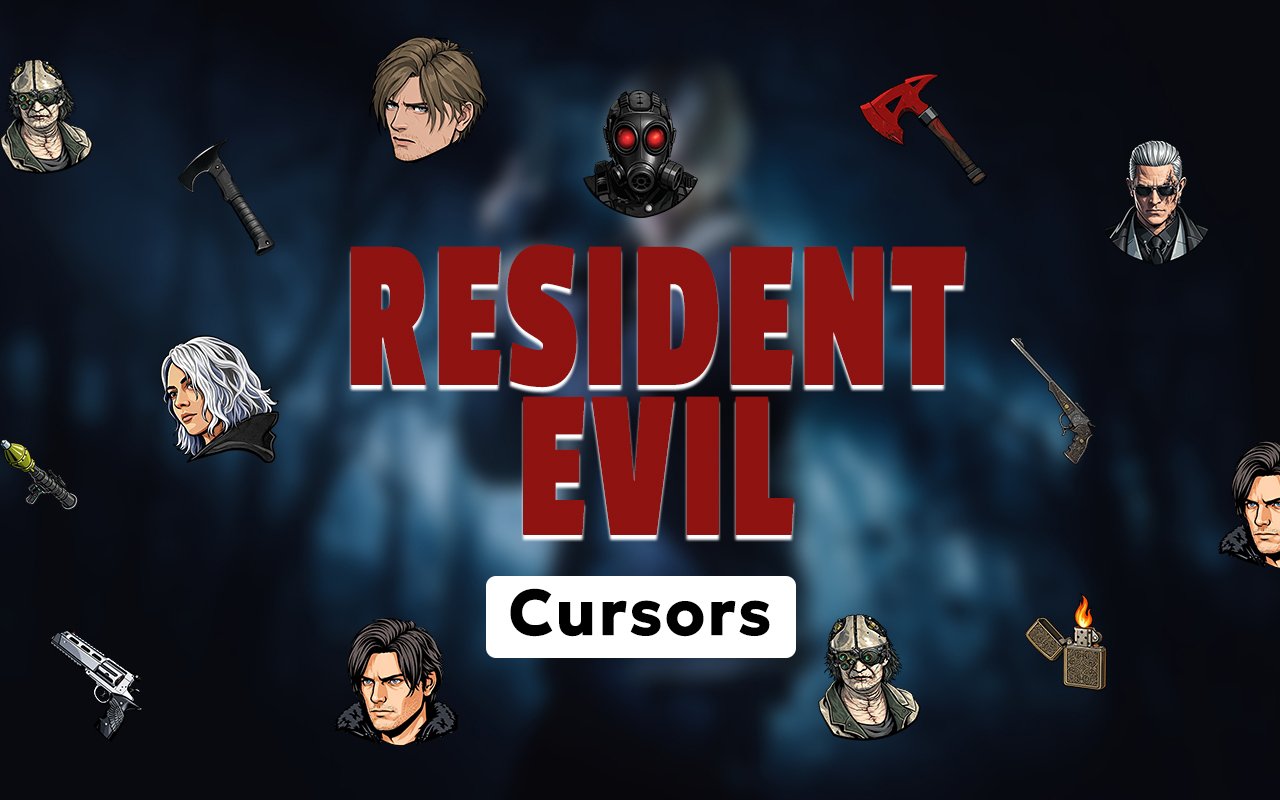
What Is The Resident Evil Cursor?
The Resident Evil Cursor is a Chrome extension that replaces your standard browser pointer with custom cursor designs drawn from one of the most iconic survival horror franchises in gaming history. Every cursor in the collection is styled around the terrifying world of Resident Evil, swapping out the default arrow for characters and imagery pulled straight from the series. Installing it takes under a minute, and the new cursor activates across all your Chrome tabs immediately.
Resident Evil is a long-running Capcom franchise built around zombie outbreaks, bioweapon conspiracies, and desperate survival against overwhelming odds. Characters like Leon Kennedy, the elite operative HUNK, and the newer protagonist Grace Ashcroft anchor the series across its many entries, each bringing their own weapons, gear, and grim determination to the nightmare. The franchise spans decades of games, remakes, and adaptations that have kept horror fans on edge since the mid-1990s.
This extension appeals directly to Resident Evil fans who want to carry a piece of that horror atmosphere into their everyday browsing, whether they are researching, streaming, or taking a break between gaming sessions.
Key Features of The Resident Evil Cursor Extension
Complete Resident Evil Cursor Collection
The collection draws from across the Resident Evil universe, featuring fan-favourite characters and series staples rendered as precise cursor designs. Leon Kennedy, HUNK, and Grace Ashcroft are central to the lineup, joined by imagery tied to the zombies, bioweapons, and iconography that define the franchise. Expect designs referencing the following:
- Leon Kennedy cursor design
- HUNK cursor design
- Grace Ashcroft cursor design
- Zombie-themed cursor
- Resident Evil logo and sigil designs
- Survival horror weapon and item cursors
Original Animation Art Style
Each cursor reflects the dark, gritty visual identity that Resident Evil is known for, using deep shadows, muted greens, grays, and blood reds that echo the series’ oppressive atmosphere. Character designs stay faithful to their in-game appearances, capturing details like Leon’s jacket, HUNK’s gas mask, and Grace’s combat gear without sacrificing cursor readability at small sizes. The line work is clean but weighted enough to feel heavy and serious, which suits the tone of the source material. Every design feels like it belongs in the world rather than being a generic cartoon adaptation.
Adjustable Cursor Size
A built-in size slider lets you scale any cursor up or down to suit your screen resolution and personal preference. Smaller laptop displays might benefit from a reduced size to keep things precise, while large monitors or high-resolution setups can handle a bolder, larger cursor without it feeling intrusive. Adjusting the size takes seconds and the change applies instantly across all open tabs.
Favorites System for Quick Switching
The favorites system lets you bookmark specific cursor designs so you can return to them without scrolling through the entire collection each time. Once saved, your preferred characters appear in a dedicated section at the top of the library for immediate access. Favorites are stored persistently, so they remain saved across browser sessions even after you close and reopen Chrome.
Lightweight and Performance-Friendly
The extension runs quietly in the background and places no measurable load on Chrome’s memory or processing resources. Page load times remain unaffected, and the extension performs just as well during graphically intensive browsing sessions as it does on simple web pages. It is equally well-suited to older machines that cannot afford to spare resources for heavy add-ons.
Easy Toggle On and Off
A single click on the extension icon switches the custom cursor off, restoring Chrome’s default pointer for work tasks, video calls, or any web application where a custom cursor might be distracting. Clicking again re-enables the last active design instantly, with no need to reselect it from the library. The extension always remembers which cursor was active when you toggled off.
How to Install The Resident Evil Cursor
- Open Google Chrome on your desktop or laptop.
- Go to the Chrome Web Store and search for Resident Evil Cursor.
- Click the extension listing to open its detail page.
- Click Add to Chrome and confirm when the popup appears.
- Click the extension icon in your Chrome toolbar to open the cursor library.
- Select any design to activate it immediately — no browser restart needed.
Why Resident Evil Cursor Fans Love This Extension
For fans who have spent years navigating Raccoon City’s streets, the underground Umbrella labs, and the infection-ridden corridors of later entries, seeing Leon Kennedy or HUNK represented in their browser carries real weight. These are characters tied to some of the most tense and memorable moments in survival horror gaming, and having them present during daily browsing keeps that connection alive between play sessions. Grace Ashcroft represents a newer generation of the franchise, making this collection relevant to both longtime followers and those who came to the series more recently. The emotional resonance of these characters goes far beyond surface-level aesthetics.
Gamers who are actively working through a Resident Evil title, rewatching lore videos, or browsing guides and wikis will find that these cursors complement the headspace they are already in. It is a natural fit for horror enthusiasts who want their browser environment to reflect the same dark, high-stakes atmosphere they seek out in their entertainment.
Frequently Asked Questions
Does this extension work on all websites?
The cursor is active across virtually all websites you visit in Chrome. A small number of sites with strict content security policies may limit custom cursor behavior, but this is uncommon and the extension works normally on the vast majority of pages.
Can I use multiple Resident Evil Cursor cursors at once?
Only one cursor can be active at a time, but switching between designs is quick. The favorites system lets you save your preferred characters and switch between them in seconds without scrolling through the entire collection.
Will this extension slow down my browser?
No. The Resident Evil Cursor extension is built to be lightweight and runs quietly in the background. It has no noticeable impact on Chrome’s speed, memory usage, or page load performance.
Is the Resident Evil Cursor extension free?
Yes. The extension is completely free to download and use from the Chrome Web Store. You get access to the full cursor library without any subscription or in-app purchases.




Community comments
Comments are reviewed before they appear publicly.