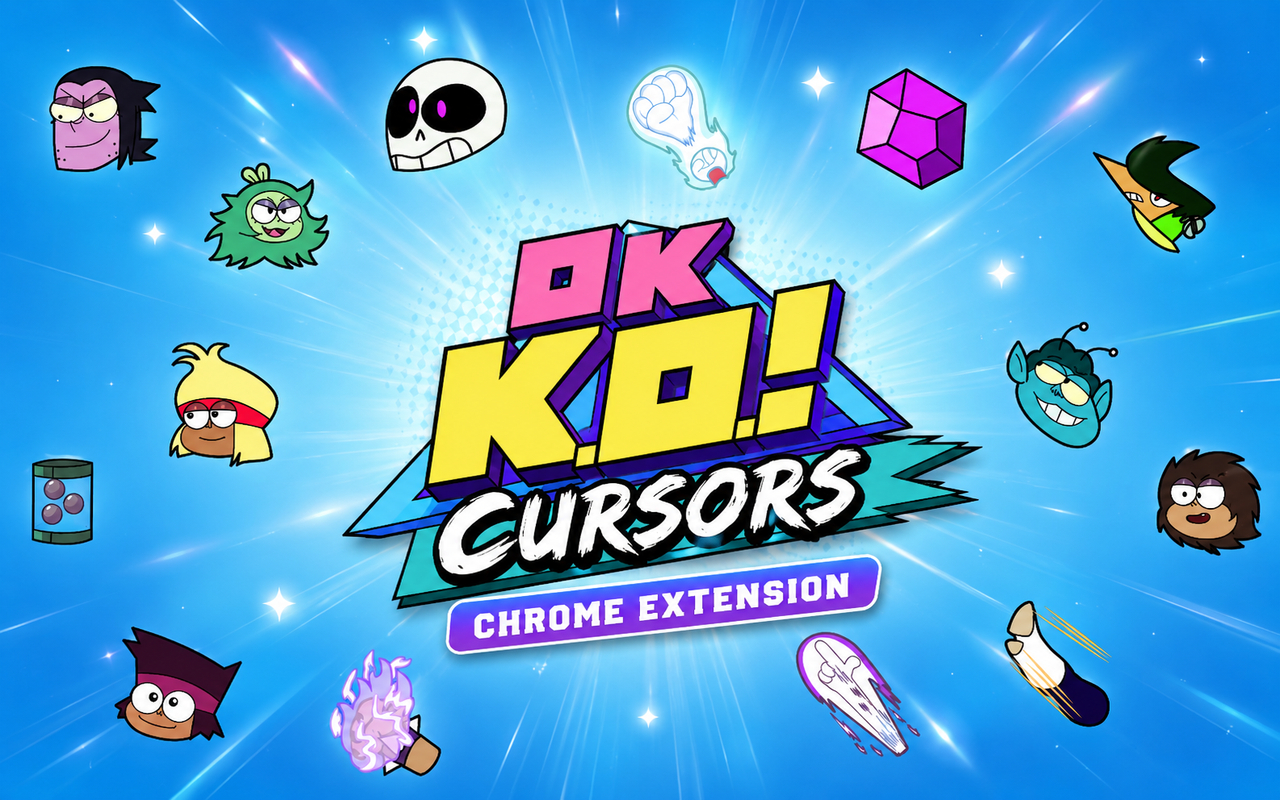
What Is The OK K.O. Cursor?
The OK K.O. Cursor is a Chrome extension that replaces your default browser cursor with custom-designed cursors inspired by the animated series OK K.O.! Let’s Be Heroes. Each cursor is crafted to reflect the look and feel of the show, bringing its colorful world directly into your everyday browsing. The extension installs in seconds and activates immediately through a simple interface inside Chrome.
OK K.O.! Let’s Be Heroes is a Cartoon Network animated series following K.O., a determined young boy working at a bodega next to a hero supply store in Lakewood Plaza Turbo. The show features a cast of beloved characters including K.O. himself, the cool and laid-back Rad, the sharp and capable Enid, the scheming Fink, and a host of heroes and villains who populate the plaza and beyond. Its vibrant art style, humor, and heart earned it a dedicated fanbase during its run.
This extension is built for fans of the series who want a personal touch in their browser, giving them a small but meaningful connection to the show during any browsing session.
Key Features of The OK K.O. Cursor Extension
Complete OK K.O. Cursor Collection
The cursor library draws from the full cast and world of OK K.O.! Let’s Be Heroes, featuring characters and design elements that fans will recognize immediately. From K.O. and Rad to Enid, Fink, and other heroes of Lakewood Plaza, the collection covers the show’s most iconic figures in their signature styles:
- K.O. cursor design
- Rad cursor design
- Enid cursor design
- Fink cursor design
- Lakewood Plaza hero-themed cursors
- Villain and supporting character cursors
Original Animation Art Style
The cursors are designed to match the distinct visual identity of OK K.O.! Let’s Be Heroes, with its bold outlines, saturated colors, and expressive character designs. The show is known for its punchy, action-oriented aesthetic that blends retro video game references with classic cartoon animation, and the cursors reflect that energy. Each design captures the character’s personality through pose, color, and shape, staying faithful to the source material rather than offering a generic cartoon look. Fans of the series will immediately recognize the style as authentic to the show.
Adjustable Cursor Size
The extension includes a size slider that allows you to scale your cursor up or down to suit your display and personal preference. Whether you are working on a compact laptop screen or a large external monitor, the cursor can be adjusted to remain visible and comfortable. Finding the right size takes only a few seconds and the setting is saved automatically.
Favorites System for Quick Switching
The favorites system lets you bookmark the cursor designs you return to most often, so they are always within easy reach. Instead of scrolling through the full library every time you want to switch, your saved favorites appear at the top for instant access. These preferences are stored and persist across browser sessions, so your choices remain intact even after restarting Chrome.
Lightweight and Performance-Friendly
The extension is built to run quietly in the background without drawing on Chrome’s resources in any meaningful way. There is no noticeable impact on page load times, memory usage, or overall browser speed, even during graphic-intensive browsing or on older machines. You get the visual customization without any performance trade-off.
Easy Toggle On and Off
A simple one-click toggle lets you switch the custom cursor on or off whenever needed, making it easy to revert to your default system cursor for work, video calls, or specific web applications. When you turn it back on, the extension automatically restores the last cursor you had active. No additional setup or menu navigation is required.
How to Install The OK K.O. Cursor
- Open Google Chrome on your desktop or laptop.
- Go to the Chrome Web Store and search for OK K.O. Cursor.
- Click the extension listing to open its detail page.
- Click Add to Chrome and confirm when the popup appears.
- Click the extension icon in your Chrome toolbar to open the cursor library.
- Select any design to activate it immediately — no browser restart needed.
Why OK K.O. Cursor Fans Love This Extension
For fans of OK K.O.! Let’s Be Heroes, the show holds a special place because of how genuinely it portrayed a young hero working hard to grow stronger while surrounded by people who cared about him. Seeing K.O. charging through his daily tasks with enthusiasm, watching Rad try to maintain his cool exterior, and following Enid’s effortlessly capable energy are moments that stuck with viewers long after the series ended. Having those characters accompany you through your own screen gives a small but real sense of connection to that world. The show’s cancellation left many fans wanting more, and extensions like this offer a way to keep that connection alive.
For students, remote workers, or anyone who spends long hours in front of a browser, a custom cursor is one of the few personalizations that is always visible and always present. Fans of the series who use Chrome daily will find that seeing a favorite character at the tip of their cursor makes the screen feel a little more their own, whether they are writing, researching, or just browsing between tasks.
Frequently Asked Questions
Does this extension work on all websites?
The cursor is active across virtually all websites you visit in Chrome. A small number of sites with strict content security policies may limit custom cursor behavior, but this is uncommon and the extension works normally on the vast majority of pages.
Can I use multiple OK K.O. Cursor cursors at once?
Only one cursor can be active at a time, but switching between designs is quick. The favorites system lets you save your preferred characters and switch between them in seconds without scrolling through the entire collection.
Will this extension slow down my browser?
No. The OK K.O. Cursor extension is built to be lightweight and runs quietly in the background. It has no noticeable impact on Chrome’s speed, memory usage, or page load performance.
Is the OK K.O. Cursor extension free?
Yes. The extension is completely free to download and use from the Chrome Web Store. You get access to the full cursor library without any subscription or in-app purchases.




Community comments
Comments are reviewed before they appear publicly.