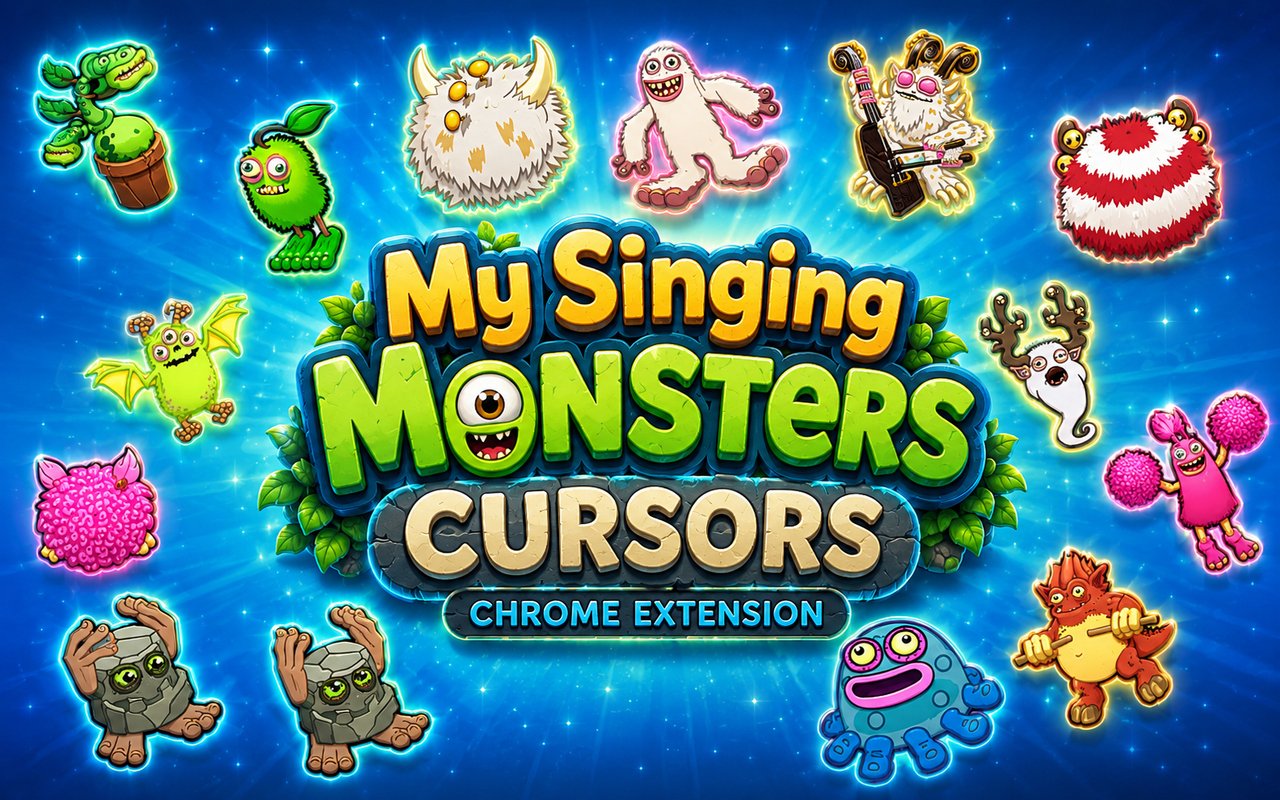
What Is The My Singing Monsters Cursor?
My Singing Monsters Cursor is a Chrome extension that replaces your standard browser cursor with custom designs inspired by the beloved monster-collecting game. Each cursor features a character from the game rendered as your pointer, arrow, and text cursor across every page you visit. The extension installs directly into Chrome and activates instantly with no configuration required.
My Singing Monsters is a popular mobile and PC game developed by Big Blue Bubble, where players breed, collect, and listen to musical monsters living on various islands. The game features a cast of distinctive creatures including Noggin, the rocky drumming monster, Mammott, the fluffy cold-island resident, and PomPom, the cheerful bird-like singer whose harmonies are a fan favorite. The colorful world and memorable characters have built a dedicated global fanbase since the game launched in 2012.
This extension is ideal for fans of the game who want to bring a touch of Monster Island into their daily browsing, whether they are checking social media, doing schoolwork, or simply surfing the web.
Key Features of The My Singing Monsters Cursor Extension
Complete My Singing Monsters Cursor Collection
The extension includes cursor designs based on some of the most recognizable monsters in the game. Characters such as Noggin, Mammott, PomPom, Bowgart, Toe Jammer, and Furcorn are all represented, giving fans a varied selection of their favorite singing creatures to use as their browser pointer.
- Noggin cursor
- Mammott cursor
- PomPom cursor
- Bowgart cursor
- Toe Jammer cursor
- Furcorn cursor
Original Animation Art Style
Each cursor faithfully reflects the bright, expressive art style that defines My Singing Monsters visually. The characters are rendered with the same chunky outlines, vivid color palettes, and exaggerated features that make them instantly recognizable to fans of the game. Furcorn’s leafy green form, Toe Jammer’s rounded blue body, and Bowgart’s hairy multi-armed silhouette are all captured with care. The result is a cursor set that feels cohesive and true to the source material rather than a generic imitation.
Adjustable Cursor Size
The extension includes a size slider that lets you scale your cursor up or down to suit your screen resolution and personal preference. Larger cursors work well on high-resolution or wide displays where a small pointer can be difficult to track, while a smaller setting suits compact laptop screens. You can adjust the size at any time directly from the extension popup.
Favorites System for Quick Switching
A built-in favorites system lets you bookmark the cursor designs you return to most often, so you never have to scroll through the full library each time you want to switch. Saved favorites appear at the top of the popup for immediate access. Your selections are stored persistently, meaning they remain saved even after closing and reopening Chrome.
Lightweight and Performance-Friendly
The extension runs quietly in the background without drawing on Chrome’s memory or slowing down page load times. It is designed to have no measurable impact on browser performance, making it suitable for older machines and sessions that involve graphic-intensive tasks or multiple open tabs. You get a personalised cursor without any trade-off in speed or stability.
Easy Toggle On and Off
A single click on the extension icon enables or disables the custom cursor instantly, letting you revert to your default system pointer whenever needed. This is useful for professional video calls, work applications, or any situation where a themed cursor may not be appropriate. When you toggle it back on, the extension remembers and restores the last cursor you had active.
How to Install The My Singing Monsters Cursor
- Open Google Chrome on your desktop or laptop.
- Go to the Chrome Web Store and search for My Singing Monsters Cursor.
- Click the extension listing to open its detail page.
- Click Add to Chrome and confirm when the popup appears.
- Click the extension icon in your Chrome toolbar to open the cursor library.
- Select any design to activate it immediately — no browser restart needed.
Why My Singing Monsters Cursor Fans Love This Extension
For players who have spent hours building up their islands, listening to the layered melodies of Noggin, PomPom, and Furcorn, this extension brings a small but meaningful piece of that world into everyday life. The monsters each have distinct personalities and sounds that players grow genuinely attached to over time, and seeing them represented as cursor art carries that same warmth. Choosing Bowgart as your pointer or spotting Mammott on your screen while browsing is a quiet nod to a game that many fans return to daily. It is the kind of detail that only other MSM players will notice and appreciate.
Students and younger users who play My Singing Monsters regularly find that having these cursors active during homework or casual browsing makes their computer feel more personal and fun. It is a particularly popular choice among fans who also stream or record their gameplay, as the themed cursor adds a consistent visual identity to their content.
Frequently Asked Questions
Does this extension work on all websites?
The cursor is active across virtually all websites you visit in Chrome. A small number of sites with strict content security policies may limit custom cursor behavior, but this is uncommon and the extension works normally on the vast majority of pages.
Can I use multiple My Singing Monsters Cursor cursors at once?
Only one cursor can be active at a time, but switching between designs is quick. The favorites system lets you save your preferred characters and switch between them in seconds without scrolling through the entire collection.
Will this extension slow down my browser?
No. The My Singing Monsters Cursor extension is built to be lightweight and runs quietly in the background. It has no noticeable impact on Chrome’s speed, memory usage, or page load performance.
Is the My Singing Monsters Cursor extension free?
Yes. The extension is completely free to download and use from the Chrome Web Store. You get access to the full cursor library without any subscription or in-app purchases.




Community comments
Comments are reviewed before they appear publicly.