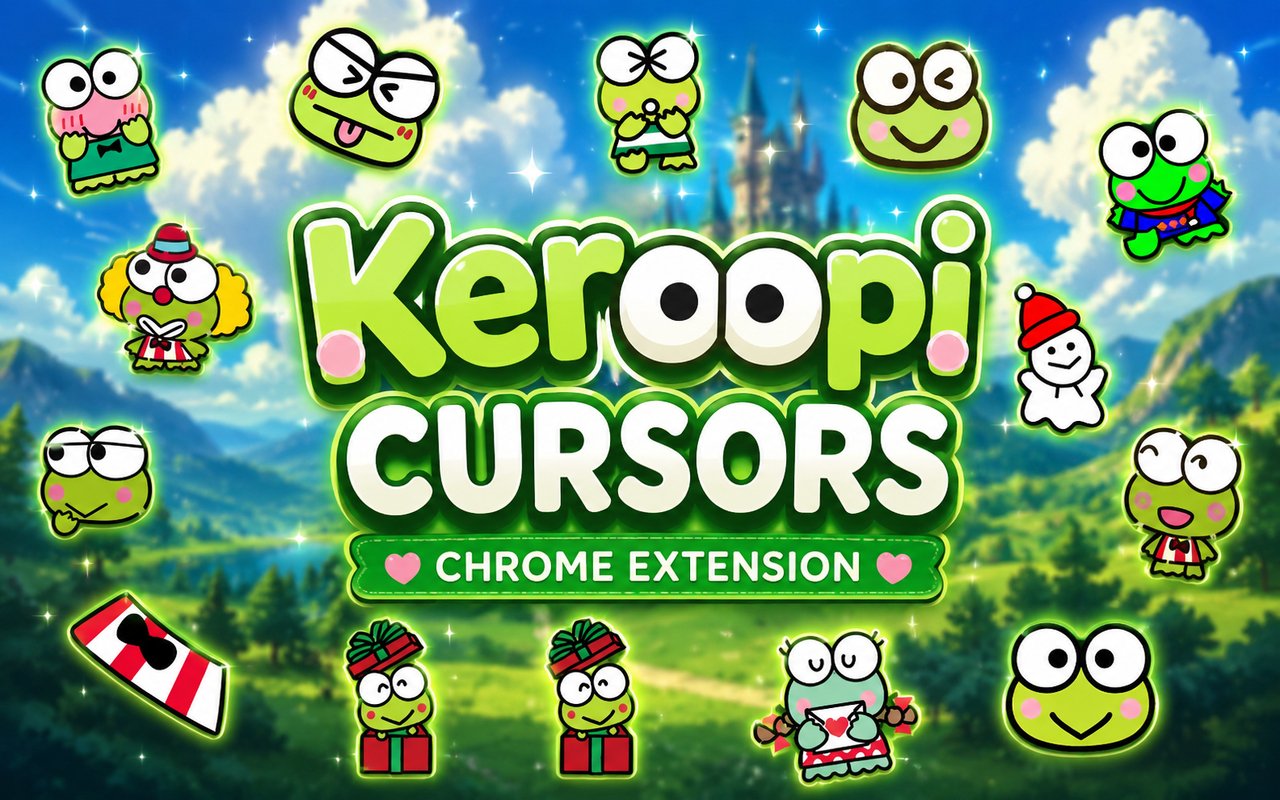
What Is The Keroppi Cursor?
The Keroppi Cursor extension replaces your standard Chrome browser cursor with a collection of themed designs inspired by Sanrio’s beloved frog character, Keroppi. Each cursor in the library features kawaii artwork drawn from seasonal and holiday variations, giving your browsing a playful, character-driven look. The extension installs directly into Chrome and activates your chosen design instantly across all your tabs.
Keroppi, whose full name is Hasunoue Keroppi, is a cheerful frog character from Sanrio who first appeared in 1988 and became one of the brand’s most recognizable icons alongside Hello Kitty and My Melody. He is known for his wide smile, large round eyes, and life near a pond called Donut Pond, along with his circle of friends including Pikki, Noberun, and Den Den. The character has appeared across decades of merchandise, stationery, and seasonal collections that inspired this cursor set.
This extension is a natural fit for Sanrio fans, kawaii culture enthusiasts, and anyone who wants to bring a little personality to their everyday browsing without any complicated setup.
Key Features of The Keroppi Cursor Extension
Complete Keroppi Cursor Collection
The library covers a wide range of Keroppi designs, from classic kawaii Keroppi and holiday versions to Valentine’s Day and winter themed variations. Characters and design elements you will find across the collection include:
- Classic kawaii Keroppi
- Holiday Keroppi
- Valentine’s Day Keroppi
- Winter Keroppi
- Seasonal themed frog designs
- Sanrio-style decorative cursor variants
Original Animation Art Style
Every cursor in this set reflects the soft, rounded aesthetic that defines Sanrio’s visual identity, using the pastel greens, warm pinks, and clean outlines that have made Keroppi recognizable for decades. The character’s signature oversized eyes and wide grin are faithfully rendered at cursor scale, so the charm of the original artwork carries over even at small sizes. Seasonal designs incorporate appropriate color palettes, such as reds and pinks for Valentine’s Day and cool blues and whites for winter, keeping each cursor visually distinct while maintaining a consistent Sanrio feel. The result is a cohesive collection that looks like it belongs on official Sanrio merchandise.
Adjustable Cursor Size
A built-in size slider lets you scale your cursor up or down to suit your display and personal preference. Larger sizes work well on high-resolution monitors or for users who prefer a more prominent cursor, while smaller settings keep things subtle on compact laptop screens. You can adjust the size at any time directly from the extension panel without needing to restart your browser.
Favorites System for Quick Switching
The favorites system allows you to bookmark the cursor designs you return to most often, so you can access them immediately without scrolling through the entire library each time. Saved favorites persist across browser sessions, meaning your selections are still there the next time you open Chrome. This is especially useful when you want to rotate between a few specific designs depending on your mood or the time of year.
Lightweight and Performance-Friendly
The extension is designed to run quietly in the background without drawing on your system’s resources in any meaningful way. There is no noticeable impact on Chrome’s speed, memory consumption, or the time it takes pages to load, even during sessions with multiple tabs open. It performs reliably on older machines as well as during graphic-intensive browsing sessions.
Easy Toggle On and Off
A single click on the extension icon is all it takes to enable or disable the custom cursor entirely. This makes it straightforward to revert to your default system cursor for professional video calls, specific web applications, or any situation where a custom cursor is not appropriate. When you toggle it back on, the extension automatically restores the last cursor you had active.
How to Install The Keroppi Cursor
- Open Google Chrome on your desktop or laptop.
- Go to the Chrome Web Store and search for Keroppi Cursor.
- Click the extension listing to open its detail page.
- Click Add to Chrome and confirm when the popup appears.
- Click the extension icon in your Chrome toolbar to open the cursor library.
- Select any design to activate it immediately — no browser restart needed.
Why Keroppi Cursor Fans Love This Extension
For people who grew up collecting Sanrio stationery, carrying Keroppi pencil cases, or watching the character appear on everything from lunch boxes to plush toys, having him appear on screen during everyday browsing carries a genuine sense of nostalgia. Keroppi has always been associated with cheerfulness and the simple joy of kawaii design, and seeing his wide smile pop up as your cursor while reading articles or checking email brings that feeling back in a small but noticeable way. The seasonal variations, especially the Valentine’s Day and winter versions, also give longtime fans something to look forward to throughout the year. It is the kind of detail that makes a familiar character feel present in a new context.
Students who spend long hours studying at their computers, kawaii culture enthusiasts who curate their digital spaces with care, and Sanrio collectors who want their screen to reflect their aesthetic will all find this extension fits naturally into their setup. It is a low-effort way to make a browser feel more personal without changing anything about how it functions.
Frequently Asked Questions
Does this extension work on all websites?
The cursor is active across virtually all websites you visit in Chrome. A small number of sites with strict content security policies may limit custom cursor behavior, but this is uncommon and the extension works normally on the vast majority of pages.
Can I use multiple Keroppi Cursor cursors at once?
Only one cursor can be active at a time, but switching between designs is quick. The favorites system lets you save your preferred characters and switch between them in seconds without scrolling through the entire collection.
Will this extension slow down my browser?
No. The Keroppi Cursor extension is built to be lightweight and runs quietly in the background. It has no noticeable impact on Chrome’s speed, memory usage, or page load performance.
Is the Keroppi Cursor extension free?
Yes. The extension is completely free to download and use from the Chrome Web Store. You get access to the full cursor library without any subscription or in-app purchases.




Community comments
Comments are reviewed before they appear publicly.