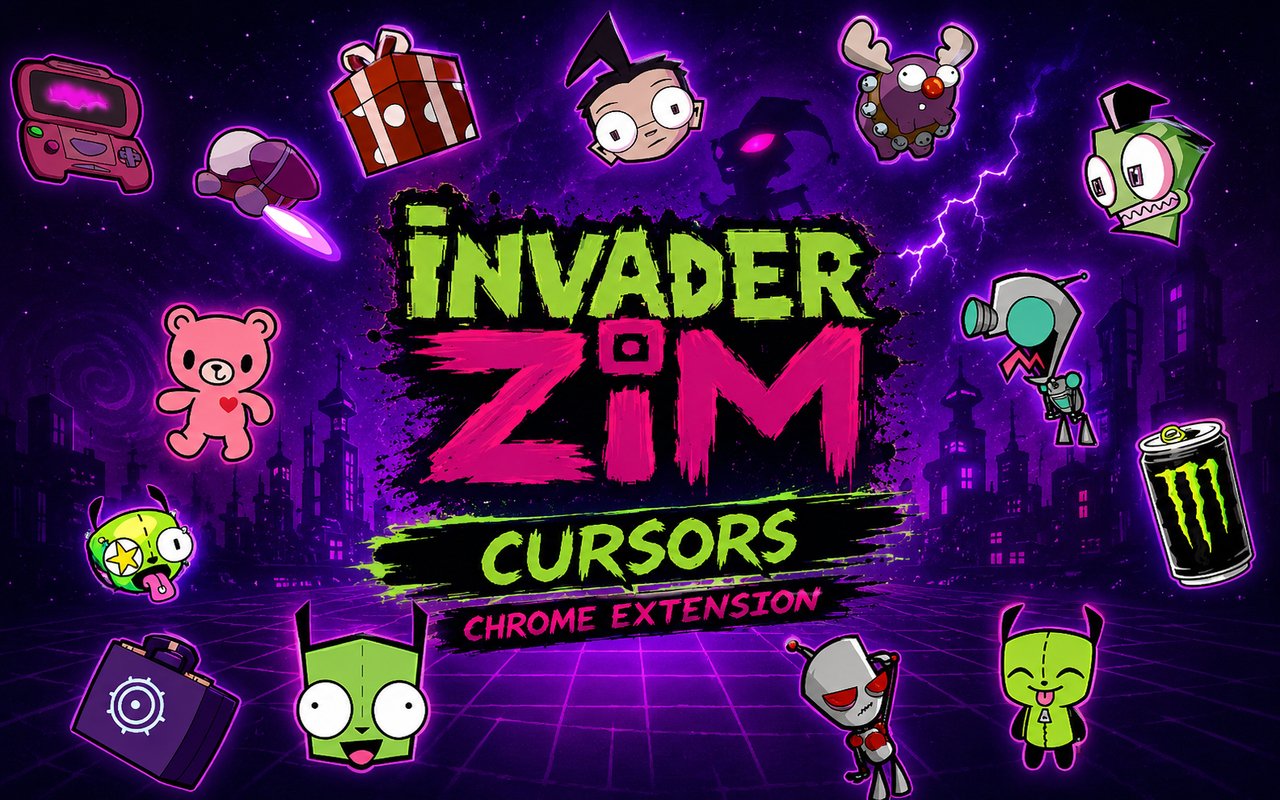
What Is The Invader ZIM Cursor?
The Invader ZIM Cursor is a Chrome extension that replaces your standard browser cursor with custom-designed cursors drawn from the world of Invader ZIM. Once installed, every click and scroll becomes a small nod to one of the most beloved animated series to come out of Nickelodeon. The extension slots into Chrome seamlessly and activates your chosen design across all browsing sessions.
Invader ZIM is the cult animated television series created by Jhonen Vasquez, originally airing in 2001, following the misadventures of the incompetent alien invader ZIM and his malfunctioning robot companion GIR. The show became a phenomenon thanks to its dark humor, bizarre characters, and unforgettable visual style, with figures like the conspiracy-obsessed Dib and the perpetually indifferent Gaz Membrane becoming fan favorites. The universe expanded further with the 2019 Netflix film and a dedicated fanbase that has never stopped growing.
This extension is a perfect fit for fans who want a subtle, constant reminder of their love for the series while going about their everyday browsing, studying, or work.
Key Features of The Invader ZIM Cursor Extension
Complete Invader ZIM Cursor Collection
The extension includes cursor designs based on the core cast and iconic elements of the series, giving fans a varied selection to choose from. Characters and objects represented include GIR, Zim, Dib, Gaz Membrane, Minimoose, and the Voot Runner, covering the essential roster that defined the show:
- GIR cursor design
- Zim cursor design
- Dib cursor design
- Gaz Membrane cursor design
- Minimoose cursor design
- Voot Runner cursor design
Original Animation Art Style
Each cursor captures the distinctive visual identity that made Invader ZIM instantly recognizable — the angular, jagged character designs and Jhonen Vasquez’s signature grotesque-yet-expressive line work. The color palette leans into the show’s iconic greens, blacks, and purples, with GIR’s teal and Zim’s lime-green skin rendered faithfully at cursor scale. The chunky, slightly unhinged aesthetic of the original animation carries over well into small icon format, making each cursor feel authentically pulled from the series. Even at small sizes, the characters are immediately identifiable to any fan of the show.
Adjustable Cursor Size
The extension includes a size slider that lets you scale your cursor up or down to suit your display and personal preference. Whether you are on a compact laptop screen or a wide desktop monitor, you can dial in the exact size that feels right without the cursor becoming distracting or too small to appreciate. The setting saves automatically so you do not need to readjust each time you open Chrome.
Favorites System for Quick Switching
When you find a cursor design you keep coming back to, you can save it to your favorites for immediate access from the extension panel. This means you do not have to scroll through the full library every time you want to switch between GIR and Zim, for example. Your saved favorites persist across browser sessions, so your preferred picks are always ready the moment you open Chrome.
Lightweight and Performance-Friendly
The extension is designed to run quietly in the background without consuming meaningful memory or processing resources. There is no noticeable slowdown on page loads, and it performs just as well during graphic-intensive browsing sessions or on older machines. You get the full customization experience without any trade-off in browser performance.
Easy Toggle On and Off
A single click on the extension icon lets you switch the custom cursor off instantly, reverting Chrome to its default pointer whenever you need it. This is useful during video calls, productivity work, or any web application where a standard cursor feels more appropriate. When you are ready to bring the custom design back, one more click restores whichever cursor was last active.
How to Install The Invader ZIM Cursor
- Open Google Chrome on your desktop or laptop.
- Go to the Chrome Web Store and search for Invader ZIM Cursor.
- Click the extension listing to open its detail page.
- Click Add to Chrome and confirm when the popup appears.
- Click the extension icon in your Chrome toolbar to open the cursor library.
- Select any design to activate it immediately — no browser restart needed.
Why Invader ZIM Cursor Fans Love This Extension
For fans who grew up watching Invader ZIM, the series left a lasting impression that goes well beyond its original run. The chaotic energy of ZIM convinced he is destined for greatness, the absurd loyalty of GIR who is just as likely to eat a taco as follow orders, and the deadpan stubbornness of Gaz Membrane are characters that stuck with audiences for decades. Having them present on screen during everyday browsing is a small but genuinely satisfying way to keep that connection alive. The Voot Runner and Minimoose are the kinds of details that only true fans appreciate, and seeing them as cursor options signals that this extension was made with real knowledge of the source material.
Students who grew up in the early 2000s and now spend hours at a laptop for work or study will find particular comfort in having these characters alongside them throughout the day. It is the kind of low-key personalization that does not interrupt your workflow but makes the screen feel a little more like your own space.
Frequently Asked Questions
Does this extension work on all websites?
The cursor is active across virtually all websites you visit in Chrome. A small number of sites with strict content security policies may limit custom cursor behavior, but this is uncommon and the extension works normally on the vast majority of pages.
Can I use multiple Invader ZIM Cursor cursors at once?
Only one cursor can be active at a time, but switching between designs is quick. The favorites system lets you save your preferred characters and switch between them in seconds without scrolling through the entire collection.
Will this extension slow down my browser?
No. The Invader ZIM Cursor extension is built to be lightweight and runs quietly in the background. It has no noticeable impact on Chrome’s speed, memory usage, or page load performance.
Is the Invader ZIM Cursor extension free?
Yes. The extension is completely free to download and use from the Chrome Web Store. You get access to the full cursor library without any subscription or in-app purchases.




Community comments
Comments are reviewed before they appear publicly.