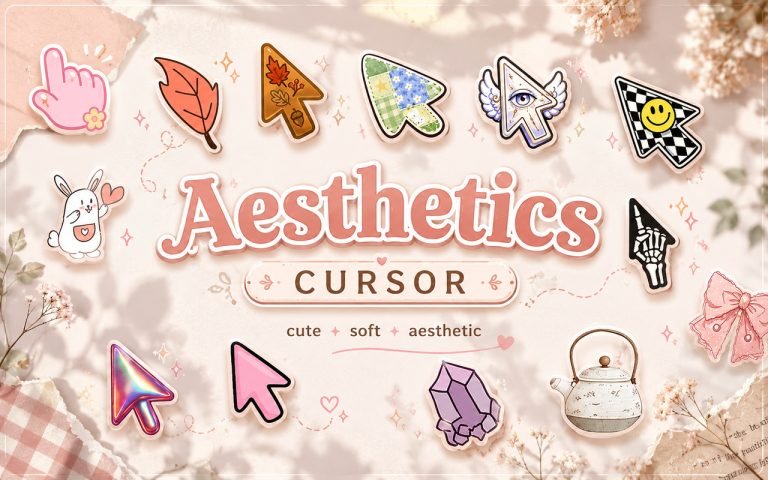
The Aesthetics Cursor is a Chrome extension that swaps your default browser pointer for a library of decorative, aesthetic-themed cursor designs. Every cursor in the collection is drawn around the visual styles that fill Pinterest boards and Tumblr feeds, so your browser matches the rest of your setup instead of sitting there in plain grey. It installs in seconds and applies immediately across your Chrome browsing sessions.
“Aesthetic” as an online style covers a lot of ground. Pastel and kawaii artwork, cottagecore florals, y2k butterflies and glitter, dark academia ink and candlelight, coquette bows and ribbons. What connects them is the idea that small visual details should feel chosen rather than left on default. A cursor is one of the few interface elements you look at all day and almost never think about, which makes it an easy place to start.
This extension suits anyone who already customizes their wallpaper, browser theme, phone icons, or Notion layout and wants the pointer to fit the same mood.
Key Features of The Aesthetics Cursor Extension
Complete Aesthetic Cursor Collection
The collection spans the major aesthetic categories rather than sticking to one look, so you can move between styles depending on your mood or the season. Pastel and kawaii sit alongside darker, moodier designs, and there are neutral options for days when you want something subtle. Specific designs available include:
- Pastel heart cursor
- Y2K butterfly cursor
- Cottagecore flower cursor
- Sparkle and star cursor
- Coquette bow cursor
- Dark academia quill cursor
- Cloud and crescent moon cursor
- Cherry and strawberry cursor
Hand-Drawn Art Style
Each cursor is drawn as original artwork rather than a stretched clipart file, so edges stay crisp instead of turning blurry when you scale up. The designs use soft gradients with a clean outline, which keeps them readable on white backgrounds and dark mode alike. The clickable point is aligned to the tip of every design, so precision does not suffer when you switch from the default arrow to a butterfly or a flower.
Adjustable Cursor Size
The extension includes a size slider that scales your cursor up or down to match your screen resolution and personal preference. On a compact laptop display a smaller cursor keeps text from being covered, while a larger one is easier to track on a widescreen or high-resolution monitor. The setting sticks once you choose it, so you set it once and forget about it.
Favorites System for Quick Switching
The favorites system lets you bookmark the designs you come back to most often, so you can reach them instantly without scrolling through the full library every time. Saved favorites persist across browser sessions, meaning your picks are still there the next time you open Chrome. That makes it simple to keep a soft pastel cursor for casual browsing and a plainer design for work, then flip between them in a couple of clicks.
Lightweight and Performance-Friendly
The extension runs quietly in the background without drawing on Chrome’s memory or slowing down page load times. It behaves the same on an older laptop as it does on a newer machine, and it does not add lag when you have a large number of tabs open. You will not notice any difference in browser speed after installing it.
Easy Toggle On and Off
A single click on the extension icon turns the custom cursor on or off, so you can drop back to the default Chrome pointer for screen sharing, video calls, or web apps where you want no distractions. Re-enabling it is just as fast, and the extension remembers whichever design was last active so you pick up where you left off.
How to Install The Aesthetics Cursor
- Open Google Chrome on your desktop or laptop.
- Go to the Chrome Web Store and search for Aesthetics Cursor.
- Click the extension listing to open its detail page.
- Click Add to Chrome and confirm when the popup appears.
- Click the extension icon in your Chrome toolbar to open the cursor library.
- Select any design to activate it immediately. No browser restart is needed.
Why Aesthetic Fans Love This Extension
Customizing a digital space is its own small hobby. People spend hours picking wallpapers, arranging widgets, building color-coded Notion dashboards, and choosing fonts for a document nobody else will read. The cursor is usually the last thing left untouched, which is odd considering how much of the screen your eye follows it around. Changing it is a tiny edit that quietly changes how the whole browser feels.
Students, note-takers, streamers, and anyone who works in Chrome all day tend to get the most out of it. A cottagecore flower cursor in spring, sparkles through the holidays, dark academia through exam season in autumn: the collection is broad enough to rotate rather than settle. It is especially popular with younger users who treat their browser like an extension of their personal style, and with anyone who finds that a nicer looking workspace makes long sessions at the screen a little more bearable.
Frequently Asked Questions
Does this extension work on all websites?
The cursor is active across virtually all websites you visit in Chrome. A small number of sites with strict content security policies may limit custom cursor behavior, but this is uncommon and the extension works normally on the vast majority of pages.
Can I use multiple Aesthetics Cursor designs at once?
Only one cursor can be active at a time, but switching between designs is quick. The favorites system lets you save the ones you use most and swap between them in seconds without scrolling through the entire collection.
Does a custom cursor affect clicking accuracy?
No. The active click point stays at the tip of each design, exactly where the default Chrome arrow places it. Buttons, links, and form fields respond the same way they always did, regardless of which cursor or size you have selected.
Will this extension slow down my browser?
No. The Aesthetics Cursor extension is built to be lightweight and runs quietly in the background. It has no noticeable impact on Chrome’s speed, memory usage, or page load performance.
Is the Aesthetics Cursor extension free?
Yes. The extension is completely free to download and use from the Chrome Web Store. You get access to the full cursor library without any subscription or in-app purchases.