What Is The Hollow Knight Cursor?
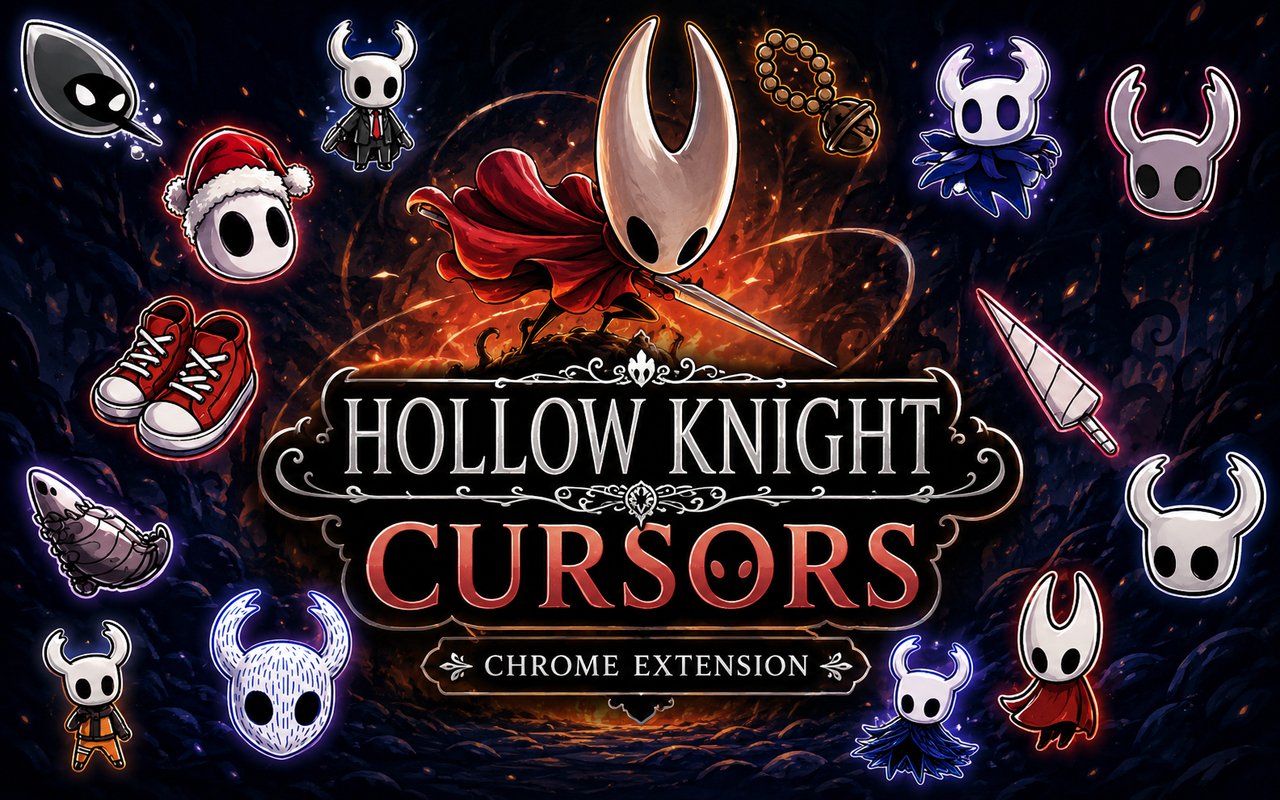
Hollow Knight Cursor is a Chrome extension that replaces your standard browser cursor with hand-crafted designs inspired by the Hollow Knight universe, including characters and icons from both the original game and the upcoming Silksong. Each cursor is drawn from the dark, atmospheric world of Hallownest, giving your browser a look that reflects the games you love. The extension installs in seconds and activates immediately without any configuration.
Hollow Knight is a critically acclaimed indie action-adventure game developed by Team Cherry, set in the vast underground kingdom of Hallownest. The game features iconic characters such as Hornet, the nimble warrior who takes centre stage in Silksong, the silent protagonist known as The Knight, and the mysterious Pale King who rules over the fallen realm. The Nail, the game’s signature weapon, and the eerie atmosphere of Hallownest have made this franchise one of the most beloved in modern indie gaming.
This extension is a natural fit for fans who want their browsing environment to reflect their passion for the series, whether they are checking patch notes, watching lore videos, or simply going about their day online.
Key Features of The Hollow Knight Cursor Extension
Complete Hollow Knight and Silksong Cursor Collection
The extension draws on a rich selection of characters and symbols from across both games. Hornet, The Knight, the Pale King, the Nail, and designs tied to the world of Silksong are all represented, giving fans a genuinely varied library to browse through. The available cursor designs include:
- Hornet cursor
- The Knight cursor
- Pale King cursor
- Nail cursor
- Silksong-themed cursor
- Hallownest emblem cursor
Original Animation Art Style
Every cursor in the collection reflects Team Cherry’s distinctive hand-drawn aesthetic, defined by sharp silhouettes, muted earth tones, and deep blacks punctuated by flashes of vivid colour. The designs stay true to the original sprite and concept art style, so characters like Hornet and The Knight are immediately recognisable even at cursor scale. Fine linework and careful shading give each design a sense of depth that holds up on both standard and high-resolution displays. The overall visual language feels faithful rather than imitative, which matters to fans who know these characters well.
Adjustable Cursor Size
The extension includes a size slider that lets you scale each cursor up or down to suit your display and personal preference. Whether you are working on a compact laptop screen or a large external monitor, you can dial in a size that feels natural and comfortable. Larger settings are particularly useful for high-DPI screens where a default-sized cursor can feel easy to lose.
Favorites System for Quick Switching
The favorites system lets you bookmark the cursor designs you return to most often, so they are always a single click away. Instead of scrolling through the full library each time you want to switch, your saved cursors appear in a dedicated section for instant access. Favorites are stored persistently, so your selections remain in place even after closing and reopening Chrome.
Lightweight and Performance-Friendly
The extension runs quietly in the background and places no measurable load on Chrome’s memory or processing resources. Page load times, browser responsiveness, and graphic-intensive sessions are all unaffected. It performs reliably on older machines just as well as on newer hardware.
Easy Toggle On and Off
A single click on the extension icon toggles the custom cursor on or off, letting you revert to your system cursor whenever a situation calls for it, such as during a video call, a work presentation, or a web application that behaves better with a standard pointer. When you re-enable the extension, it restores whichever cursor was last active without requiring you to reselect it.
How to Install The Hollow Knight Cursor
- Open Google Chrome on your desktop or laptop.
- Go to the Chrome Web Store and search for Hollow Knight Cursor.
- Click the extension listing to open its detail page.
- Click Add to Chrome and confirm when the popup appears.
- Click the extension icon in your Chrome toolbar to open the cursor library.
- Select any design to activate it immediately — no browser restart needed.
Why Hollow Knight Cursor Fans Love This Extension
Hollow Knight has earned a devoted following not just for its gameplay but for the depth and melancholy of its world. Players who have spent hours navigating Hallownest, uncovering the tragedy of the Pale King, battling through the White Palace, or anticipating every new detail about Hornet’s journey in Silksong, carry a genuine emotional connection to these characters. Seeing Hornet or The Knight at the tip of your cursor brings a small but real reminder of a world that has clearly meant something to you. For a game so defined by atmosphere, even a small visual touch like this carries weight.
Students, remote workers, and dedicated gamers who spend long hours at their computers often look for low-effort ways to personalise their workspace without disrupting it. A themed cursor sits quietly in the background, adding character to every click without demanding attention or changing how anything functions. For anyone who counts Hollow Knight among their favourite games, this extension is an understated and satisfying way to keep Hallownest close.
Frequently Asked Questions
Does this extension work on all websites?
The cursor is active across virtually all websites you visit in Chrome. A small number of sites with strict content security policies may limit custom cursor behavior, but this is uncommon and the extension works normally on the vast majority of pages.
Can I use multiple Hollow Knight Cursor cursors at once?
Only one cursor can be active at a time, but switching between designs is quick. The favorites system lets you save your preferred characters and switch between them in seconds without scrolling through the entire collection.
Will this extension slow down my browser?
No. The Hollow Knight Cursor extension is built to be lightweight and runs quietly in the background. It has no noticeable impact on Chrome’s speed, memory usage, or page load performance.
Is the Hollow Knight Cursor extension free?
Yes. The extension is completely free to download and use from the Chrome Web Store. You get access to the full cursor library without any subscription or in-app purchases.




Community comments
Comments are reviewed before they appear publicly.