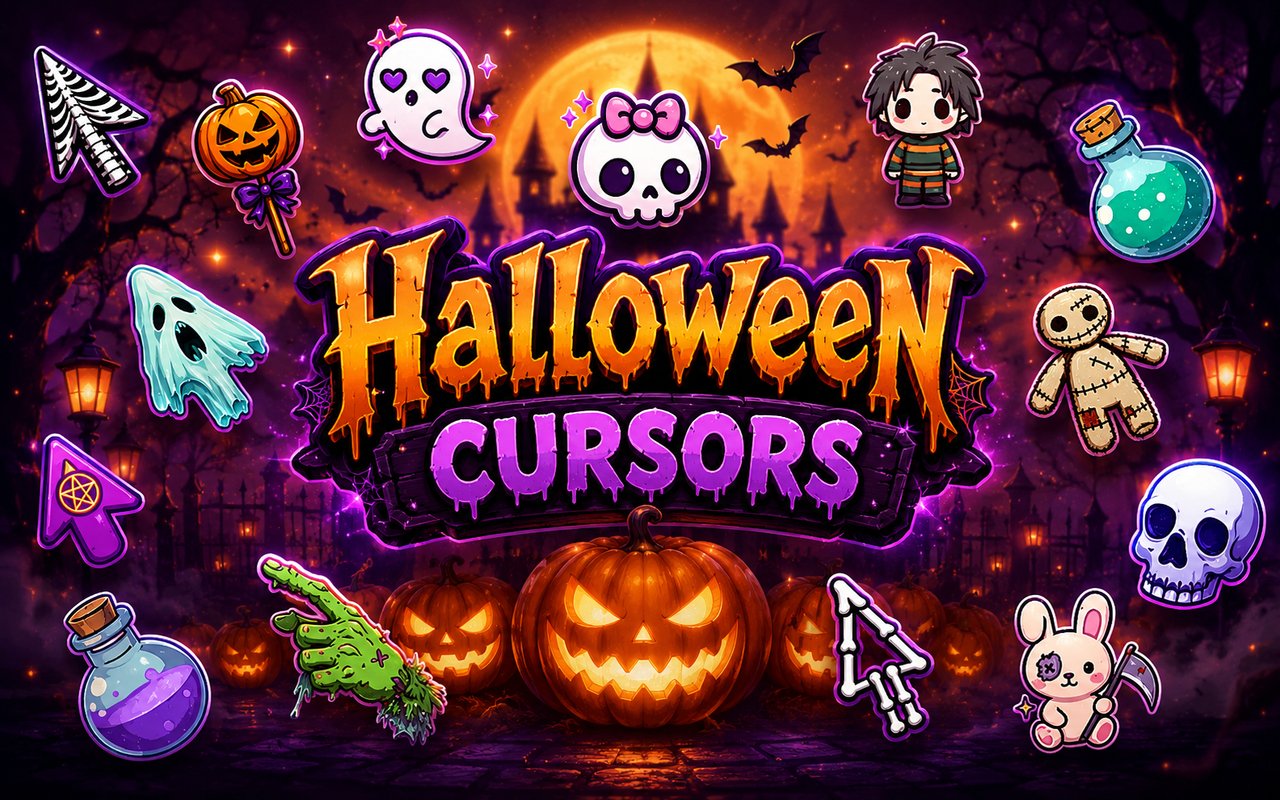
What Is The Halloween Cursor?
The Halloween Cursor replaces your standard Chrome browser pointer with a hand-crafted collection of spooky, cute, and darkly playful Halloween-themed designs. Every cursor in the set is drawn in a kawaii-inspired style, bringing the eerie charm of the season directly into your everyday browsing. From haunted pointer states to animated click effects, each design transforms how you interact with the web.
The collection draws from classic Halloween iconography reimagined through a sweet, slightly unsettling aesthetic. Kawaii skulls with wide cartoon eyes, love-sick ghosts drifting across your screen, witchy cats arching their backs, and sinister voodoo dolls all make appearances as fully crafted cursor designs. These are not generic clip-art icons but cohesive characters with their own visual personality rooted in Halloween folklore and spooky-cute culture.
This extension appeals to anyone who enjoys seasonal aesthetics year-round and wants their browser to reflect a personal style that goes beyond the default arrow pointer.
Key Features of The Halloween Cursor Extension
Complete Halloween Cursor Collection
The library includes a wide range of Halloween characters and themed objects, each designed as a matched set with both a default pointer and an active click state. Characters and designs you will find include kawaii skulls, love-sick ghosts, witchy cats, voodoo dolls, black cats, jack-o-lanterns, and creepy-cute bats, among others. Each entry in the collection maintains a consistent visual language so your cursor always looks intentional rather than mismatched.
- Kawaii skull cursor set
- Love-sick ghost cursor set
- Witchy cat cursor set
- Voodoo doll cursor set
- Jack-o-lantern cursor set
- Creepy-cute bat cursor set
Original Animation Art Style
Every cursor in the collection is rendered in a kawaii-horror style that blends pastel tones, bold outlines, and exaggerated cute features with unmistakably spooky subject matter. The color palette leans into deep purples, midnight blacks, sickly greens, and dusty oranges, all balanced against soft highlights that keep the designs looking polished rather than garish. Character proportions follow kawaii conventions with oversized heads, large glossy eyes, and small rounded bodies, giving even the most sinister subjects an approachable charm. The result is a visually cohesive set that feels like it belongs in a Halloween-themed illustration book rather than a generic icon pack.
Adjustable Cursor Size
A built-in size slider lets you scale any cursor up or down to suit your display and personal comfort. Whether you are working on a compact laptop screen where a smaller pointer feels more precise, or browsing on a large monitor where a bigger cursor is easier to track, the adjustment takes only a second. Your chosen size is saved automatically and applied every time you open Chrome.
Favorites System for Quick Switching
The favorites system lets you bookmark the cursor designs you reach for most often, keeping them in a dedicated shortlist for instant access. Rather than scrolling through the full Halloween library each time you want to switch, your saved designs are always one click away. Favorites persist across browser sessions, so your shortlist is waiting for you every time you open Chrome.
Lightweight and Performance-Friendly
The extension runs quietly in the background and has no measurable effect on Chrome’s speed, memory consumption, or page load times. It is built to be unobtrusive, making it suitable for older machines, low-RAM setups, and sessions involving graphic-intensive web applications or games. You get the visual upgrade without any performance trade-off.
Easy Toggle On and Off
A single click on the extension icon toggles the custom cursor on or off, letting you revert to Chrome’s default pointer whenever the situation calls for it. This is especially useful during professional video calls, screen-sharing sessions, or specific web tools where a themed cursor might be a distraction. The extension remembers which cursor was last active, so re-enabling it picks up exactly where you left off.
How to Install The Halloween Cursor
- Open Google Chrome on your desktop or laptop.
- Go to the Chrome Web Store and search for Halloween Cursor.
- Click the extension listing to open its detail page.
- Click Add to Chrome and confirm when the popup appears.
- Click the extension icon in your Chrome toolbar to open the cursor library.
- Select any design to activate it immediately — no browser restart needed.
Why Halloween Cursor Fans Love This Extension
For people who live and breathe Halloween aesthetics long after October has passed, having spooky-cute characters follow their every click is a small but genuinely satisfying detail. The kawaii-horror style hits a very specific sweet spot that dedicated fans of the genre have sought out in sticker packs, enamel pins, and phone cases for years. Seeing a love-sick ghost or a voodoo doll rendered as a browser cursor feels like a natural extension of that same taste applied to the digital workspace. These are not throwaway novelty designs but carefully crafted characters that fans of the aesthetic will immediately recognize as belonging to their world.
Students decorating their study setup, artists browsing for references, and horror-adjacent creatives who keep a perpetual Halloween atmosphere in their workspace will find this extension fits seamlessly into their daily routine. It is the kind of quiet personalization that makes spending hours in a browser feel a little more like your own space.
Frequently Asked Questions
Does this extension work on all websites?
The cursor is active across virtually all websites you visit in Chrome. A small number of sites with strict content security policies may limit custom cursor behavior, but this is uncommon and the extension works normally on the vast majority of pages.
Can I use multiple Halloween Cursor cursors at once?
Only one cursor can be active at a time, but switching between designs is quick. The favorites system lets you save your preferred characters and switch between them in seconds without scrolling through the entire collection.
Will this extension slow down my browser?
No. The Halloween Cursor extension is built to be lightweight and runs quietly in the background. It has no noticeable impact on Chrome’s speed, memory usage, or page load performance.
Is the Halloween Cursor extension free?
Yes. The extension is completely free to download and use from the Chrome Web Store. You get access to the full cursor library without any subscription or in-app purchases.




Community comments
Comments are reviewed before they appear publicly.