What Is The Gravity Falls Cursor?
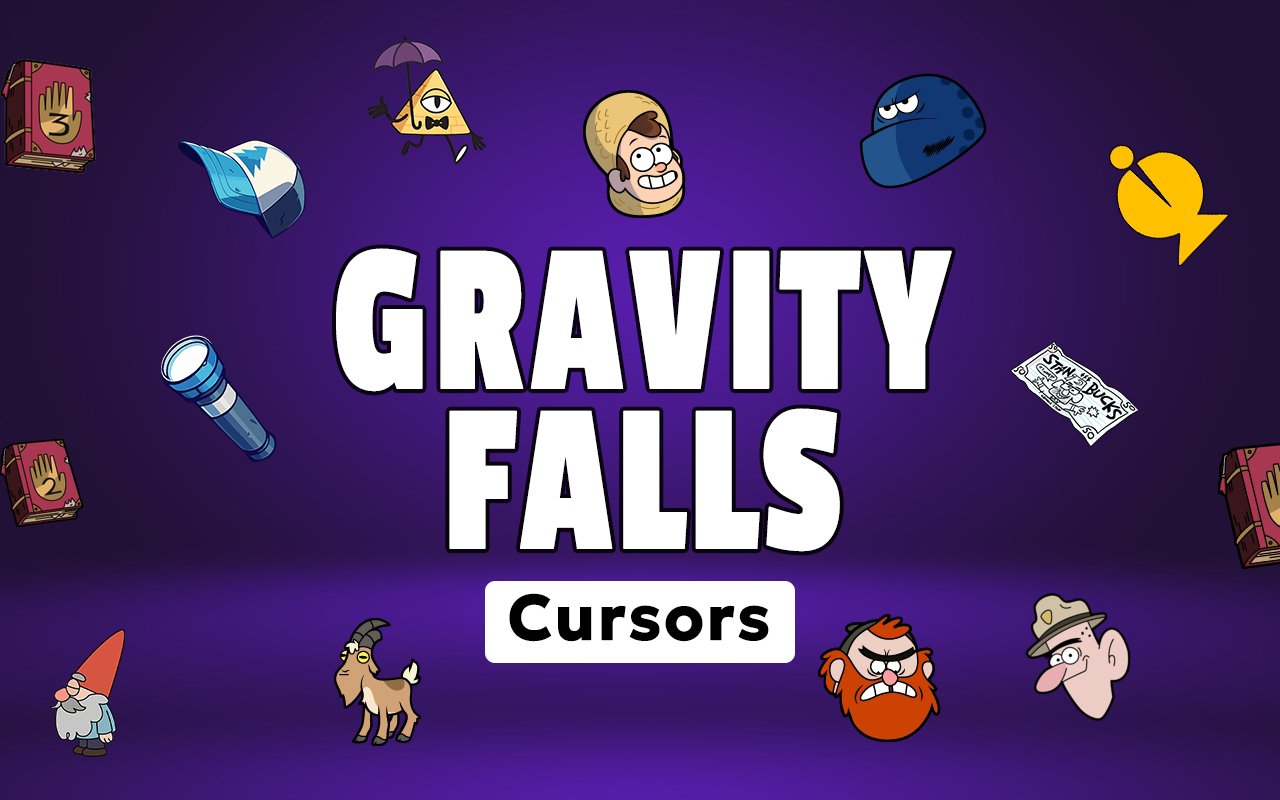
The Gravity Falls Cursor is a Chrome extension that replaces your standard browser cursor with custom designs drawn from the beloved animated series. Each cursor in the collection captures the distinctive look of the show’s most memorable characters and objects, bringing them directly into your browsing experience. Installation takes less than a minute, and the custom cursor activates immediately across your open tabs.
Gravity Falls is an animated mystery-comedy series that aired on Disney Channel, following twins Dipper and Mabel Pines as they spend the summer in a strange Oregon town full of supernatural secrets. The show introduced iconic characters like the all-seeing triangle villain Bill Cipher, the eccentric Uncle Stan, and the cryptic Journal 3 filled with paranormal discoveries. Its devoted fanbase has kept the show’s legacy alive long after its finale aired in 2016.
This extension is a natural fit for fans who want a subtle but personal way to carry their love of the show into everyday browsing, whether they are studying, streaming, or just scrolling through the web.
Key Features of The Gravity Falls Cursor Extension
Complete Gravity Falls Cursor Collection
The collection draws from some of the show’s most recognizable characters and symbols, including Bill Cipher, Dipper Pines, Mabel Pines, Uncle Stan, and Journal 3. Fans of the show will immediately recognize the care put into representing these designs accurately. The available cursors include:
- Bill Cipher
- Dipper Pines
- Mabel Pines
- Uncle Stan
- Journal 3
- Mystery Shack iconography
Original Animation Art Style
Each cursor reflects the flat, expressive animation style that defined Gravity Falls throughout its run. The color palette leans into the show’s warm Pacific Northwest tones, deep forest greens, amber yellows, and the vivid gold of Bill Cipher’s triangular form. Character outlines are clean and bold, making the cursors easy to spot at any position on screen. The designs feel authentically pulled from the show rather than loosely inspired by it.
Adjustable Cursor Size
A built-in size slider lets you scale your cursor up or down to suit your screen resolution and personal preference. Larger displays benefit from a bigger cursor that stays visible across wide screen real estate, while compact laptop screens may suit a smaller, less obtrusive size. The adjustment is saved automatically so you do not need to reset it each session.
Favorites System for Quick Switching
The favorites system lets you bookmark the cursor designs you return to most often, so you can access them instantly without scrolling through the full collection each time. Saved favorites persist across browser sessions, meaning your preferred Dipper or Bill Cipher cursor will be waiting for you when you reopen Chrome. It is a small feature that makes a noticeable difference for users who like rotating between a few specific designs.
Lightweight and Performance-Friendly
The extension runs quietly in the background and places no measurable load on Chrome’s memory or processing resources. Page load times remain unaffected, and the extension performs reliably even on older machines or during sessions with multiple tabs open. You get the visual customization without any trade-off in browser performance.
Easy Toggle On and Off
A single click on the extension icon lets you switch the custom cursor off whenever you need your default cursor back, such as during a video call, a work presentation, or a web app that uses its own cursor behavior. Re-enabling it is equally fast, and the extension remembers whichever cursor was last active so you pick up exactly where you left off.
How to Install The Gravity Falls Cursor
- Open Google Chrome on your desktop or laptop.
- Go to the Chrome Web Store and search for Gravity Falls Cursor.
- Click the extension listing to open its detail page.
- Click Add to Chrome and confirm when the popup appears.
- Click the extension icon in your Chrome toolbar to open the cursor library.
- Select any design to activate it immediately — no browser restart needed.
Why Gravity Falls Cursor Fans Love This Extension
Gravity Falls earned a reputation for treating its audience with genuine respect, weaving cryptic ciphers, emotional storytelling, and sharp humor into every episode. For fans who grew up decoding the show’s end-credit messages or obsessing over the secrets hidden in Journal 3, these characters carry real sentimental weight. Seeing Bill Cipher’s golden triangle form or Dipper’s signature blue cap appear as a cursor is a small but meaningful nod to a show that left a lasting impression. That kind of connection is exactly why custom cursors built around specific fandoms resonate more than generic alternatives.
Students who watched the show during its original run are now using these cursors while working through college assignments or long remote work sessions, turning routine browsing into something that feels a little more personal. Anyone who counts themselves among the Gravity Falls fandom will find that having these designs on screen adds a quiet layer of enjoyment to otherwise ordinary tasks.
Frequently Asked Questions
Does this extension work on all websites?
The cursor is active across virtually all websites you visit in Chrome. A small number of sites with strict content security policies may limit custom cursor behavior, but this is uncommon and the extension works normally on the vast majority of pages.
Can I use multiple Gravity Falls Cursor cursors at once?
Only one cursor can be active at a time, but switching between designs is quick. The favorites system lets you save your preferred characters and switch between them in seconds without scrolling through the entire collection.
Will this extension slow down my browser?
No. The Gravity Falls Cursor extension is built to be lightweight and runs quietly in the background. It has no noticeable impact on Chrome’s speed, memory usage, or page load performance.
Is the Gravity Falls Cursor extension free?
Yes. The extension is completely free to download and use from the Chrome Web Store. You get access to the full cursor library without any subscription or in-app purchases.




Community comments
Comments are reviewed before they appear publicly.