What Is The Gradient Cursor?
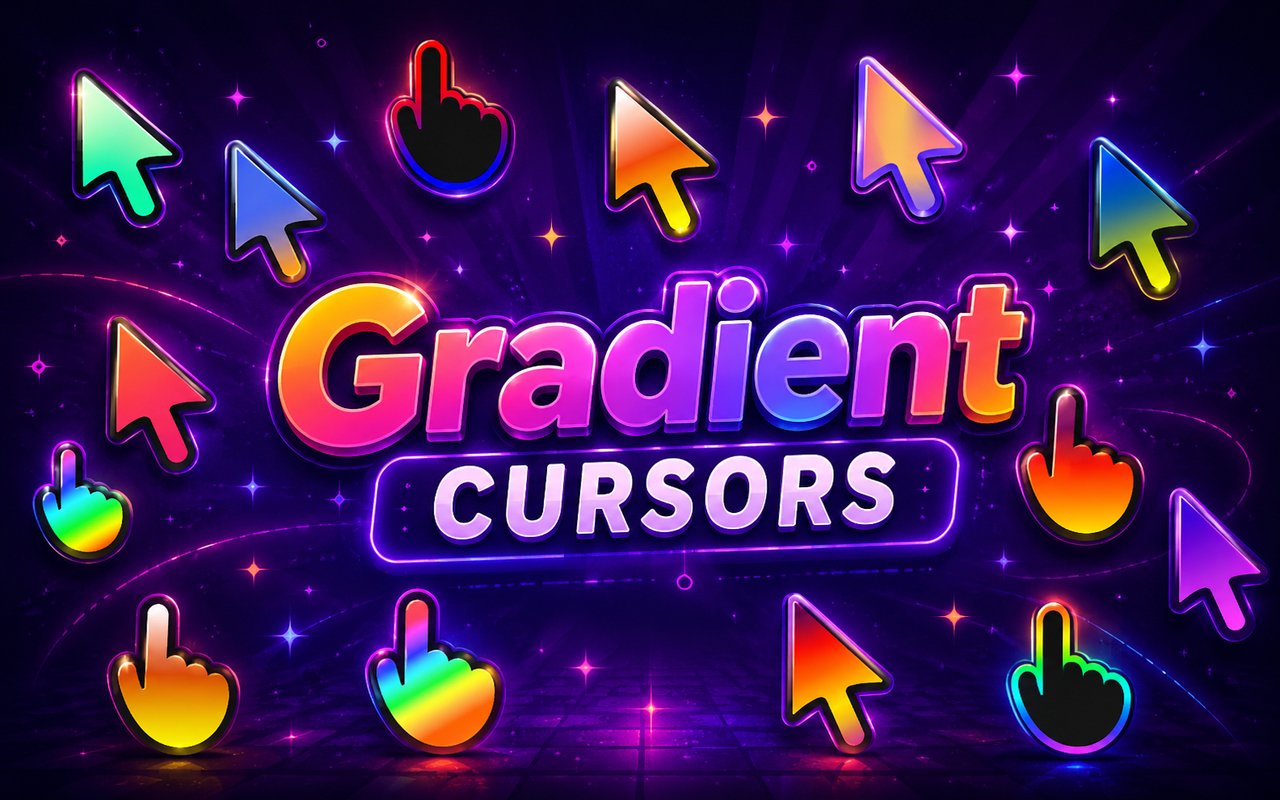
Gradient Cursor is a Chrome extension that replaces your standard browser cursor with a range of vibrant, gradient-styled designs built specifically for visual impact. From flowing rainbow transitions to glowing neon effects and seasonal themes, each cursor is crafted to stand out against any webpage background. The extension installs directly into Chrome and activates your chosen cursor instantly across your entire browsing session.
The collection draws from a bold visual language centered on color blending and luminous effects, offering distinct styles such as rainbow gradients, purple aura designs, stroke gradients, and limited seasonal variations tied to different times of year. Each style is built around smooth color transitions that give the cursor a polished, dynamic appearance rather than a flat or static look. The neon and aura options in particular carry a strong visual identity rooted in glowing, high-contrast aesthetics.
This extension suits anyone who wants their browser to feel more personal and visually engaging without installing complex software or making system-level changes.
Key Features of The Gradient Cursor Extension
Complete Gradient Cursor Design Collection
The library includes a wide variety of gradient cursor styles, each with its own distinct color palette and visual character. Rainbow, purple aura, neon, stroke gradient, and seasonal gradient designs are all available, giving users meaningful variety to match their mood or setup. The full list of included styles covers:
- Rainbow gradient cursor
- Purple aura cursor
- Neon gradient cursor
- Stroke gradient cursor
- Seasonal gradient cursor
- Color aura cursor
Original Gradient Art Style
Every cursor in this collection is designed around smooth, multi-tone color blending that creates a sense of depth and movement even when the cursor is stationary. The neon variants use high-brightness hues against implied dark backgrounds, producing a glow effect that feels authentic rather than artificial. Purple aura designs lean into soft, diffused color spreading outward from the cursor tip, while stroke gradient styles emphasize clean, outlined forms filled with transitioning color. Each design is cohesive within its own visual theme rather than being a generic recolor of a standard cursor shape.
Adjustable Cursor Size
The extension includes a size slider that lets you scale your cursor up or down to suit your display and personal preference. Larger cursors work well on high-resolution monitors or when screen sharing, while smaller sizes keep things subtle on compact laptop screens. Finding the right fit takes only a few seconds using the in-extension controls.
Favorites System for Quick Switching
You can bookmark any cursor design as a favorite so it appears in a dedicated section for fast access. This means you do not need to scroll through the full library every time you want to switch styles. Your saved favorites carry over between browser sessions, so your preferred designs are always within one click.
Lightweight and Performance-Friendly
The extension is built to run quietly in the background without drawing on Chrome’s resources in any meaningful way. Page load times, memory usage, and overall browser responsiveness remain unaffected whether you are on a basic laptop or a high-end desktop. It is equally stable during light browsing and during sessions that involve streaming, gaming platforms, or resource-heavy web applications.
Easy Toggle On and Off
A single click on the extension icon lets you switch the custom cursor off and revert to Chrome’s default arrow, which is useful during video calls, focused work sessions, or on specific web tools that work better with a standard cursor. Turning the gradient cursor back on is equally immediate. The extension remembers which design was last active and restores it automatically when you re-enable it.
How to Install The Gradient Cursor
- Open Google Chrome on your desktop or laptop.
- Go to the Chrome Web Store and search for Gradient Cursor.
- Click the extension listing to open its detail page.
- Click Add to Chrome and confirm when the popup appears.
- Click the extension icon in your Chrome toolbar to open the cursor library.
- Select any design to activate it immediately — no browser restart needed.
Why Gradient Cursor Fans Love This Extension
For users who are drawn to vibrant, color-forward aesthetics — whether through an interest in digital art, gaming culture, or visual design — having a cursor that reflects that sensibility makes the browser feel like a more intentional space. The rainbow and neon styles in particular carry associations with online creative communities, stream aesthetics, and the kind of bold visual identity that has become prominent across platforms like Twitch and creative portfolio sites. Seasonal gradient cursors add an extra layer of engagement by offering designs that shift in character across the year, giving returning users something new to look forward to. The aura designs appeal to users who prefer something softer and more atmospheric rather than sharp or high-contrast.
Students and remote workers who spend long hours in a browser often find that small personalizations like a custom cursor reduce the sense of monotony in their daily screen time. A neon or rainbow cursor is a low-effort, zero-cost way to make a workspace feel more like your own, particularly for younger users setting up a browsing environment that reflects their personal style.
Frequently Asked Questions
Does this extension work on all websites?
The cursor is active across virtually all websites you visit in Chrome. A small number of sites with strict content security policies may limit custom cursor behavior, but this is uncommon and the extension works normally on the vast majority of pages.
Can I use multiple Gradient Cursor cursors at once?
Only one cursor can be active at a time, but switching between designs is quick. The favorites system lets you save your preferred styles and switch between them in seconds without scrolling through the entire collection.
Will this extension slow down my browser?
No. The Gradient Cursor extension is built to be lightweight and runs quietly in the background. It has no noticeable impact on Chrome’s speed, memory usage, or page load performance.
Is the Gradient Cursor extension free?
Yes. The extension is completely free to download and use from the Chrome Web Store. You get access to the full cursor library without any subscription or in-app purchases.




Community comments
Comments are reviewed before they appear publicly.