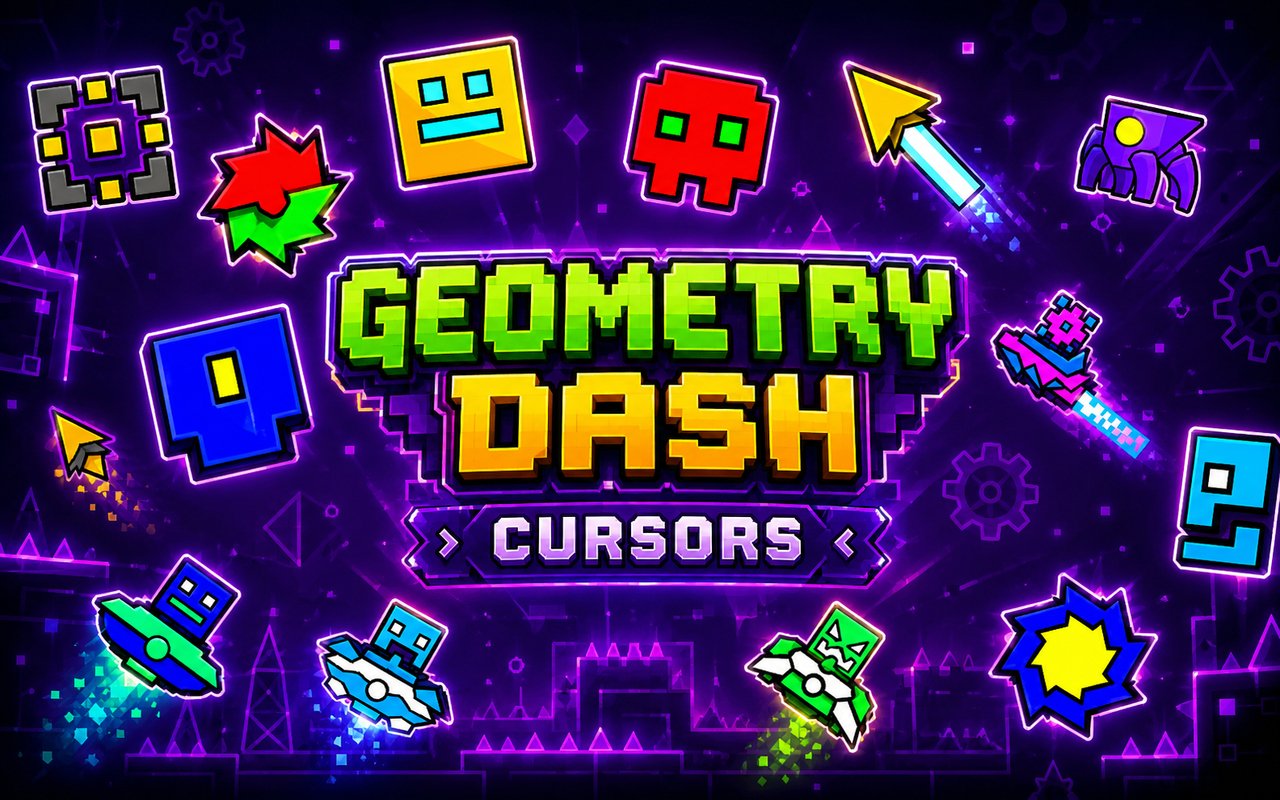
What Is The Geometry Dash Cursor?
The Geometry Dash Cursor is a Chrome extension that replaces your standard browser pointer with custom cursor designs drawn directly from the world of Geometry Dash. Every cursor in the collection reflects the iconic visual style of the game, giving fans a way to bring their favorite GD elements into their daily browsing. Installing the extension takes under a minute, and the new cursor activates immediately across Chrome.
Geometry Dash is the rhythm-based platformer developed by RobTop Games, beloved for its fast-paced obstacle courses and its roster of player-controlled forms. The game is defined by its distinct geometric characters — the classic cube, the ship, the UFO, the wave, the ball, the robot, and the spider — each with their own movement style and visual identity. These forms have become iconic symbols within the GD community worldwide.
This extension appeals to Geometry Dash players and fans who want their browser to reflect their passion for the game, whether they are studying between runs, watching GD content, or just browsing the web.
Key Features of The Geometry Dash Cursor Extension
Complete Geometry Dash Cursor Collection
The extension draws from the full range of iconic Geometry Dash game forms and visual elements, including the cube, ship, UFO, spider, wave, ball, and robot. Each design is crafted to match the look and feel players know from their time in the game, giving every cursor a recognizable identity the moment it is activated.
- Cube cursor
- Ship cursor
- UFO cursor
- Wave cursor
- Ball cursor
- Robot cursor
- Spider cursor
Original Animation Art Style
Each cursor reflects the sharp, clean geometric art style that defines Geometry Dash as a visual experience. The designs use bold outlines, vivid color fills, and the angular shapes that players immediately recognize from the game’s levels and menus. The color palette stays true to the neon-tinged, high-contrast aesthetic RobTop Games established, making every cursor feel like it belongs in the GD universe. Nothing is generic — every design is tailored to match the source material closely.
Adjustable Cursor Size
The extension includes a size slider that lets you scale any cursor up or down to suit your display and personal preference. Whether you are working on a compact laptop screen or a large external monitor, you can dial in a cursor size that feels comfortable and visible. Adjustments apply instantly without needing to reload any pages or restart Chrome.
Favorites System for Quick Switching
Any cursor in the library can be saved to your favorites, creating a personal shortlist of designs you return to most often. This means you can switch between your preferred GD forms in seconds without scrolling through the entire collection each time. Favorited cursors remain saved across browser sessions, so your choices are ready every time you open Chrome.
Lightweight and Performance-Friendly
The extension runs quietly in the background and places no measurable load on Chrome’s memory or processing resources. Page load times and browser responsiveness are completely unaffected, even during graphic-intensive browsing sessions or while running other extensions simultaneously. It performs reliably on older machines as well as newer hardware.
Easy Toggle On and Off
A single click on the extension icon toggles the custom cursor on or off, letting you revert to your system’s default pointer whenever needed — for work, video calls, or any web app where a standard cursor is preferable. Re-enabling the extension is equally instant, and it automatically reactivates whichever cursor design you had selected last. No settings need to be reconfigured between uses.
How to Install The Geometry Dash Cursor
- Open Google Chrome on your desktop or laptop.
- Go to the Chrome Web Store and search for Geometry Dash Cursor.
- Click the extension listing to open its detail page.
- Click Add to Chrome and confirm when the popup appears.
- Click the extension icon in your Chrome toolbar to open the cursor library.
- Select any design to activate it immediately — no browser restart needed.
Why Geometry Dash Cursor Fans Love This Extension
For players who have spent hours guiding the cube through spike-filled corridors, piloting the ship through tight passages, or riding the wave across impossible gaps, these characters carry real weight. Each GD form is tied to specific memories — the first time a player cleared a hard level as the robot, or finally mastered the spider’s jump mechanic. Having those forms appear as your browser cursor keeps that connection alive outside the game itself. It is a small but genuine nod to the hours invested in one of the most demanding platformers ever made.
Students who browse between practice sessions, content creators who stream GD, and community members who spend time on GD forums and fan sites will find that the cursor adds personality to every page they visit. It is particularly fitting for anyone who has the game open in one tab and the GD wiki or a level-building guide open in another — the cursor makes the whole setup feel cohesive.
Frequently Asked Questions
Does this extension work on all websites?
The cursor is active across virtually all websites you visit in Chrome. A small number of sites with strict content security policies may limit custom cursor behavior, but this is uncommon and the extension works normally on the vast majority of pages.
Can I use multiple Geometry Dash Cursor cursors at once?
Only one cursor can be active at a time, but switching between designs is quick. The favorites system lets you save your preferred characters and switch between them in seconds without scrolling through the entire collection.
Will this extension slow down my browser?
No. The Geometry Dash Cursor extension is built to be lightweight and runs quietly in the background. It has no noticeable impact on Chrome’s speed, memory usage, or page load performance.
Is the Geometry Dash Cursor extension free?
Yes. The extension is completely free to download and use from the Chrome Web Store. You get access to the full cursor library without any subscription or in-app purchases.




Community comments
Comments are reviewed before they appear publicly.