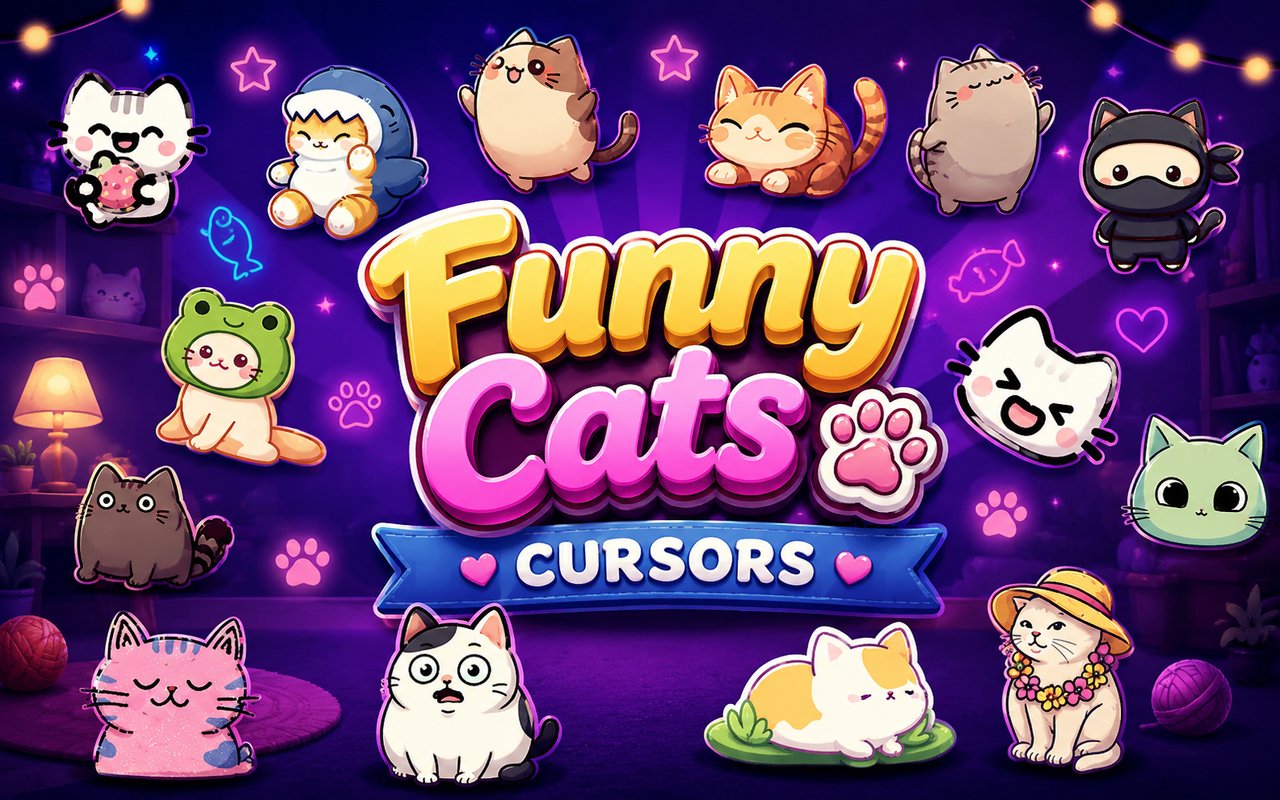
What Is The Funny Cats Cursor?
Funny Cats Cursor is a Chrome extension that replaces your standard browser cursor with a collection of cat-themed cursor designs drawn from internet cat culture and kawaii aesthetics. Every cursor in the library is crafted around a specific feline character or meme, giving your pointer a personality that changes with every click. The extension installs directly into Chrome and activates immediately across your browsing sessions.
The collection draws from some of the most beloved corners of cat internet culture, including the ever-expressive crying cat, the rhythmically drumming Bongo Cat, and the endlessly charming world of kawaii kitties. Ninja cats and cats wearing hats round out a roster that spans a wide range of moods and styles. These characters have built dedicated followings across social media, fan art communities, and meme culture for years.
The extension is a natural fit for cat lovers, kawaii enthusiasts, and anyone who wants their browser to reflect a lighter, more playful side of their personality during everyday use.
Key Features of The Funny Cats Cursor Extension
Complete Kawaii Cat Cursor Collection
The library covers a generous range of feline designs, from iconic internet cats to original kawaii characters. You will find the crying cat, Bongo Cat, ninja cats, cats in hats, and a variety of kawaii kitty designs, each rendered as a distinct cursor set with both a pointer and a click state. The full roster includes:
- Crying Cat cursor
- Bongo Cat cursor
- Ninja Cat cursor
- Cat in a Hat cursor
- Kawaii Kitty cursor
- Smiling kawaii cat cursor
Original Animation Art Style
Each cursor is illustrated in a soft, rounded kawaii style that stays true to the visual language fans recognise from cat meme culture and Japanese-inspired character design. The color palettes lean into pastel tones alongside the bold, high-contrast blacks and whites associated with viral cat imagery. Line work is clean and expressive, giving each cat a clear identity even at small cursor sizes. The result is a cohesive collection where every design feels like it belongs to the same affectionate, cat-obsessed universe.
Adjustable Cursor Size
A built-in size slider lets you scale any cursor up or down to suit your screen resolution and personal preference. Whether you are working on a compact laptop display or a large external monitor, the cursor stays sharp and readable at any size. Adjusting the scale takes only a moment inside the extension panel and applies instantly without a page refresh.
Favorites System for Quick Switching
The favorites system lets you bookmark the cursor designs you return to most often, saving them in a dedicated shortlist for fast access. Instead of scrolling through the full library every time you want to switch, your saved favorites are available with a single click. These preferences are stored persistently and remain in place across browser sessions, so your top picks are always ready.
Lightweight and Performance-Friendly
The extension runs quietly in the background and has no measurable effect on Chrome’s speed, memory consumption, or page load times. It is built to be unobtrusive, so you can keep it active throughout long browsing sessions, gaming, or streaming without any concern about performance impact. Users on older machines will find it runs just as smoothly as on newer hardware.
Easy Toggle On and Off
A one-click toggle in the extension panel lets you switch the custom cursor off instantly whenever you need to revert to Chrome’s default pointer. This is useful for video calls, specific web applications, or any situation where a standard cursor is preferable. When you re-enable the extension, it remembers the last cursor you had active and restores it without any additional steps.
How to Install The Funny Cats Cursor
- Open Google Chrome on your desktop or laptop.
- Go to the Chrome Web Store and search for Funny Cats Cursor.
- Click the extension listing to open its detail page.
- Click Add to Chrome and confirm when the popup appears.
- Click the extension icon in your Chrome toolbar to open the cursor library.
- Select any design to activate it immediately — no browser restart needed.
Why Funny Cats Cursor Fans Love This Extension
Cat meme culture has an unusually devoted fanbase, and characters like Bongo Cat and the crying cat have become genuine touchstones for a generation of internet users. There is real affection behind these designs — they are not just images people scroll past but recurring companions in chats, reaction posts, and fan art communities. Having Bongo Cat drumming away as your cursor, or a kawaii kitty greeting you on every page, carries a small but genuine sense of connection to that culture. For fans who have followed these characters across years of internet life, seeing them on the cursor feels like a natural extension of that relationship.
Students, remote workers, and casual browsers who spend long hours in Chrome tend to appreciate small personal touches that make their setup feel more their own. Cat lovers in particular find that keeping a favorite feline character on their cursor adds a quiet moment of enjoyment to otherwise routine tasks like reading, researching, or scrolling through feeds.
Frequently Asked Questions
Does this extension work on all websites?
The cursor is active across virtually all websites you visit in Chrome. A small number of sites with strict content security policies may limit custom cursor behavior, but this is uncommon and the extension works normally on the vast majority of pages.
Can I use multiple Funny Cats Cursor cursors at once?
Only one cursor can be active at a time, but switching between designs is quick. The favorites system lets you save your preferred characters and switch between them in seconds without scrolling through the entire collection.
Will this extension slow down my browser?
No. The Funny Cats Cursor extension is built to be lightweight and runs quietly in the background. It has no noticeable impact on Chrome’s speed, memory usage, or page load performance.
Is the Funny Cats Cursor extension free?
Yes. The extension is completely free to download and use from the Chrome Web Store. You get access to the full cursor library without any subscription or in-app purchases.




Community comments
Comments are reviewed before they appear publicly.