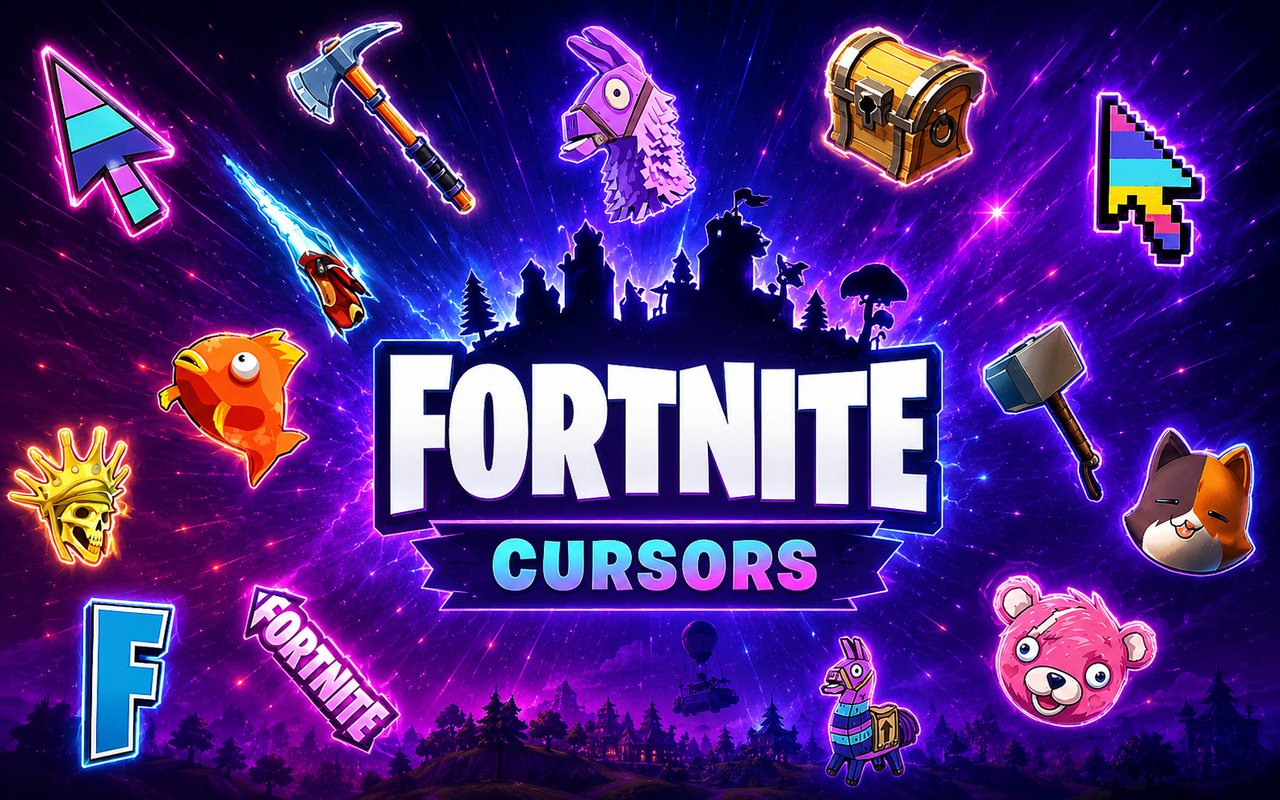
What Is The Fortnite Cursor?
The Fortnite Cursor is a Chrome extension that replaces your standard browser pointer with custom cursor designs inspired by the iconic battle royale game. Once installed, every click and scroll reflects the visual world of Fortnite, bringing themed artwork directly into your browsing experience. The extension activates instantly and requires no technical setup.
Fortnite is one of the most recognised games in the world, developed by Epic Games and known for its vibrant skins, wild characters, and competitive gameplay. The extension draws from beloved in-game icons including Meowscles, the muscular cat soldier, Cuddle Team Leader with her distinctive pink bear head, and the cheerful Llama Pinata that players chase across the island. Victory Royale moments and other signature Fortnite imagery also feature throughout the collection.
This extension is ideal for Fortnite players and fans who want their browser to reflect their passion for the game during everyday online activity.
Key Features of The Fortnite Cursor Extension
Complete Fortnite Cursor Collection
The collection covers a strong range of Fortnite’s most recognisable characters and symbols, from fan-favourite skins to iconic in-game props. Designs include Meowscles, Cuddle Team Leader, the Llama Pinata, and Victory Royale themed cursors, among others inspired by the broader Fortnite universe:
- Meowscles cursor
- Cuddle Team Leader cursor
- Llama Pinata cursor
- Victory Royale cursor
- Battle Bus cursor
- Supply Drop cursor
Original Animation Art Style
Fortnite’s visual identity is defined by bold outlines, saturated colours, and an exaggerated cartoon aesthetic that makes every character instantly recognisable. The cursor designs faithfully carry that same energy, using the bright pinks, blues, and oranges that are characteristic of the game’s skin library. Character details like Meowscles’ tattoos and Cuddle Team Leader’s plush bear texture are rendered clearly even at cursor scale. The result is artwork that feels genuinely connected to the source material rather than being a generic approximation.
Adjustable Cursor Size
A built-in size slider lets you scale each cursor up or down to suit your display and personal preference. Whether you are working on a compact laptop screen or a large 4K monitor, you can dial in exactly the size that feels right. Smaller settings keep the cursor subtle, while larger sizes let the character artwork stand out more clearly as you navigate.
Favorites System for Quick Switching
The favorites system allows you to bookmark any cursor designs you return to most often, saving them for fast access without scrolling through the full library each time. When you open the extension panel, your saved cursors appear immediately at the top for one-click activation. These preferences are stored persistently and remain available across browser sessions, even after restarting Chrome.
Lightweight and Performance-Friendly
The extension is built to operate in the background without drawing on Chrome’s resources in any meaningful way. There is no impact on page load times, memory usage, or browser responsiveness, even during graphic-intensive gaming sessions or while streaming. It runs reliably on older machines as well as modern high-performance setups.
Easy Toggle On and Off
A single click on the extension icon toggles the custom cursor on or off, letting you revert to Chrome’s default pointer whenever needed for work tasks, video calls, or specific web applications. Re-enabling it is equally instant, with no need to reconfigure anything. The extension remembers whichever cursor was last active and restores it automatically when you switch back on.
How to Install The Fortnite Cursor
- Open Google Chrome on your desktop or laptop.
- Go to the Chrome Web Store and search for Fortnite Cursor.
- Click the extension listing to open its detail page.
- Click Add to Chrome and confirm when the popup appears.
- Click the extension icon in your Chrome toolbar to open the cursor library.
- Select any design to activate it immediately — no browser restart needed.
Why Fortnite Cursor Fans Love This Extension
For dedicated Fortnite players, the game’s characters carry real emotional weight — from the satisfaction of spotting a Llama Pinata mid-match to the excitement of pulling off a Victory Royale. Seeing Cuddle Team Leader or Meowscles represented in cursor form keeps that connection alive outside of the game itself. These are not just skins; they are part of a wider culture of moments, memes, and memories that Fortnite has built with its community over years of updates and seasons. Having those icons present during everyday browsing is a small but meaningful way to keep that enthusiasm visible.
For younger gamers using Chrome to watch Fortnite content, follow patch notes, or browse the Epic Games store, this extension makes the browser feel like a natural extension of their gaming world. Students and remote workers who play Fortnite in their downtime will also appreciate the ability to personalise their workspace without disrupting their productivity.
Frequently Asked Questions
Does this extension work on all websites?
The cursor is active across virtually all websites you visit in Chrome. A small number of sites with strict content security policies may limit custom cursor behavior, but this is uncommon and the extension works normally on the vast majority of pages.
Can I use multiple Fortnite Cursor cursors at once?
Only one cursor can be active at a time, but switching between designs is quick. The favorites system lets you save your preferred characters and switch between them in seconds without scrolling through the entire collection.
Will this extension slow down my browser?
No. The Fortnite Cursor extension is built to be lightweight and runs quietly in the background. It has no noticeable impact on Chrome’s speed, memory usage, or page load performance.
Is the Fortnite Cursor extension free?
Yes. The extension is completely free to download and use from the Chrome Web Store. You get access to the full cursor library without any subscription or in-app purchases.




Community comments
Comments are reviewed before they appear publicly.