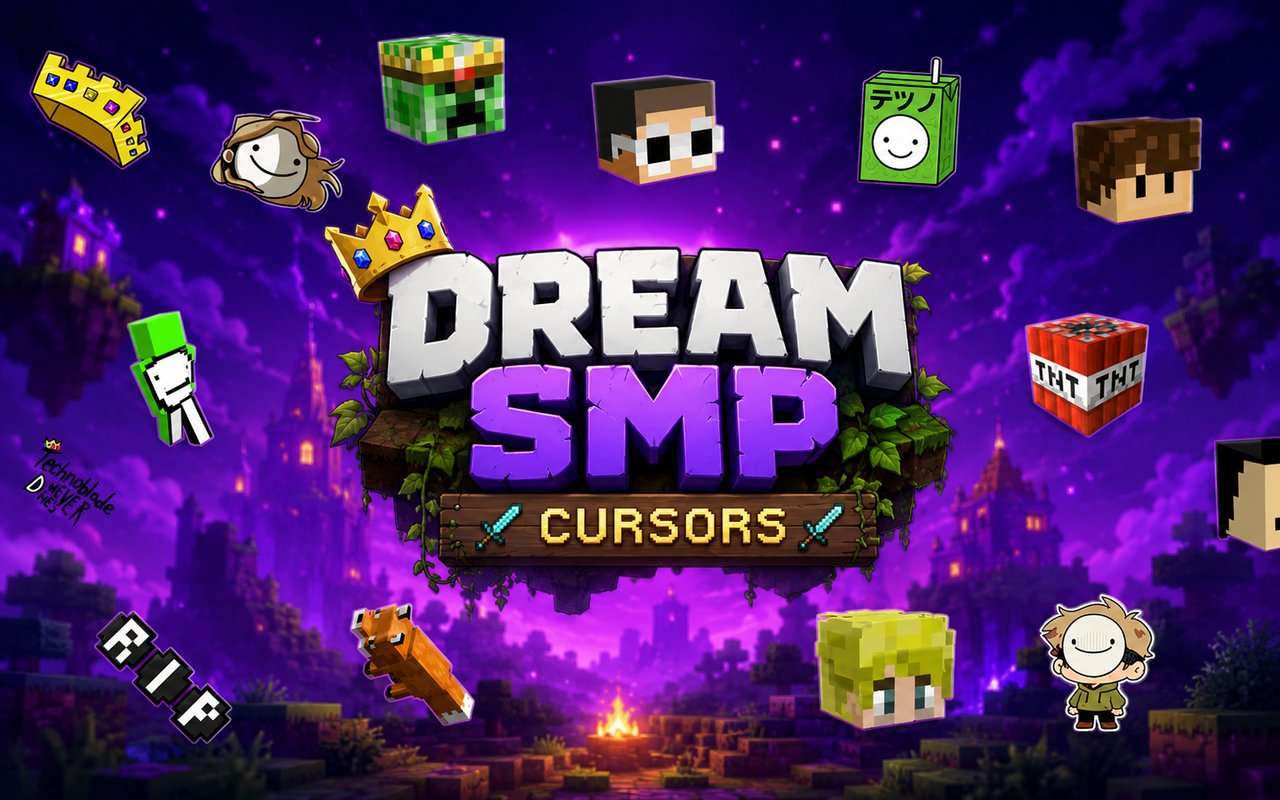
What Is The Dream SMP Cursor?
The Dream SMP Cursor is a Chrome extension that replaces your standard browser pointer with custom cursor designs themed around one of the most iconic Minecraft roleplay servers ever created. Every cursor in the collection is built around the people, characters, and imagery that made the Dream SMP a cultural moment in gaming history. The extension activates instantly and works across your entire browsing experience without requiring any technical setup.
The Dream SMP was a private Minecraft survival multiplayer server that grew into a massively followed narrative experience, featuring creators like Dream, Technoblade, Ranboo, TommyInnit, Wilbur Soot, and many others. Story arcs involving L’Manberg, the Syndicate, and Technoblade’s legendary piglin king persona gave the server a depth that resonated far beyond typical Minecraft content. These characters and their iconic skins, weapons, and symbols became instantly recognizable to millions of fans worldwide.
This extension is made for fans who want to bring a piece of that world into their everyday browsing, whether they are rewatching streams, doing homework, or just spending time online.
Key Features of The Dream SMP Cursor Extension
Complete Dream SMP Cursor Collection
The collection draws from the full roster of beloved Dream SMP creators and characters, including Dream, Technoblade, Ranboo, TommyInnit, Wilbur Soot, Sapnap, GeorgeNotFound, and signature props like the Axe of Peace, the Dream mask, and Technoblade’s crown. Each design captures a specific personality or moment from the server’s history, giving fans a meaningful range of options to choose from.
- Dream cursor with iconic green mask design
- Technoblade cursor with crown and piglin imagery
- Ranboo cursor featuring his half-enderman appearance
- TommyInnit cursor with signature disc reference
- Wilbur Soot cursor themed around L’Manberg
- Sapnap cursor with fire motif
- GeorgeNotFound cursor with colorblind glasses detail
- Axe of Peace prop cursor
Original Animation Art Style
Each cursor is designed with a pixel-influenced aesthetic that stays true to the blocky visual world of Minecraft while adding personality that reflects each creator’s identity. The color palettes are drawn directly from the characters’ iconic skins — Technoblade’s pink and gold, Ranboo’s black and white split, Dream’s signature green. Line work is clean and expressive, keeping the designs readable even at small sizes. The result is a set of cursors that feel authentic to the source material rather than generic gaming imagery.
Adjustable Cursor Size
A built-in size slider lets you scale any cursor up or down to match your monitor resolution and personal preference. Whether you are working on a compact laptop screen or a large external display, you can dial in a size that feels comfortable without the cursor being too small to notice or too large to work with. The setting saves automatically so you do not need to adjust it every time you open Chrome.
Favorites System for Quick Switching
The favorites system lets you bookmark the cursor designs you return to most often, so you can switch between them without browsing through the full library each time. Once a cursor is saved to your favorites, it appears in a dedicated shortlist at the top of the extension panel. Your saved favorites carry over between browser sessions, so your preferred choices are always ready.
Lightweight and Performance-Friendly
The extension is built to run quietly in the background without consuming meaningful system resources. It has no measurable effect on Chrome’s page load times, memory usage, or overall performance, even during sessions involving multiple tabs or graphics-heavy websites. Users on older machines will find it runs just as smoothly as on newer hardware.
Easy Toggle On and Off
A single click on the extension icon is all it takes to enable or disable the custom cursor entirely. This makes it simple to switch back to your default system cursor for video calls, work applications, or any context where a themed pointer might be distracting. When you re-enable the extension, it picks up exactly where you left off with the same cursor you had active before.
How to Install The Dream SMP Cursor
- Open Google Chrome on your desktop or laptop.
- Go to the Chrome Web Store and search for Dream SMP Cursor.
- Click the extension listing to open its detail page.
- Click Add to Chrome and confirm when the popup appears.
- Click the extension icon in your Chrome toolbar to open the cursor library.
- Select any design to activate it immediately — no browser restart needed.
Why Dream SMP Cursor Fans Love This Extension
For people who followed the Dream SMP, the server was not just Minecraft content — it was a sprawling story filled with alliances, betrayals, wars, and characters who genuinely mattered. Technoblade’s philosophy of anarchy, Tommy’s fight for his discs, and Ranboo’s fragmented memory were storylines that fans invested in emotionally over months and years. Keeping those characters present as something as small and constant as a cursor is a quiet way of honoring what the server meant to so many people, especially in the wake of Technoblade’s passing, which made his imagery carry even deeper significance for the community.
Students who have a Dream SMP cursor active while studying, or fans who browse fan wikis and clip archives daily, find that having a familiar character on screen makes those sessions feel more personal. This extension is particularly well-suited for teenagers and young adults who grew up watching these creators and want a low-key way to represent that part of their online identity.
Frequently Asked Questions
Does this extension work on all websites?
The cursor is active across virtually all websites you visit in Chrome. A small number of sites with strict content security policies may limit custom cursor behavior, but this is uncommon and the extension works normally on the vast majority of pages.
Can I use multiple Dream SMP Cursor cursors at once?
Only one cursor can be active at a time, but switching between designs is quick. The favorites system lets you save your preferred characters and switch between them in seconds without scrolling through the entire collection.
Will this extension slow down my browser?
No. The Dream SMP Cursor extension is built to be lightweight and runs quietly in the background. It has no noticeable impact on Chrome’s speed, memory usage, or page load performance.
Is the Dream SMP Cursor extension free?
Yes. The extension is completely free to download and use from the Chrome Web Store. You get access to the full cursor library without any subscription or in-app purchases.




Community comments
Comments are reviewed before they appear publicly.