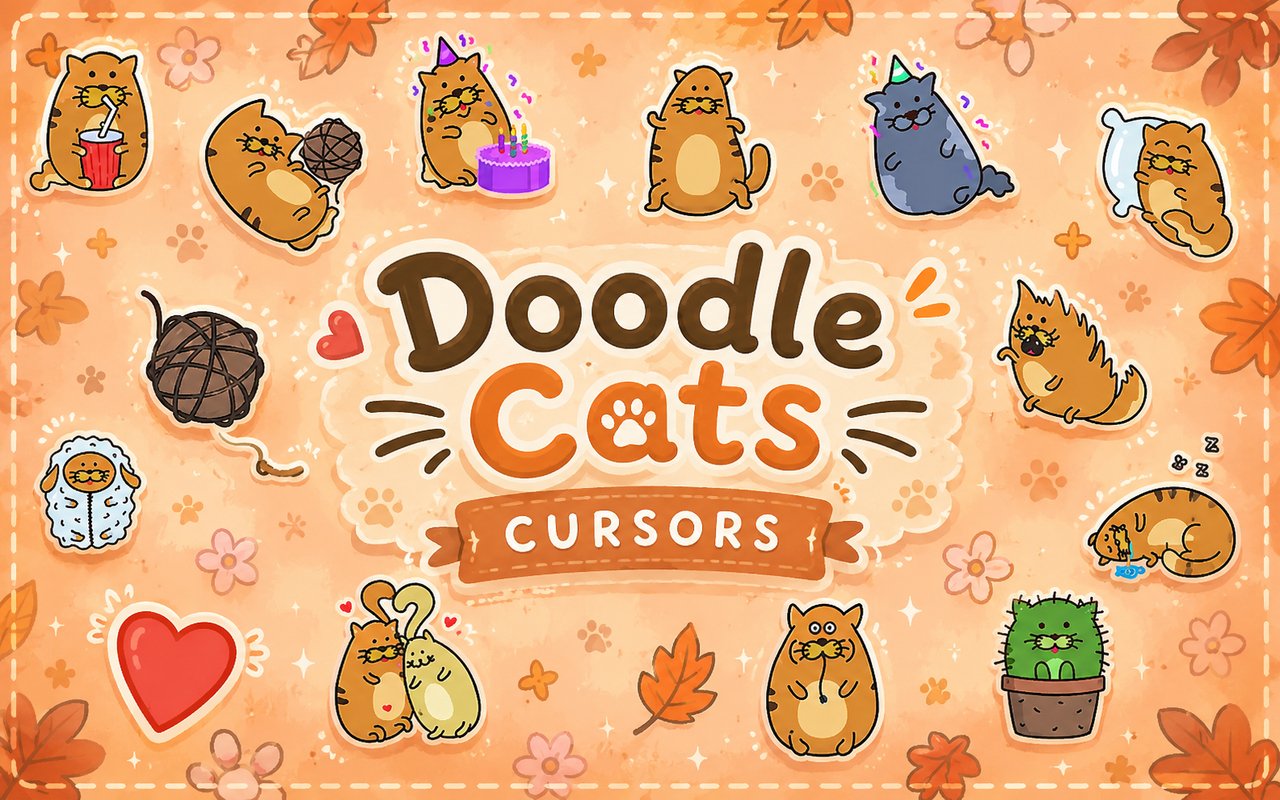
What Is The Doodle Cats Cursor?
The Doodle Cats Cursor is a Chrome extension that replaces your standard browser cursor with a collection of hand-drawn cat-themed designs, bringing a playful, artistic touch to every page you visit. Each cursor in the set is crafted in a kawaii doodle style, swapping out the plain pointer for expressive feline characters in a range of charming poses and moods. The extension integrates directly into Chrome, activating your chosen cursor instantly across websites without any complicated setup.
The designs draw from the world of kawaii cat illustration, a style rooted in Japanese cute culture that emphasizes soft lines, rounded shapes, and emotionally expressive characters. The collection features cats in distinctive states — a dancing cat full of energy, a sleepy cat curled up mid-nap, a cat struck by love, and several others that capture everyday feline personality. These are not generic clip-art cats but thoughtfully sketched characters with their own visual identity.
This extension appeals to fans of kawaii aesthetics, cat lovers, and anyone who enjoys adding a personal, creative touch to their daily browsing without disrupting their workflow.
Key Features of The Doodle Cats Cursor Extension
Complete Doodle Cats Cursor Collection
The library includes a variety of hand-drawn cat characters, each designed around a specific mood or activity. From the dancing cat and the sleeping cat to the cat in love, the surprised cat, the playful cat, and the cozy cat, there is a design to match nearly any mood or occasion. The full lineup includes:
- Dancing cat cursor
- Sleeping cat cursor
- Cat in love cursor
- Surprised cat cursor
- Playful cat cursor
- Cozy cat cursor
Original Animation Art Style
Every cursor in the collection is drawn in a hand-sketched doodle style that gives each design a warm, imperfect quality distinct from polished digital art. The line work is loose and expressive, with soft curves and slightly uneven strokes that reinforce the handcrafted feel. The color palette leans toward muted pastels and warm neutrals, keeping the aesthetic gentle and easy on the eye during long browsing sessions. Each character has exaggerated facial expressions typical of kawaii illustration, making the emotional state of every cursor immediately readable at a glance.
Adjustable Cursor Size
The extension includes a cursor size slider that lets you scale each design up or down to suit your screen and personal preference. Larger displays benefit from a bigger cursor that stays visible across wide viewports, while compact laptop screens may suit a smaller, less intrusive size. Adjustments take effect immediately, so finding the right scale takes only a few seconds.
Favorites System for Quick Switching
Users can bookmark their preferred cursor designs within the extension, building a personal shortlist that is easy to access without browsing the full library each time. The favorites panel surfaces your saved cursors at the top of the interface, making it simple to rotate between two or three go-to designs depending on your mood. Your saved favorites are retained across browser sessions, so your shortlist is ready the moment you open Chrome.
Lightweight and Performance-Friendly
The extension is built to run quietly in the background without consuming meaningful memory or CPU resources. Page load times, scrolling performance, and media playback are unaffected, even on older machines or during sessions involving multiple open tabs. You can leave the extension active all day without any concern about it interfering with Chrome’s performance.
Easy Toggle On and Off
A simple on/off toggle in the extension popup lets you switch back to your default system cursor whenever you need to, whether for a video call, a work presentation, or a site where a custom cursor feels out of place. Re-enabling the extension restores your last active cursor design immediately, with no need to reselect it. The toggle is accessible from the Chrome toolbar at any time.
How to Install The Doodle Cats Cursor
- Open Google Chrome on your desktop or laptop.
- Go to the Chrome Web Store and search for Doodle Cats Cursor.
- Click the extension listing to open its detail page.
- Click Add to Chrome and confirm when the popup appears.
- Click the extension icon in your Chrome toolbar to open the cursor library.
- Select any design to activate it immediately — no browser restart needed.
Why Doodle Cats Cursor Fans Love This Extension
There is something genuinely delightful about seeing a tiny sleeping cat or a love-struck feline appear wherever your cursor lands, and that small moment of charm is exactly what draws people to this extension. Fans of kawaii cat art appreciate that these are not hastily made icons but carefully illustrated characters with personality — the dancing cat feels alive, the cozy cat feels settled, and the surprised cat captures a universally recognizable feline expression. For people who fill their spaces with cat-themed stationery, plushies, or artwork, having matching cursors in the browser feels like a natural extension of that aesthetic. The hand-drawn quality adds an intimacy that polished vector art rarely achieves.
Students who spend long hours in the browser find that small visual touches like these make the environment feel less sterile and more personal, which can make a real difference during extended study sessions. Cat owners in particular tend to connect with the emotional range on display in the collection, recognising familiar moods in every design.
Frequently Asked Questions
Does this extension work on all websites?
The cursor is active across virtually all websites you visit in Chrome. A small number of sites with strict content security policies may limit custom cursor behavior, but this is uncommon and the extension works normally on the vast majority of pages.
Can I use multiple Doodle Cats Cursor cursors at once?
Only one cursor can be active at a time, but switching between designs is quick. The favorites system lets you save your preferred characters and switch between them in seconds without scrolling through the entire collection.
Will this extension slow down my browser?
No. The Doodle Cats Cursor extension is built to be lightweight and runs quietly in the background. It has no noticeable impact on Chrome’s speed, memory usage, or page load performance.
Is the Doodle Cats Cursor extension free?
Yes. The extension is completely free to download and use from the Chrome Web Store. You get access to the full cursor library without any subscription or in-app purchases.




Community comments
Comments are reviewed before they appear publicly.