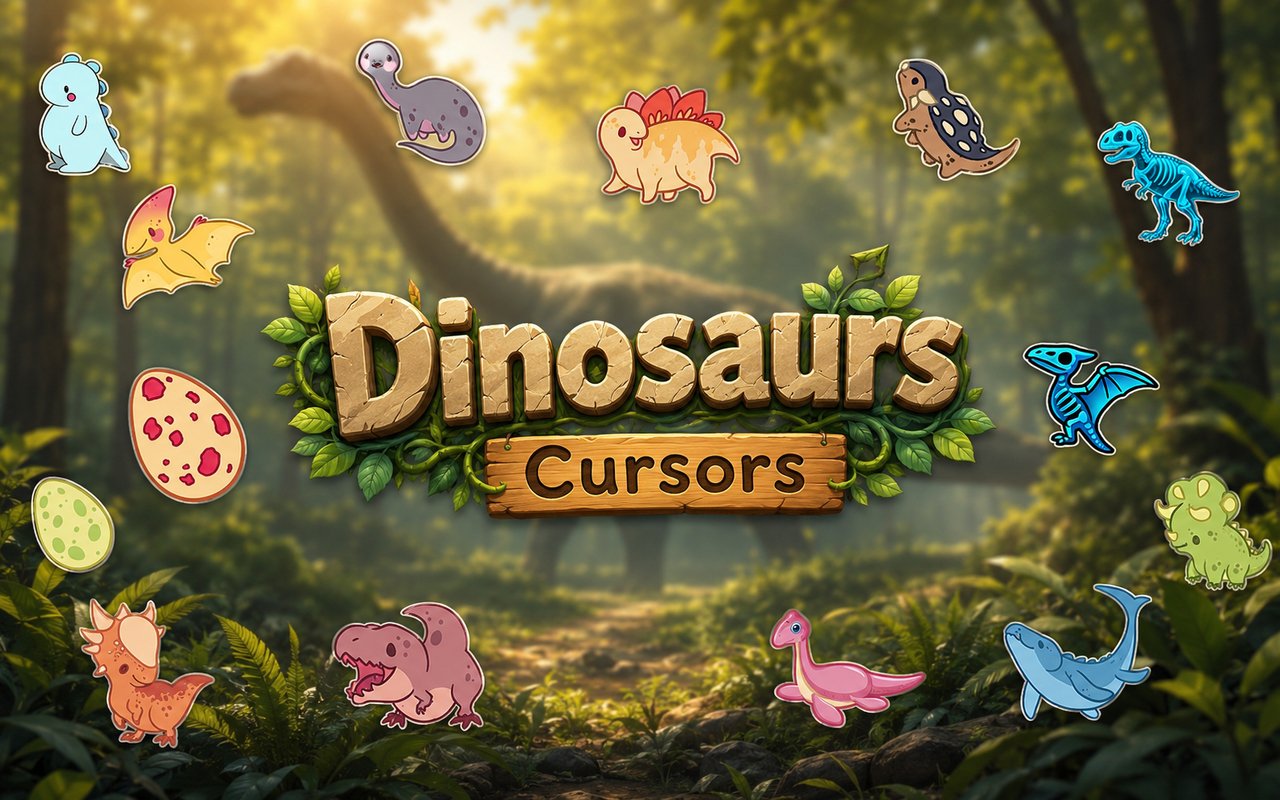
What Is The Dinosaur Cursor?
Dinosaur Cursor is a Chrome extension that replaces your standard browser pointer with detailed prehistoric-themed cursor designs inspired by some of the most iconic dinosaurs ever to roam the earth. Every time you move your mouse across a webpage, a carefully crafted dinosaur illustration follows along in place of the default arrow. The extension installs directly into Chrome and activates within seconds of being added.
The designs draw from the rich world of prehistoric life, bringing to life legendary creatures including the T-Rex, Triceratops, and Velociraptor — three of the most recognizable and beloved dinosaurs in popular culture. Whether your fascination comes from natural history, blockbuster films, or childhood adventures through dinosaur books, these species have captured imaginations for generations. The extension taps into that deep enthusiasm by putting those iconic animals front and center every time you browse.
This extension appeals to dinosaur enthusiasts, students studying paleontology, gamers, and anyone who wants a browsing experience that reflects a love of prehistoric creatures and adventure.
Key Features of The Dinosaur Cursor Extension
Complete Prehistoric Dinosaur Cursor Collection
The collection covers a wide range of dinosaur species and prehistoric design elements, from fearsome carnivores to armored herbivores. Characters and designs include the T-Rex, Triceratops, Velociraptor, Stegosaurus, Brachiosaurus, and Pterodactyl, among others — giving you a full roster of prehistoric creatures to choose from:
- T-Rex cursor
- Triceratops cursor
- Velociraptor cursor
- Stegosaurus cursor
- Brachiosaurus cursor
- Pterodactyl cursor
Original Animation Art Style
Each cursor is illustrated with a bold, expressive style that captures the personality of each dinosaur species without sacrificing clarity at small sizes. The color palette leans into earthy greens, deep browns, warm ambers, and bold accent tones that evoke the lush, wild environments these creatures inhabited. Line work is clean and defined, ensuring each dinosaur reads instantly whether you are on a bright white webpage or a dark-themed interface. The overall aesthetic strikes a balance between cute character design and prehistoric authenticity.
Adjustable Cursor Size
The extension includes a size slider that lets you scale your cursor up or down to suit your screen resolution and personal preference. Larger displays benefit from a bigger cursor that remains easy to spot, while compact laptop screens work well with a smaller, more precise pointer. Adjusting the size takes only a moment through the extension popup and applies instantly without restarting the browser.
Favorites System for Quick Switching
If you find a few dinosaur designs you return to regularly, the favorites system lets you bookmark them for fast access at any time. Rather than scrolling through the full library each visit, your saved cursors appear at the top for one-click activation. Favorites are stored persistently and remain available across browser sessions, even after restarting Chrome.
Lightweight and Performance-Friendly
The extension runs quietly in the background and places no measurable load on Chrome’s memory or processing resources. Page load times, scrolling performance, and tab responsiveness are completely unaffected by having the extension active. It functions reliably even on older machines and during resource-intensive browsing sessions such as streaming or online gaming.
Easy Toggle On and Off
A single click on the extension icon toggles the custom cursor on or off, making it simple to revert to Chrome’s default pointer whenever needed — during a video call, while using a design tool, or on any web app where the standard cursor is preferred. Re-enabling the dinosaur cursor is equally instant, with no settings to reconfigure. The extension always remembers the last cursor you had active and restores it the moment you toggle back on.
How to Install The Dinosaur Cursor
- Open Google Chrome on your desktop or laptop.
- Go to the Chrome Web Store and search for Dinosaur Cursor.
- Click the extension listing to open its detail page.
- Click Add to Chrome and confirm when the popup appears.
- Click the extension icon in your Chrome toolbar to open the cursor library.
- Select any design to activate it immediately — no browser restart needed.
Why Dinosaur Cursor Fans Love This Extension
Dinosaurs have held a unique grip on human fascination for well over a century, and for many people that passion started young and never faded. Seeing a T-Rex or Velociraptor rendered as a cursor brings a genuine sense of joy and nostalgia, tying everyday browser use to the sense of wonder that prehistoric creatures inspire. Fans who grew up obsessing over the Cretaceous period, memorizing species names, or watching dinosaurs dominate cinema will find something personally meaningful in having these animals as part of their daily interface. It is a small detail that consistently sparks a smile.
Students working on natural history projects, gamers who love survival or prehistoric-themed titles, and creative professionals with a passion for palaeontology will find the extension fits naturally into their daily routine. Having a Triceratops or Stegosaurus as your cursor while you research, write, or simply browse adds a layer of personality to otherwise routine screen time.
Frequently Asked Questions
Does this extension work on all websites?
The cursor is active across virtually all websites you visit in Chrome. A small number of sites with strict content security policies may limit custom cursor behavior, but this is uncommon and the extension works normally on the vast majority of pages.
Can I use multiple Dinosaur Cursor cursors at once?
Only one cursor can be active at a time, but switching between designs is quick. The favorites system lets you save your preferred characters and switch between them in seconds without scrolling through the entire collection.
Will this extension slow down my browser?
No. The Dinosaur Cursor extension is built to be lightweight and runs quietly in the background. It has no noticeable impact on Chrome’s speed, memory usage, or page load performance.
Is the Dinosaur Cursor extension free?
Yes. The extension is completely free to download and use from the Chrome Web Store. You get access to the full cursor library without any subscription or in-app purchases.




Community comments
Comments are reviewed before they appear publicly.