What Is The Danny Phantom Cursor?
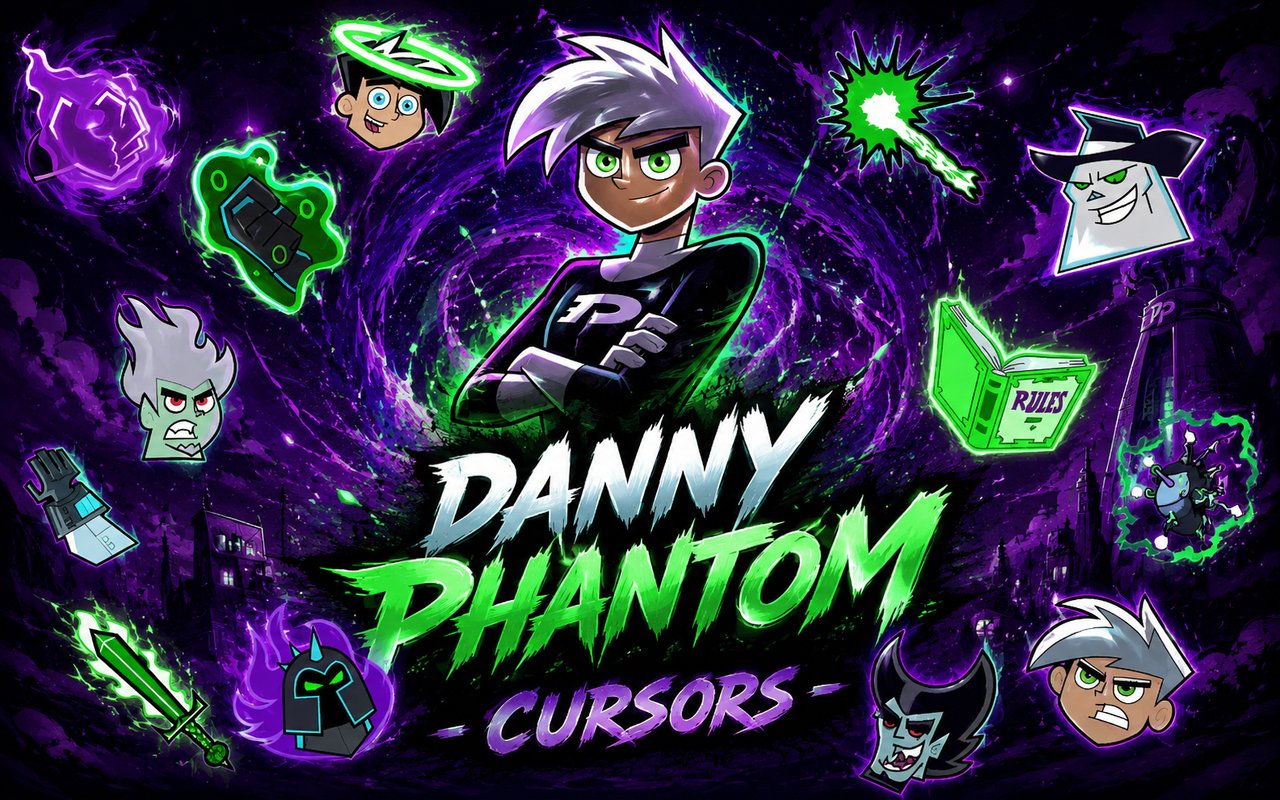
The Danny Phantom Cursor is a Chrome extension that replaces your standard browser cursor with custom designs inspired by the beloved animated series. Once installed, every click and hover becomes a nod to the ghost-hunting world of Amity Park. The extension works seamlessly across websites, giving your browsing a distinctive look drawn straight from the show.
Danny Phantom is a Nickelodeon animated series following Danny Fenton, a teenager who gains ghost powers after an accident with his parents’ ghost portal. The show introduced memorable characters like the terrifying Dark Danny, the rock-wielding ghost Ember McLain, and the eerie expanse of the Ghost Zone itself. Its blend of supernatural action and sharp humor made it a defining cartoon of the 2000s.
This extension is a natural fit for fans who grew up watching the show and want a small, personal touch that reflects their love of the series during everyday browsing.
Key Features of The Danny Phantom Cursor Extension
Complete Danny Phantom Cursor Collection
The collection draws from across the full roster of the series, featuring designs inspired by Danny Fenton, Dark Danny, Ember McLain, Vlad Masters, Sam Manson, Tucker Foley, the Ghost Zone, and more. Whether you prefer the heroic side of Danny Phantom or the villains that made the show so memorable, there is a cursor to match your preference.
- Danny Fenton in ghost form
- Dark Danny cursor design
- Ember McLain with her signature guitar
- Vlad Masters / Plasmius
- Sam Manson
- Tucker Foley
- Ghost Zone themed cursor
- Ecto energy effects
Original Animation Art Style
The cursors are styled to match the distinctive visual identity of the Danny Phantom animated series, with bold outlines, cool blue and green ecto-energy tones, and the flat cel-shaded look that defined the show’s artwork. Character designs stay faithful to the original series proportions and color schemes, so Ember’s fiery hair and Dark Danny’s menacing glow come through clearly even at cursor scale. The Ghost Zone’s eerie purple and green palette is reflected in the environment-themed designs. Every cursor feels like it was lifted directly from a frame of the show.
Adjustable Cursor Size
A built-in size slider lets you scale your cursor up or down to suit your display and personal preference. Whether you are working on a compact laptop screen or a large external monitor, you can dial in the exact size that feels comfortable. This is especially useful for high-resolution displays where the default cursor size can appear too small.
Favorites System for Quick Switching
The favorites system allows you to bookmark the cursor designs you return to most often, saving you from scrolling through the full library every time you want to switch. Marked favorites appear in a dedicated section for instant access with a single click. Your saved selections persist across browser sessions, so your preferred lineup is always ready when you open Chrome.
Lightweight and Performance-Friendly
The extension runs quietly in the background without placing any measurable load on Chrome’s memory or processing resources. Page load times and browsing speed remain unaffected, even during demanding sessions involving streaming, gaming sites, or large web applications. It is equally reliable on older hardware as it is on newer machines.
Easy Toggle On and Off
A simple on/off toggle in the extension popup lets you switch back to your default system cursor whenever you need to, whether for a video call, a work session, or a site that prefers the standard pointer. Re-enabling your chosen design takes a single click, and the extension remembers the last active cursor so you never have to reselect it manually.
How to Install The Danny Phantom Cursor
- Open Google Chrome on your desktop or laptop.
- Go to the Chrome Web Store and search for Danny Phantom Cursor.
- Click the extension listing to open its detail page.
- Click Add to Chrome and confirm when the popup appears.
- Click the extension icon in your Chrome toolbar to open the cursor library.
- Select any design to activate it immediately — no browser restart needed.
Why Danny Phantom Cursor Fans Love This Extension
For anyone who watched Danny Phantom during its original run, the characters carry a strong sense of nostalgia that is hard to replicate. Dark Danny represented one of the most genuinely unsettling villain concepts in a Nickelodeon show, and Ember McLain became a fan-favourite for her attitude and design long after the series ended. Having those characters appear every time you move your mouse is a quiet but satisfying callback to the episodes that made an impression. It is the kind of detail that fans of the series notice and appreciate immediately.
Students browsing late at night, fans revisiting episode discussions on forums, or anyone who keeps ghost zone fan art as their desktop wallpaper will find the extension fits naturally into their setup. It is a small customisation that speaks directly to a specific and passionate fanbase rather than a generic decoration.
Frequently Asked Questions
Does this extension work on all websites?
The cursor is active across virtually all websites you visit in Chrome. A small number of sites with strict content security policies may limit custom cursor behavior, but this is uncommon and the extension works normally on the vast majority of pages.
Can I use multiple Danny Phantom Cursor cursors at once?
Only one cursor can be active at a time, but switching between designs is quick. The favorites system lets you save your preferred characters and switch between them in seconds without scrolling through the entire collection.
Will this extension slow down my browser?
No. The Danny Phantom Cursor extension is built to be lightweight and runs quietly in the background. It has no noticeable impact on Chrome’s speed, memory usage, or page load performance.
Is the Danny Phantom Cursor extension free?
Yes. The extension is completely free to download and use from the Chrome Web Store. You get access to the full cursor library without any subscription or in-app purchases.




Community comments
Comments are reviewed before they appear publicly.