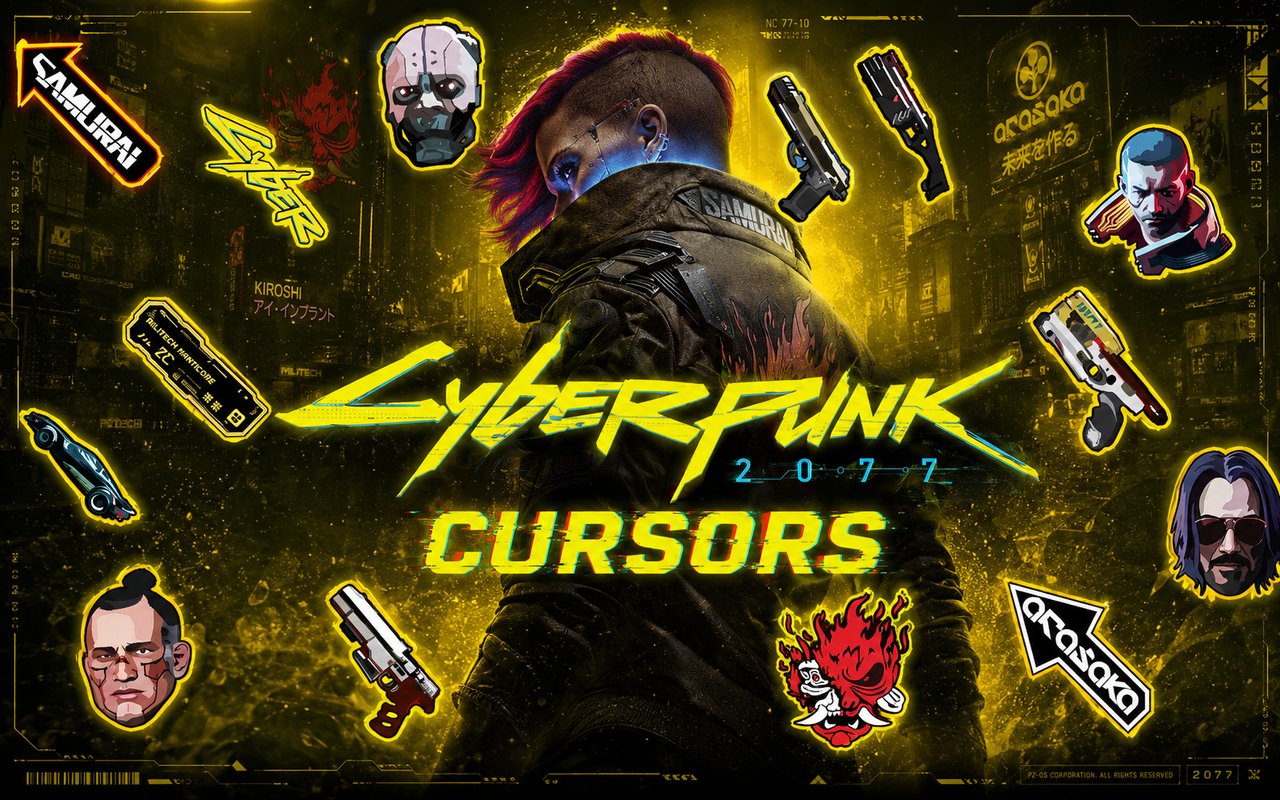
What Is The Cyberpunk 2077 Cursor?
The Cyberpunk 2077 Cursor is a Chrome extension that replaces your standard browser cursor with custom-designed cursors inspired by the world of Cyberpunk 2077. Each design is drawn from the game’s iconic visual language, bringing the neon-soaked streets of Night City directly into your browsing experience. The extension installs in seconds and activates immediately without requiring a browser restart.
Cyberpunk 2077 is CD Projekt Red’s acclaimed open-world RPG set in a dystopian future, following the mercenary V through the sprawling metropolis of Night City. The game features standout characters such as the rebellious rockerboy Johnny Silverhand, the ruthless corpo executives, and the numerous factions that wage war across the city’s chrome-covered underworld. Its dark, rain-slicked aesthetic and transhumanist themes have made it one of the most visually distinctive franchises in modern gaming.
This extension appeals to fans of the game who want to carry a piece of Night City into their daily browsing, whether they are replaying the story, following the lore, or simply drawn to the game’s unmistakable visual style.
Key Features of The Cyberpunk 2077 Cursor Extension
Complete Cyberpunk 2077 Cursor Collection
The collection draws from the full breadth of Cyberpunk 2077’s cast and iconography, including Johnny Silverhand, V, Night City landmarks, cyberware implants, the Samurai band logo, Militech weapons, and the neon street signage that defines the game’s world. Each cursor captures a distinct element of the franchise, giving fans a wide range of designs to choose from:
- Johnny Silverhand cursor design
- V mercenary cursor design
- Night City neon aesthetic cursor
- Samurai band logo cursor
- Cyberware implant cursor design
- Militech weapon cursor design
Original Animation Art Style
Every cursor in this collection reflects the hard-edged, neon-drenched visual identity that defines Cyberpunk 2077. The color palette leans heavily into electric blues, sharp yellows, and deep crimsons set against near-black backgrounds, mirroring the game’s signature night-time city glow. Character designs maintain the angular, detail-rich aesthetic of the original game artwork, from the scratched chrome of cyberware to the worn leather of V’s jacket. The result is a set of cursors that feel genuinely rooted in the source material rather than loosely inspired by it.
Adjustable Cursor Size
The extension includes a size slider that lets you scale your cursor up or down to suit your screen resolution and personal preference. Smaller sizes work well on compact laptop displays where screen real estate matters, while larger sizes make the detailed Cyberpunk artwork more visible on wide monitors or high-resolution setups. Finding the right size takes only a few seconds from within the extension panel.
Favorites System for Quick Switching
The favorites system allows you to bookmark the cursor designs you return to most often, so you can access them instantly without scrolling through the entire library. Marked favorites are saved directly to the extension and remain available across browser sessions, even after closing and reopening Chrome. This makes it easy to maintain a small personal shortlist of Night City designs ready to swap between at any time.
Lightweight and Performance-Friendly
The extension operates quietly in the background and places no measurable load on Chrome’s memory or processing resources. Page load times and browsing speed are completely unaffected, even during graphically demanding sessions such as streaming or playing browser-based games. Users on older machines will find the extension runs just as smoothly as it does on newer hardware.
Easy Toggle On and Off
A single click on the extension icon is all it takes to switch the custom cursor on or off at any moment. This is useful when switching to professional tasks, video calls, or web applications where a themed cursor might be distracting. The extension remembers the last active cursor design, so when you re-enable it, your chosen Night City cursor is restored immediately without any additional steps.
How to Install The Cyberpunk 2077 Cursor
- Open Google Chrome on your desktop or laptop.
- Go to the Chrome Web Store and search for Cyberpunk 2077 Cursor.
- Click the extension listing to open its detail page.
- Click Add to Chrome and confirm when the popup appears.
- Click the extension icon in your Chrome toolbar to open the cursor library.
- Select any design to activate it immediately — no browser restart needed.
Why Cyberpunk 2077 Cursor Fans Love This Extension
For players who have spent dozens of hours navigating Night City alongside V and Johnny Silverhand, this extension keeps that connection alive between gaming sessions. The world of Cyberpunk 2077 carries a strong emotional weight for many fans, built around themes of identity, resistance, and survival in a corporate-controlled future. Seeing Johnny’s silver arm or a Militech emblem on your cursor is a small but genuine nod to a story that resonated deeply with a large and dedicated community. It is the kind of detail that fans of the game immediately recognise and appreciate.
For PC gamers who also spend long hours browsing forums, watching guides, or researching builds between play sessions, having a Cyberpunk 2077 cursor keeps the atmosphere consistent across their desktop experience. It is especially fitting for fans who follow the ongoing lore, the Edgerunners animated series, or the wider community built around the franchise.
Frequently Asked Questions
Does this extension work on all websites?
The cursor is active across virtually all websites you visit in Chrome. A small number of sites with strict content security policies may limit custom cursor behavior, but this is uncommon and the extension works normally on the vast majority of pages.
Can I use multiple Cyberpunk 2077 Cursor cursors at once?
Only one cursor can be active at a time, but switching between designs is quick. The favorites system lets you save your preferred characters and switch between them in seconds without scrolling through the entire collection.
Will this extension slow down my browser?
No. The Cyberpunk 2077 Cursor extension is built to be lightweight and runs quietly in the background. It has no noticeable impact on Chrome’s speed, memory usage, or page load performance.
Is the Cyberpunk 2077 Cursor extension free?
Yes. The extension is completely free to download and use from the Chrome Web Store. You get access to the full cursor library without any subscription or in-app purchases.




Community comments
Comments are reviewed before they appear publicly.