What Is The Cute Cursor?
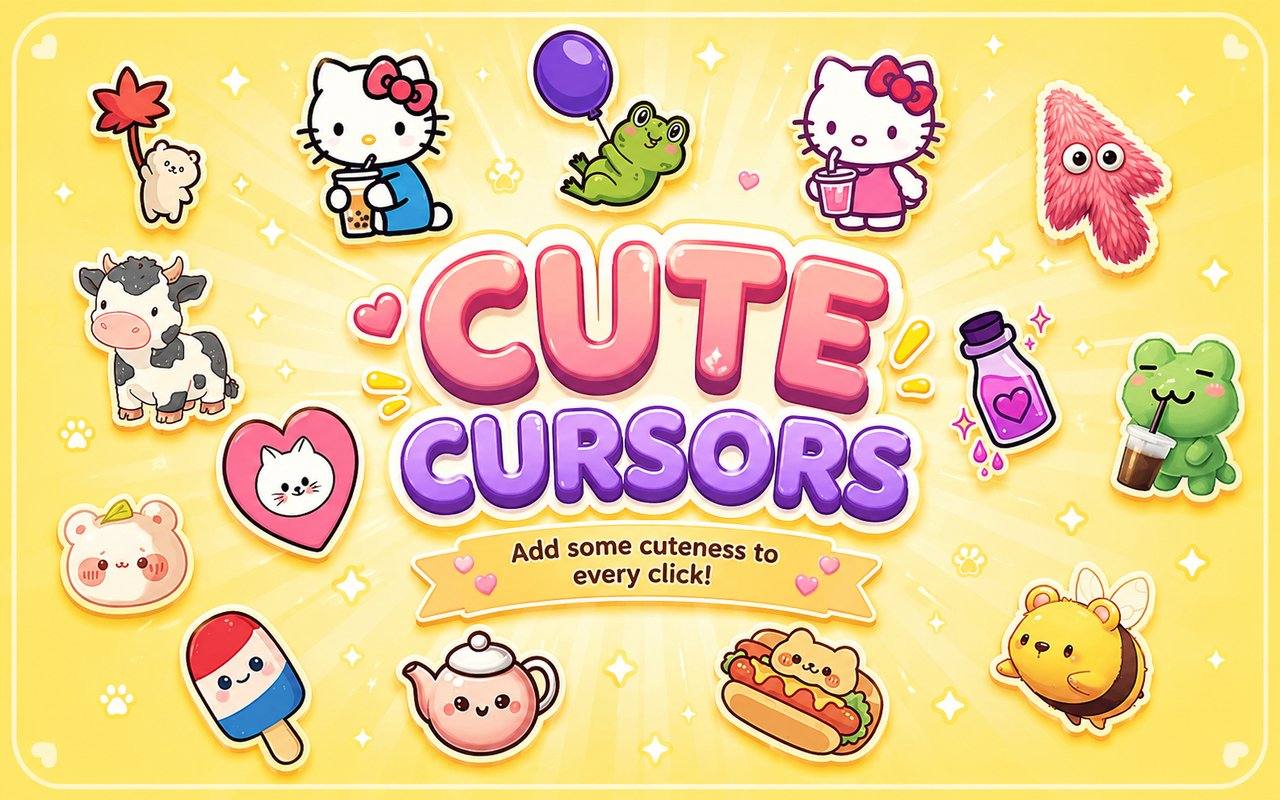
Cute Cursor is a Chrome extension that replaces your standard browser pointer with a collection of kawaii-themed cursor designs drawn from some of the most beloved characters in cute culture. From Lan Lan Cat to Hello Kitty and a range of adorable kawaii bears, every cursor in the pack is designed to bring a playful, cheerful aesthetic to your daily browsing. The extension installs directly into Chrome and activates immediately, with no configuration required.
The designs draw from a rich tradition of Japanese kawaii art and character culture, featuring icons that have captured fans worldwide for decades. Hello Kitty, the globally recognised Sanrio character with her iconic bow and minimalist face, sits alongside Lan Lan Cat, the round-faced feline beloved in Chinese internet culture, and a variety of soft, rounded bear characters that define the kawaii visual style. These characters carry genuine cultural weight and a dedicated fanbase across all age groups.
The extension appeals most strongly to fans of kawaii aesthetics, anime culture, and character-driven design who want their browser to reflect their personal style without any technical effort.
Key Features of The Cute Cursor Extension
Complete Kawaii Cursor Collection
The library includes cursor designs inspired by some of the most recognisable characters in kawaii and cute internet culture. Lan Lan Cat, Hello Kitty, kawaii bears, and a wide selection of soft pastel-toned characters are all represented, giving users a broad range of options to match their mood or aesthetic preference. The designs span classic Sanrio-style characters, rounded animal figures, and expressive chibi-inspired artwork.
- Lan Lan Cat cursor
- Hello Kitty cursor
- Kawaii bear cursors
- Chibi-style animal characters
- Pastel-toned kawaii figures
- Sanrio-inspired character designs
Original Animation Art Style
Every cursor in the pack reflects the soft, rounded visual language that defines kawaii character design, using gentle pastel palettes built around pinks, creams, lavenders, and sky blues. Line work is clean and minimal, with characters featuring large expressive eyes, small simplified mouths, and smooth, uncluttered outlines that remain clear even at small cursor sizes. The Hello Kitty designs stay true to the original Sanrio aesthetic, while the Lan Lan Cat cursors carry the rounder, more internet-native charm that made the character famous online. Each design is crafted to feel cohesive as a set while still giving each character a distinct visual identity.
Adjustable Cursor Size
The extension includes a size slider that lets you scale your cursor up or down to suit your screen resolution and personal preference. Smaller sizes work well on compact laptop displays where screen real estate is limited, while larger sizes suit high-resolution monitors or users who simply prefer a more visible pointer. Adjustments apply instantly without needing to reload your browser or restart Chrome.
Favorites System for Quick Switching
Any cursor design in the library can be saved to a personal favorites list, making it easy to return to preferred characters without scrolling through the full collection each time. Saved favorites persist across browser sessions, so your shortlist remains intact even after closing and reopening Chrome. This is particularly useful when you regularly rotate between a few specific designs depending on your mood or the time of day.
Lightweight and Performance-Friendly
The extension is built to run quietly in the background without drawing on system resources in any meaningful way. There is no measurable impact on Chrome’s memory usage, page load speeds, or overall browser performance, even during resource-intensive sessions such as streaming, gaming, or working with multiple tabs open. It runs equally well on older machines as on newer hardware.
Easy Toggle On and Off
A single click on the extension icon toggles the custom cursor on or off, letting you switch back to the default Chrome pointer whenever you need to. This is useful for video calls, professional environments, or web applications where a custom cursor might interfere with the interface. When you re-enable the extension, it automatically restores the last active cursor design without requiring you to reselect it manually.
How to Install The Cute Cursor
- Open Google Chrome on your desktop or laptop.
- Go to the Chrome Web Store and search for Cute Cursor.
- Click the extension listing to open its detail page.
- Click Add to Chrome and confirm when the popup appears.
- Click the extension icon in your Chrome toolbar to open the cursor library.
- Select any design to activate it immediately — no browser restart needed.
Why Cute Cursor Fans Love This Extension
For fans who grew up with Hello Kitty lunchboxes, Sanrio stationery, and the soft pastel world of kawaii culture, having these characters present during everyday browsing carries a genuine sense of warmth and familiarity. Lan Lan Cat in particular has become a cultural touchstone for a generation of internet users who encountered the character through social media and sticker packs long before finding it here. There is something genuinely satisfying about seeing a character you have an affection for appear every time you move your mouse across the screen, rather than a plain arrow that carries no personality at all.
Students who spend long hours at their desks studying or doing coursework often find that small personal touches like a kawaii cursor make their workspace feel more their own. The extension resonates strongly with younger users, creative professionals, and anyone who approaches their digital environment as an extension of their personal aesthetic rather than a purely functional tool.
Frequently Asked Questions
Does this extension work on all websites?
The cursor is active across virtually all websites you visit in Chrome. A small number of sites with strict content security policies may limit custom cursor behavior, but this is uncommon and the extension works normally on the vast majority of pages.
Can I use multiple Cute Cursor cursors at once?
Only one cursor can be active at a time, but switching between designs is quick. The favorites system lets you save your preferred characters and switch between them in seconds without scrolling through the entire collection.
Will this extension slow down my browser?
No. The Cute Cursor extension is built to be lightweight and runs quietly in the background. It has no noticeable impact on Chrome’s speed, memory usage, or page load performance.
Is the Cute Cursor extension free?
Yes. The extension is completely free to download and use from the Chrome Web Store. You get access to the full cursor library without any subscription or in-app purchases.




Community comments
Comments are reviewed before they appear publicly.