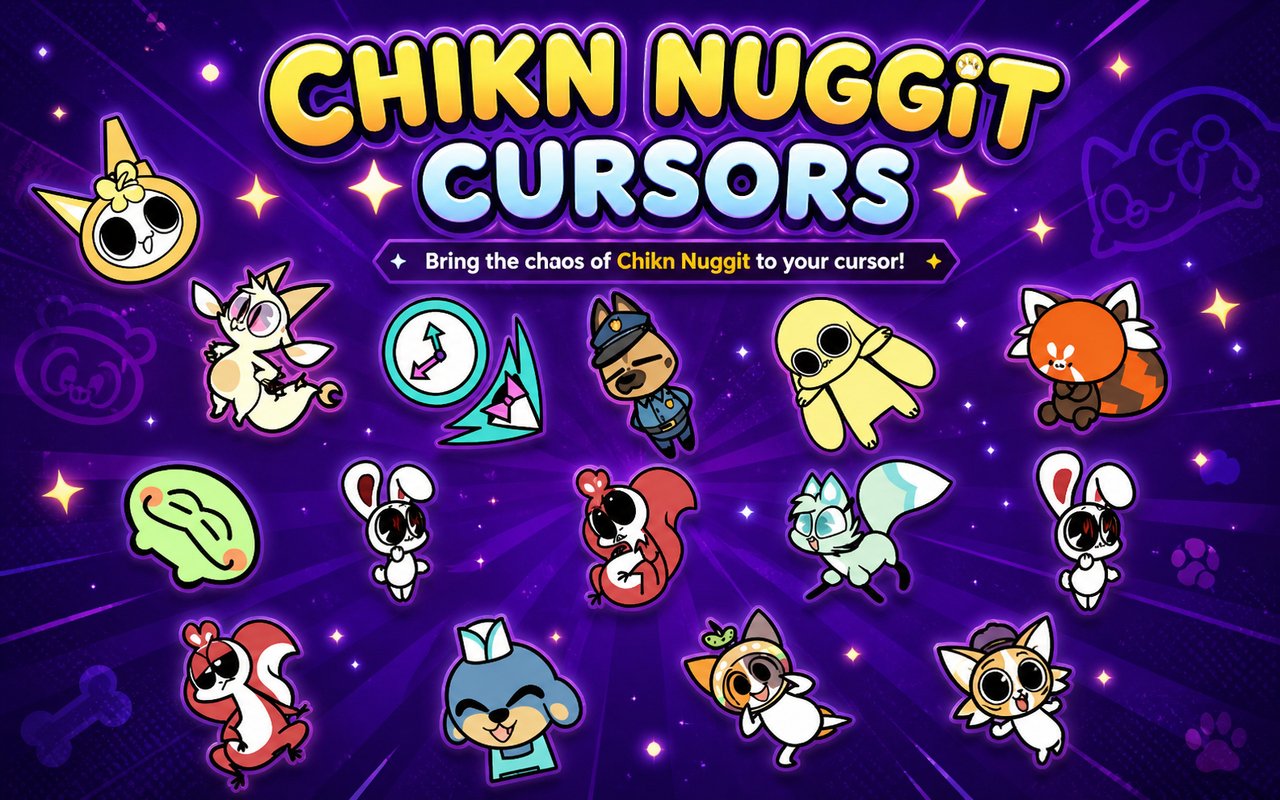
What Is The Chikn Nuggit Cursor?
The Chikn Nuggit Cursor is a Chrome browser extension that replaces your default mouse pointer with custom cursor designs based on the beloved Chikn Nuggit universe. Every time you move your mouse across a webpage, one of the franchise’s iconic characters or food-themed designs appears in place of the standard arrow. The extension installs in seconds and activates immediately across your browsing sessions.
Chikn Nuggit is a popular animated web series and social media phenomenon featuring a cast of adorable food-based characters, including the lovable chicken nugget protagonist, the dramatic Iscream, the cheerful Cheezborger, and the excitable Fwench Fwy. The series gained a devoted following for its expressive character animation, quirky humor, and wholesome storylines. Sody Pop rounds out the core cast as another fan favorite with a distinct and recognizable design.
This extension is ideal for fans of the series who want to carry a piece of the Chikn Nuggit world into their daily browsing, whether they are scrolling social media, studying, or simply spending time online.
Key Features of The Chikn Nuggit Cursor Extension
Complete Chikn Nuggit Cursor Collection
The extension includes cursor designs drawn from the full cast of Chikn Nuggit characters, giving fans a wide selection of recognizable faces and food-themed designs to choose from. Characters like Iscream, Cheezborger, Fwench Fwy, Sody Pop, and Chikn Nuggit himself are all represented in the library, alongside additional designs that capture the spirit of the series.
- Chikn Nuggit cursor
- Iscream cursor
- Cheezborger cursor
- Fwench Fwy cursor
- Sody Pop cursor
- Additional food character designs
Original Animation Art Style
Each cursor is crafted to reflect the distinctive visual style that makes Chikn Nuggit immediately recognizable to its fanbase. The designs use the soft, warm color palette of the original series, with rounded shapes, expressive faces, and clean outlines that mirror the show’s hand-drawn aesthetic. Characters like Iscream with their melting ice cream form and Cheezborger with their layered burger design are rendered faithfully at cursor scale. The result is a set of pointers that feel genuinely connected to the source material rather than being generic fan recreations.
Adjustable Cursor Size
The extension includes a size slider that lets you scale your cursor up or down to suit your screen resolution and personal preference. Whether you are working on a small laptop display or a large external monitor, you can find a size that feels comfortable and keeps the character designs clearly visible. Larger sizes work especially well for high-resolution screens where a standard-sized cursor can feel too small.
Favorites System for Quick Switching
The favorites system allows you to bookmark specific cursor designs so you can return to them instantly without scrolling through the entire library. Once saved, your preferred characters appear in a dedicated section for one-click access at any time. Your saved favorites carry over between browser sessions, so your choices are always waiting for you the next time you open Chrome.
Lightweight and Performance-Friendly
The extension is built to run quietly in the background without consuming noticeable memory or slowing down page load times. It has been designed to work reliably on older machines as well as during graphic-intensive browsing sessions like streaming or gaming. You will not notice any difference in Chrome’s overall performance after installation.
Easy Toggle On and Off
A simple on/off toggle lets you disable the custom cursor with a single click whenever you need to return to your default pointer, such as during video calls, work tasks, or web apps that require precise standard cursor behavior. Re-enabling the extension is equally instant, and Chrome remembers whichever cursor design you had active before toggling off.
How to Install The Chikn Nuggit Cursor
- Open Google Chrome on your desktop or laptop.
- Go to the Chrome Web Store and search for Chikn Nuggit Cursor.
- Click the extension listing to open its detail page.
- Click Add to Chrome and confirm when the popup appears.
- Click the extension icon in your Chrome toolbar to open the cursor library.
- Select any design to activate it immediately — no browser restart needed.
Why Chikn Nuggit Cursor Fans Love This Extension
For fans of the series, Chikn Nuggit characters like Iscream, Fwench Fwy, and Sody Pop are more than just animated food items — they are personalities that fans have followed across episodes and social media posts, building a genuine emotional connection. Seeing Cheezborger or Chikn Nuggit as your cursor brings a small but real sense of warmth to an otherwise routine part of using a computer. The extension taps into that affection by keeping beloved characters present throughout the day in a subtle, unobtrusive way. For fans who have watched every episode or follow the series closely on social platforms, it is a satisfying nod to something they genuinely care about.
Students and younger users who grew up watching Chikn Nuggit will find this extension fits naturally into long browsing or study sessions, adding a touch of personality to an otherwise functional activity. It is particularly popular among fans who like to personalize their digital spaces and already customize themes, wallpapers, and browser appearances to reflect the media they love.
Frequently Asked Questions
Does this extension work on all websites?
The cursor is active across virtually all websites you visit in Chrome. A small number of sites with strict content security policies may limit custom cursor behavior, but this is uncommon and the extension works normally on the vast majority of pages.
Can I use multiple Chikn Nuggit Cursor cursors at once?
Only one cursor can be active at a time, but switching between designs is quick. The favorites system lets you save your preferred characters and switch between them in seconds without scrolling through the entire collection.
Will this extension slow down my browser?
No. The Chikn Nuggit Cursor extension is built to be lightweight and runs quietly in the background. It has no noticeable impact on Chrome’s speed, memory usage, or page load performance.
Is the Chikn Nuggit Cursor extension free?
Yes. The extension is completely free to download and use from the Chrome Web Store. You get access to the full cursor library without any subscription or in-app purchases.




Community comments
Comments are reviewed before they appear publicly.