What Is The Chainsaw Man Cursor?
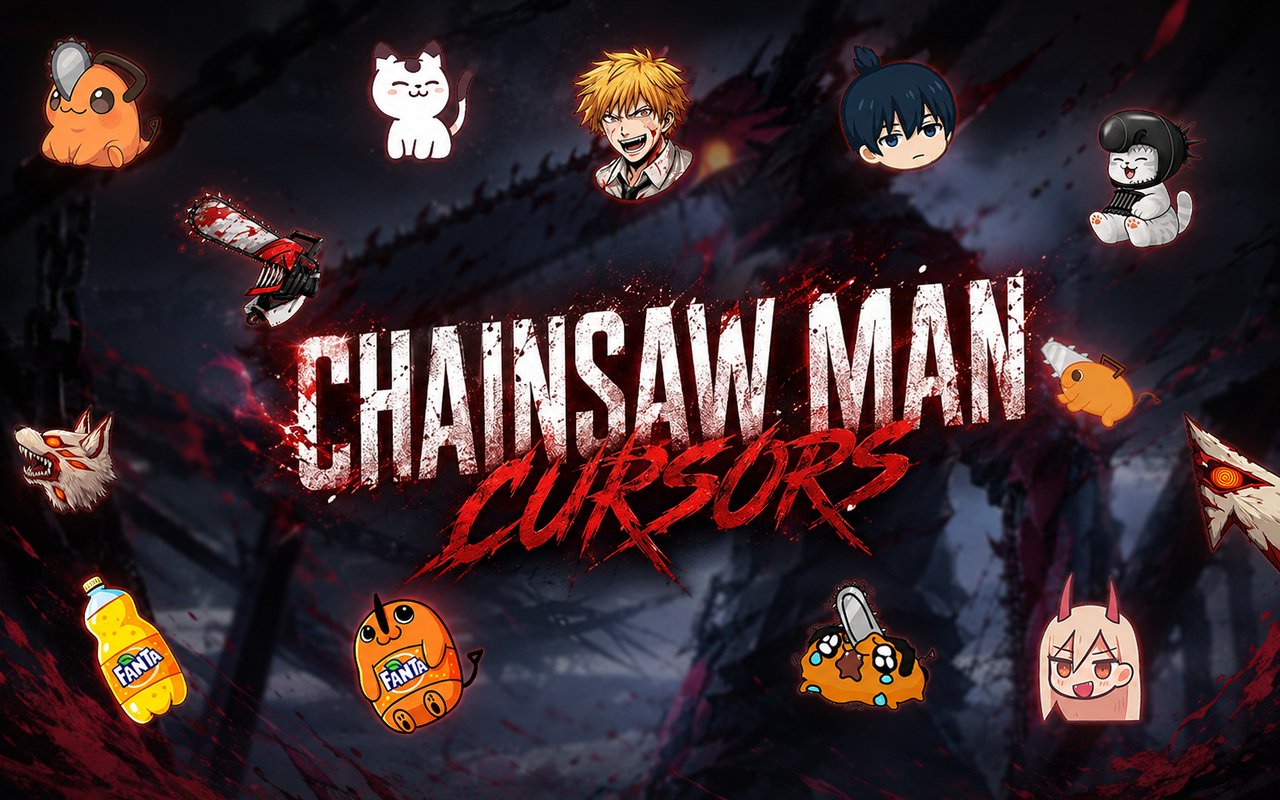
The Chainsaw Man Cursor is a Chrome extension that replaces your standard browser cursor with custom-designed cursors inspired by the Chainsaw Man anime and manga series. Each cursor is drawn from the characters and visual elements of the franchise, giving your browser a distinct look tied to the world of Public Safety Devil Hunters. The extension installs directly into Chrome and activates immediately, no configuration required.
Chainsaw Man is a dark action anime based on Tatsuki Fujimoto’s manga, following Denji, a young man who merges with his devil dog Pochita to become the Chainsaw Man. The series features a cast of memorable characters including Power, the Blood Fiend with a chaotic personality, Aki Hayakawa, a composed Public Safety agent, and the terrifying Fox Devil summoned in battle. Its brutal action sequences, emotional depth, and striking visual design have made it one of the most discussed anime releases in recent years.
This extension is built for Chainsaw Man fans who want to bring a piece of that world into their everyday browsing, whether they are rewatching episodes, browsing fan communities, or just going about their daily web use.
Key Features of The Chainsaw Man Cursor Extension
Complete Chainsaw Man Cursor Collection
The collection covers the most iconic characters and creatures from the series, including Pochita, Denji, Power, Aki, and the Fox Devil, among others. Each cursor is designed to reflect the character’s personality and visual identity from the anime. Here is a breakdown of the designs included:
- Pochita cursor
- Denji cursor
- Power cursor
- Aki Hayakawa cursor
- Fox Devil cursor
- Chainsaw Man devil form cursor
Original Animation Art Style
Every cursor in this collection draws directly from the visual language of the Chainsaw Man anime, which is characterized by bold outlines, high-contrast shading, and a gritty color palette built around deep reds, blacks, and muted earth tones. Characters like Power and Denji are rendered with the expressive, slightly rough linework that defines the series’ aesthetic. The cursors capture small but recognizable details — Pochita’s chainsaw pull cord, Power’s sharp horns — that fans will immediately identify. The result feels authentic to the source material rather than a generic anime adaptation.
Adjustable Cursor Size
A built-in size slider lets you scale each cursor up or down to suit your display and personal preference. Whether you are working on a high-resolution monitor where small cursors get lost or a compact laptop screen where oversized designs feel cluttered, the slider gives you precise control. Adjustments apply instantly without needing to reload the page or restart Chrome.
Favorites System for Quick Switching
The favorites system lets you bookmark the cursor designs you return to most often, so you do not have to scroll through the full library every time you want to switch. Saved favorites are accessible from the top of the extension panel, making swapping between Pochita and Power a matter of two clicks. Your saved selections persist across browser sessions, so your favorites are waiting for you each time you open Chrome.
Lightweight and Performance-Friendly
The extension is designed to run quietly in the background without consuming noticeable resources. It has no measurable effect on Chrome’s page load times, memory footprint, or overall responsiveness, even during resource-intensive browsing sessions like streaming or gaming. Users on older machines can run it without concern about performance degradation.
Easy Toggle On and Off
A single click on the extension icon lets you switch the custom cursor off entirely and revert to Chrome’s default cursor whenever the situation calls for it. This is useful for video calls, work presentations, or web applications where a custom cursor might be distracting. When you are ready to bring it back, one click re-enables it and the extension remembers exactly which cursor was last active.
How to Install The Chainsaw Man Cursor
- Open Google Chrome on your desktop or laptop.
- Go to the Chrome Web Store and search for Chainsaw Man Cursor.
- Click the extension listing to open its detail page.
- Click Add to Chrome and confirm when the popup appears.
- Click the extension icon in your Chrome toolbar to open the cursor library.
- Select any design to activate it immediately — no browser restart needed.
Why Chainsaw Man Cursor Fans Love This Extension
Chainsaw Man built a passionate fanbase through its willingness to subvert shonen conventions — Pochita’s sacrifice in the opening chapters, Power’s arc from antagonist to reluctant companion, and Aki’s slow-burning tragedy all left a lasting impression on viewers and readers alike. Having those characters present as cursors is a small but genuine nod to the emotional investment fans have placed in the series. For someone who has followed Denji’s journey from devil hunter to reluctant hero, seeing Pochita appear every time they move their mouse carries real meaning. It is the kind of detail that resonates precisely because of what those characters represent in the story.
Students streaming the anime while taking notes, fans browsing fan art on social media, or anyone spending long hours at a computer will find the cursors add a layer of personality to an otherwise neutral interface. It is a natural fit for anyone who already has Chainsaw Man artwork as their desktop wallpaper or profile picture and wants their browser to match that aesthetic.
Frequently Asked Questions
Does this extension work on all websites?
The cursor is active across virtually all websites you visit in Chrome. A small number of sites with strict content security policies may limit custom cursor behavior, but this is uncommon and the extension works normally on the vast majority of pages.
Can I use multiple Chainsaw Man Cursor cursors at once?
Only one cursor can be active at a time, but switching between designs is quick. The favorites system lets you save your preferred characters and switch between them in seconds without scrolling through the entire collection.
Will this extension slow down my browser?
No. The Chainsaw Man Cursor extension is built to be lightweight and runs quietly in the background. It has no noticeable impact on Chrome’s speed, memory usage, or page load performance.
Is the Chainsaw Man Cursor extension free?
Yes. The extension is completely free to download and use from the Chrome Web Store. You get access to the full cursor library without any subscription or in-app purchases.




Community comments
Comments are reviewed before they appear publicly.