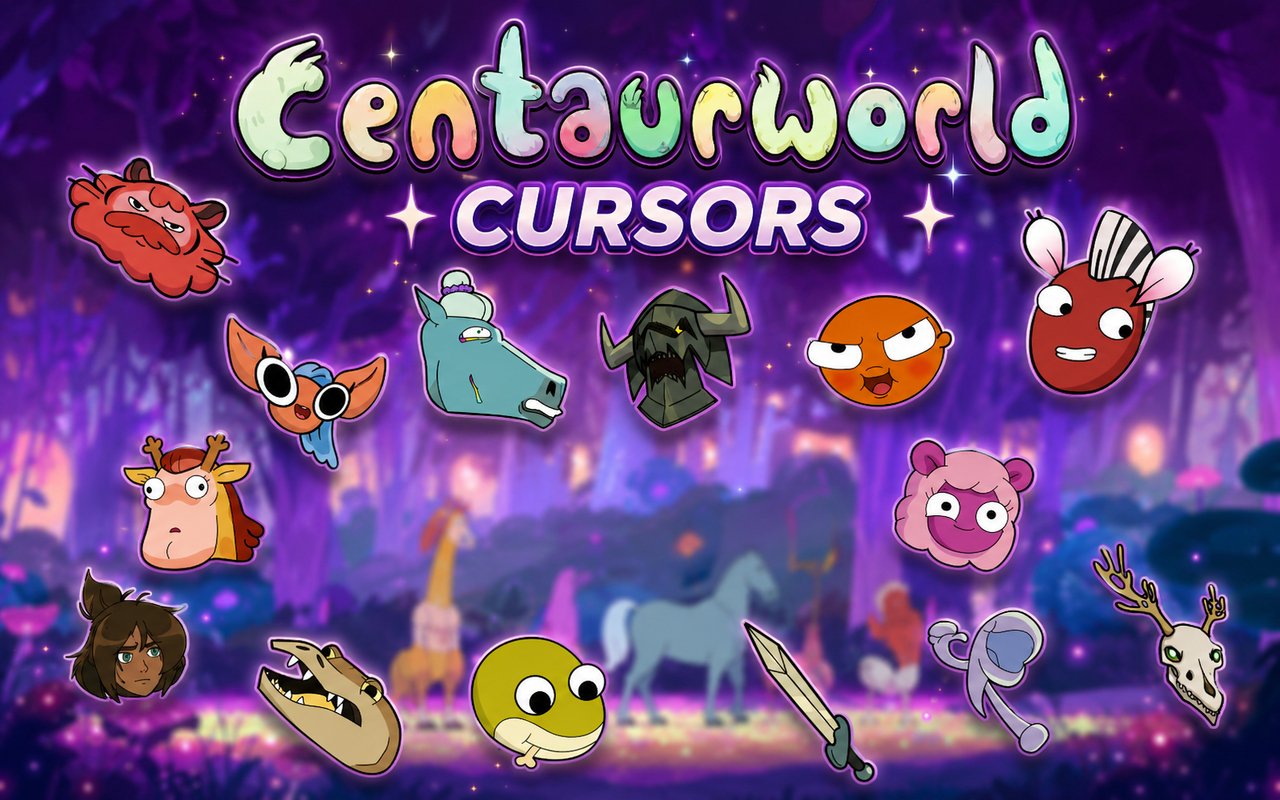
What Is The Centaurworld Cursor?
The Centaurworld Cursor is a Chrome extension that replaces your standard browser cursor with custom-designed cursors inspired by the Netflix animated series Centaurworld. Each cursor is crafted around the show’s distinctive characters and visual style, bringing the world of centaurs and magical creatures directly into your browsing experience. The extension integrates seamlessly with Chrome, activating your chosen cursor across every tab and website you visit.
Centaurworld is a Netflix original animated musical series following Horse, a battle-hardened warhorse who is transported to a bizarre dimension populated by singing, dancing centaur creatures. The show features a memorable cast including Wammawink, the anxious llama-centaur leader, Glendale the klepto bird-centaur, the menacing Nowhere King, and the flamboyant zebra-centaur Zulius. Its unique blend of comedy, drama, and surreal fantasy earned it a dedicated fan following across age groups.
This extension is ideal for fans of the series who want to carry a piece of Centaurworld into their daily browsing, whether they are rewatching episodes, working, or simply surfing the web.
Key Features of The Centaurworld Cursor Extension
Complete Centaurworld Cursor Collection
The extension includes cursor designs based on the show’s most beloved characters, from the anxious and warm-hearted Wammawink to the eccentric Glendale, the intimidating Nowhere King, and the stylish Zulius. Other recognizable figures from the series round out the collection, giving fans a wide range of designs to choose from. The available cursors include:
- Wammawink cursor
- Glendale cursor
- Nowhere King cursor
- Zulius cursor
- Horse cursor
- Centaurworld logo and themed cursor designs
Original Animation Art Style
Each cursor faithfully reflects the bold, expressive art style that defines Centaurworld’s animation. The show is known for its vivid color palette, exaggerated character proportions, and a quirky softness that contrasts with darker story elements, and all of that carries over into the cursor designs. Characters like Wammawink and Glendale retain their signature color schemes and expressive features even at cursor scale. The result is a set of designs that are immediately recognizable to any fan of the series.
Adjustable Cursor Size
The extension includes a size slider that allows you to scale your cursor up or down depending on your screen resolution and personal preference. Smaller sizes keep the cursor discreet and practical for everyday tasks, while larger sizes let the character designs stand out on high-resolution or large displays. Finding the right size takes only a few seconds using the in-extension controls.
Favorites System for Quick Switching
If you find yourself returning to the same few cursor designs, the favorites system lets you bookmark them for fast access without browsing the entire collection each time. Saved favorites remain stored across browser sessions, so your preferred characters are always ready whenever you open Chrome. This makes switching between Wammawink one day and the Nowhere King the next completely effortless.
Lightweight and Performance-Friendly
The extension is designed to run quietly in the background without consuming meaningful memory or processing resources. There is no impact on page load times or Chrome’s overall responsiveness, even during graphic-intensive sessions like streaming or gaming. Users on older machines will notice no performance difference with the extension active.
Easy Toggle On and Off
A simple one-click toggle lets you disable the custom cursor whenever you need to revert to Chrome’s default, such as during video calls, presentations, or certain web applications where a standard cursor is preferable. Re-enabling the extension is equally instant, and it automatically restores the last cursor you had selected. There is no need to reconfigure anything after switching it back on.
How to Install The Centaurworld Cursor
- Open Google Chrome on your desktop or laptop.
- Go to the Chrome Web Store and search for Centaurworld Cursor.
- Click the extension listing to open its detail page.
- Click Add to Chrome and confirm when the popup appears.
- Click the extension icon in your Chrome toolbar to open the cursor library.
- Select any design to activate it immediately — no browser restart needed.
Why Centaurworld Cursor Fans Love This Extension
Centaurworld is a series that inspires genuine emotional attachment, from the chaotic charm of Glendale to the vulnerability of Wammawink and the haunting complexity of the Nowhere King. Fans who followed Horse’s journey from the brutal world of war to the surreal warmth of Centaurworld often found themselves deeply invested in its characters in ways they did not expect. Having those characters present as a cursor is a small but meaningful way to keep that connection alive between rewatches. It is the kind of detail that brings a quiet smile during an otherwise ordinary browsing session.
The extension resonates particularly with students, remote workers, and writers who spend long hours at a computer and want their desktop setup to reflect the media they love. For someone who binged Centaurworld on Netflix and found themselves attached to its strange, heartfelt world, this extension turns an everyday tool into something personal.
Frequently Asked Questions
Does this extension work on all websites?
The cursor is active across virtually all websites you visit in Chrome. A small number of sites with strict content security policies may limit custom cursor behavior, but this is uncommon and the extension works normally on the vast majority of pages.
Can I use multiple Centaurworld Cursor cursors at once?
Only one cursor can be active at a time, but switching between designs is quick. The favorites system lets you save your preferred characters and switch between them in seconds without scrolling through the entire collection.
Will this extension slow down my browser?
No. The Centaurworld Cursor extension is built to be lightweight and runs quietly in the background. It has no noticeable impact on Chrome’s speed, memory usage, or page load performance.
Is the Centaurworld Cursor extension free?
Yes. The extension is completely free to download and use from the Chrome Web Store. You get access to the full cursor library without any subscription or in-app purchases.




Community comments
Comments are reviewed before they appear publicly.