What Is The Castle Crashers Cursor?
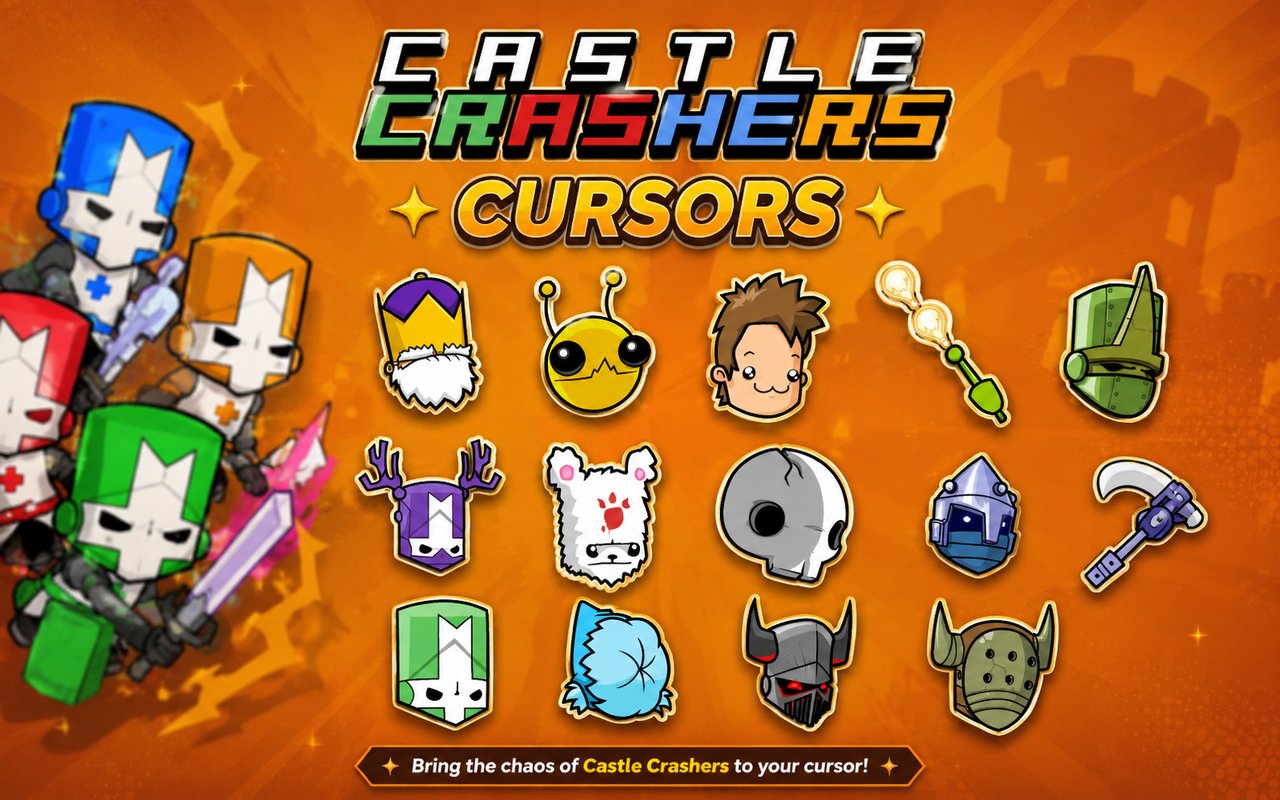
Castle Crashers Cursor is a Chrome extension that replaces your default browser cursor with custom-designed cursors based on the beloved Castle Crashers beat-em-up game. Each cursor is themed around characters and elements from the game, bringing the world of Castle Crashers directly into your browsing experience. The extension gives you over 20 unique cursor designs to choose from and activate with a single click.
Castle Crashers is a celebrated side-scrolling beat-em-up game developed by The Behemoth, known for its vibrant hand-drawn art style and memorable cast of characters. Players guide colorful knights through chaotic battles, facing off against enemies like the Necromancer and hordes of Skeletons while unlocking a wide roster of playable characters including the iconic Alien. The game has built a devoted fanbase since its original release and remains a staple of co-op gaming culture.
This extension is a natural fit for fans of the game who want a small but meaningful way to carry that enthusiasm into their everyday time spent in the browser.
Key Features of The Castle Crashers Cursor Extension
Complete Castle Crashers Cursor Collection
The extension includes more than 20 cursors drawn from the Castle Crashers roster, covering knights of different colors, the Necromancer, Skeleton enemies, the Alien, and many more recognizable faces from the game. Whether you favor the heroic knights or the villainous characters, there is a cursor to match your preference. Some of the designs available include:
- Blue Knight
- Red Knight
- Green Knight
- Orange Knight
- Necromancer
- Skeleton
- Alien
- Barbarian
- Industrialist
- Beekeeper
Original Animation Art Style
Castle Crashers is instantly recognizable for its thick outlines, vivid flat colors, and exaggerated cartoon proportions, and the cursors in this extension faithfully replicate that visual identity. Each cursor captures the chunky, expressive character designs that made the game stand out, using the same bold palette of reds, blues, greens, and purples that define the game’s aesthetic. The hand-drawn quality of the original artwork translates well to cursor form, keeping each design crisp and readable even at smaller sizes. Fans of the game will immediately recognize the distinctive Behemoth art style in every cursor.
Adjustable Cursor Size
The extension includes a size slider that lets you scale your cursor up or down to suit your monitor and personal preference. Larger displays benefit from a bigger cursor that remains visible during fast browsing, while smaller or more compact setups can use a reduced size to keep things precise. Finding the right balance takes only a few seconds using the built-in control.
Favorites System for Quick Switching
If you have a few go-to cursor designs, the favorites system lets you bookmark them so they are always within easy reach. Rather than scrolling through the entire collection each time you want to switch, your saved favorites appear in a dedicated section for instant access. These preferences are stored across browser sessions, so your saved selections are waiting for you every time you open Chrome.
Lightweight and Performance-Friendly
The extension operates quietly in the background and places no measurable load on Chrome’s memory or processing resources. Page load times, tab switching, and overall browser responsiveness remain completely unaffected during normal and intensive browsing sessions alike. It runs reliably on older hardware just as well as on newer machines.
Easy Toggle On and Off
A simple on/off toggle lets you disable the custom cursor instantly whenever you need your standard pointer back, such as during a video call, a work presentation, or while using a web app that benefits from the default cursor. Re-enabling it brings back the last active Castle Crashers cursor without any additional steps. The extension always remembers where you left off.
How to Install The Castle Crashers Cursor
- Open Google Chrome on your desktop or laptop.
- Go to the Chrome Web Store and search for Castle Crashers Cursor.
- Click the extension listing to open its detail page.
- Click Add to Chrome and confirm when the popup appears.
- Click the extension icon in your Chrome toolbar to open the cursor library.
- Select any design to activate it immediately — no browser restart needed.
Why Castle Crashers Cursor Fans Love This Extension
Castle Crashers holds a special place for players who spent hours grinding through levels with friends, unlocking new characters, and battling iconic bosses like the Necromancer. The game’s colorful knights became genuinely beloved figures in co-op gaming, and seeing those characters represented as browser cursors taps directly into that nostalgia. Having the Blue Knight or the Alien following your mouse across a webpage is a small but satisfying nod to countless hours spent with the game. For long-time fans of The Behemoth’s work, it keeps that connection alive in an unexpected but welcome place.
This extension resonates especially with gamers who keep a browser open while playing or watching content related to Castle Crashers, as well as with students and remote workers who want their workspace to reflect their personal interests. It suits anyone who considers Castle Crashers part of their gaming identity and wants a subtle way to express that throughout the day.
Frequently Asked Questions
Does this extension work on all websites?
The cursor is active across virtually all websites you visit in Chrome. A small number of sites with strict content security policies may limit custom cursor behavior, but this is uncommon and the extension works normally on the vast majority of pages.
Can I use multiple Castle Crashers Cursor cursors at once?
Only one cursor can be active at a time, but switching between designs is quick. The favorites system lets you save your preferred characters and switch between them in seconds without scrolling through the entire collection.
Will this extension slow down my browser?
No. The Castle Crashers Cursor extension is built to be lightweight and runs quietly in the background. It has no noticeable impact on Chrome’s speed, memory usage, or page load performance.
Is the Castle Crashers Cursor extension free?
Yes. The extension is completely free to download and use from the Chrome Web Store. You get access to the full cursor library without any subscription or in-app purchases.




Community comments
Comments are reviewed before they appear publicly.