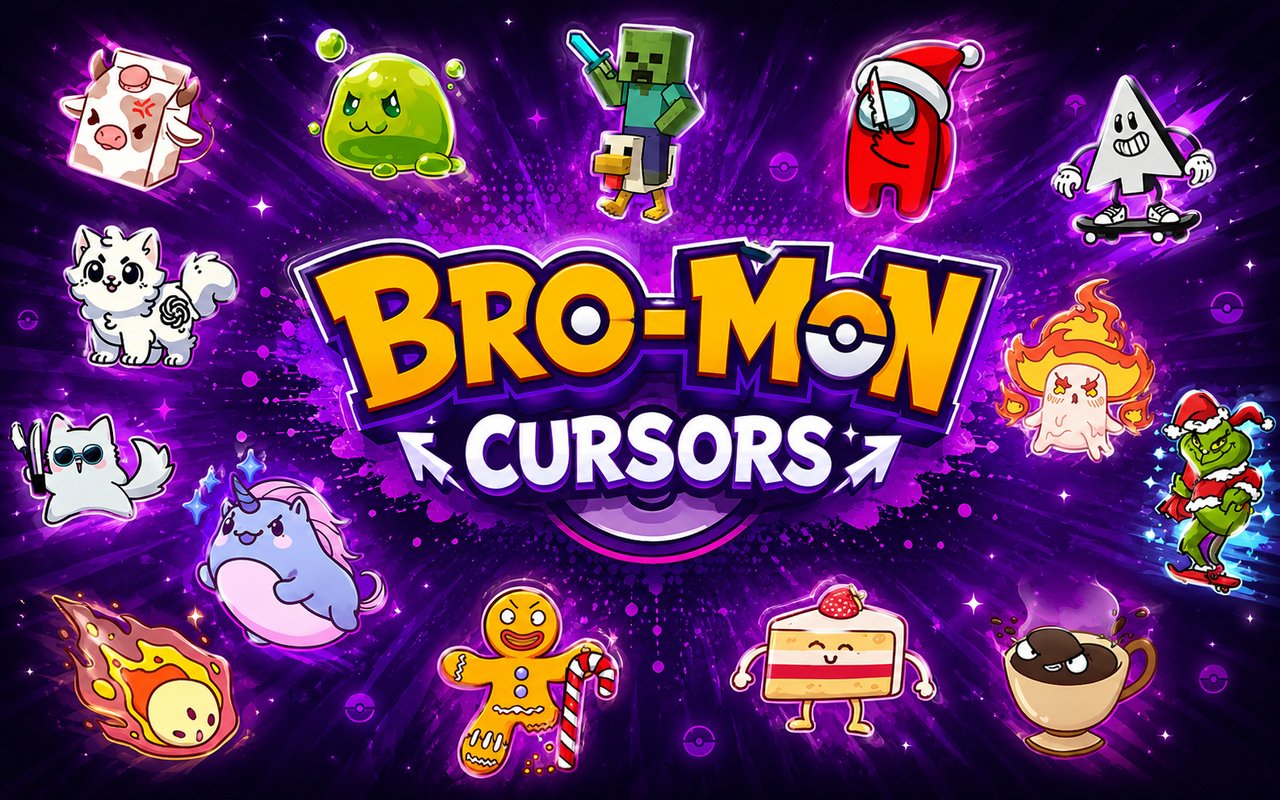
What Is The Bro-Mon Cursor?
Bro-Mon Cursor is a Chrome extension that replaces your default browser cursor with custom designs inspired by the Bro-Mon universe. The extension gives fans access to over 25 themed cursors, each modelled after characters and creatures from the franchise. Installing it takes under a minute, and the new cursor activates immediately across your browsing sessions.
Bro-Mon is a creature-collecting phenomenon built around bizarre, internet-native characters that have developed a dedicated fanbase. The collection includes instantly recognisable designs such as CatGPT, Gojo Cat, and Chicken Jockey, each with its own distinct look drawn straight from the source material. Blob and Glintch round out a roster that captures the absurd, meme-driven humour at the heart of the Bro-Mon world.
The extension is aimed at Bro-Mon fans who want to carry that same energy into their everyday browser use, whether they are watching content, gaming, or just scrolling through social media.
Key Features of The Bro-Mon Cursor Extension
Complete Bro-Mon Cursor Collection
The library covers more than 25 Bro-Mon characters and creature designs, giving fans a wide range of options to match their favourite picks from the franchise. Characters available include CatGPT, Gojo Cat, Chicken Jockey, Blob, and Glintch, among many others that represent the weird and wonderful side of Bro-Mon lore.
- CatGPT cursor
- Gojo Cat cursor
- Chicken Jockey cursor
- Blob cursor
- Glintch cursor
- Additional Bro-Mon creature designs
Original Animation Art Style
Each cursor is designed to reflect the distinctive visual identity that makes Bro-Mon recognisable — bold outlines, flat vibrant colours, and exaggerated character proportions that stay true to the source art. The designs lean into the internet-culture aesthetic of the franchise, with a mix of chaotic energy and deliberate charm that fans will recognise immediately. Even at small cursor sizes, the characters retain their personality and detail. The art style feels consistent across the entire collection rather than patchwork, giving the library a cohesive look.
Adjustable Cursor Size
A built-in size slider lets you scale any cursor up or down to suit your screen resolution and personal preference. Larger displays benefit from a bigger cursor that keeps the character detail visible, while compact laptop screens work better with a more modest size. You can adjust the scale at any time directly from the extension panel without needing to restart Chrome.
Favorites System for Quick Switching
The favorites system lets you bookmark the specific Bro-Mon cursors you return to most often, saving you from scrolling through the full library every time you want to switch. Saved favorites persist across browser sessions, so your selections are still there the next time you open Chrome. Switching between saved cursors takes only a couple of clicks.
Lightweight and Performance-Friendly
The extension runs quietly in the background and has no measurable effect on Chrome’s speed, memory usage, or page load times. It is designed to work smoothly even on older hardware and during graphic-intensive browsing sessions such as streaming or online gaming. You get the visual customisation without any performance trade-off.
Easy Toggle On and Off
A single click on the toggle in the extension panel switches the custom cursor on or off instantly, letting you revert to Chrome’s default cursor whenever a situation calls for it — such as during a video call, a work presentation, or a web app that requires precision input. Re-enabling the extension restores the last cursor you had active, so you never need to reselect your favourite design.
How to Install The Bro-Mon Cursor
- Open Google Chrome on your desktop or laptop.
- Go to the Chrome Web Store and search for Bro-Mon Cursor.
- Click the extension listing to open its detail page.
- Click Add to Chrome and confirm when the popup appears.
- Click the extension icon in your Chrome toolbar to open the cursor library.
- Select any design to activate it immediately — no browser restart needed.
Why Bro-Mon Cursor Fans Love This Extension
For fans who have spent hours collecting creatures, debating tier lists, and following the growth of the Bro-Mon community, this extension is a way to keep that enthusiasm present throughout their day. Seeing CatGPT or Glintch moving across the screen carries the same low-key excitement as unlocking a rare creature in the game itself. The characters are not just decorative — they are tied to specific memories, inside jokes, and moments that the Bro-Mon community shares. Having Gojo Cat or Chicken Jockey as a cursor feels like a small but genuine nod to something fans are genuinely passionate about.
Students who have Bro-Mon open in one tab while studying, or younger users who browse fan wikis and community forums, will find that the extension fits naturally into their setup. It is the kind of detail that makes a browser feel personal rather than default, and for Bro-Mon fans that distinction matters.
Frequently Asked Questions
Does this extension work on all websites?
The cursor is active across virtually all websites you visit in Chrome. A small number of sites with strict content security policies may limit custom cursor behavior, but this is uncommon and the extension works normally on the vast majority of pages.
Can I use multiple Bro-Mon Cursor cursors at once?
Only one cursor can be active at a time, but switching between designs is quick. The favorites system lets you save your preferred characters and switch between them in seconds without scrolling through the entire collection.
Will this extension slow down my browser?
No. The Bro-Mon Cursor extension is built to be lightweight and runs quietly in the background. It has no noticeable impact on Chrome’s speed, memory usage, or page load performance.
Is the Bro-Mon Cursor extension free?
Yes. The extension is completely free to download and use from the Chrome Web Store. You get access to the full cursor library without any subscription or in-app purchases.




Community comments
Comments are reviewed before they appear publicly.