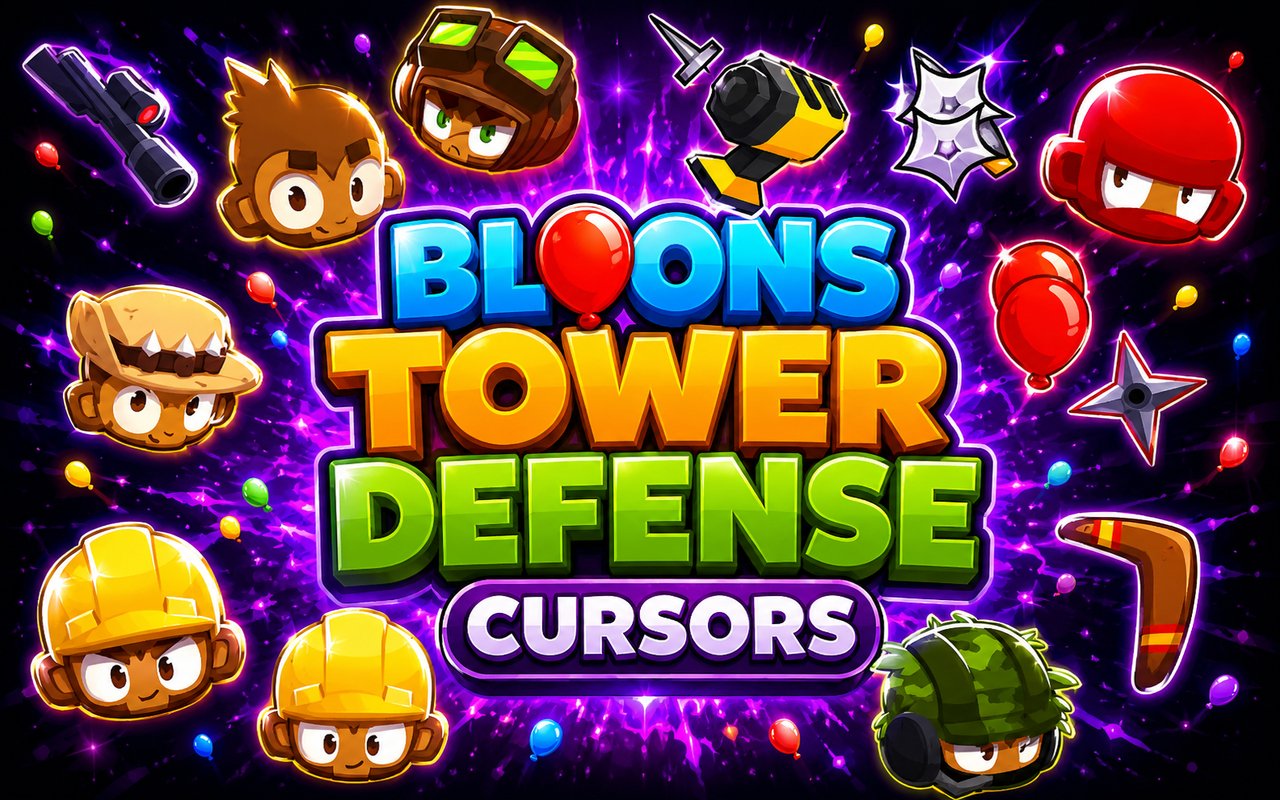
What Is The Bloons TD Cursor?
Bloons TD Cursor is a Chrome extension that replaces your standard browser cursor with custom designs drawn from the Bloons Tower Defense 6 universe. Every cursor in the collection is crafted around characters and icons from the game, so your pointer reflects the world of BTD6 as you browse. The extension installs directly into Chrome and activates your chosen design across websites instantly.
Bloons Tower Defense 6 is a tower defense strategy game developed by Ninja Kiwi, beloved for its deep gameplay and colorful cast of monkey defenders. Characters like the Dart Monkey, Ninja Monkey, and the formidable Churchill have become iconic figures within the franchise’s dedicated fanbase. The game’s blend of tactical depth and charming visuals has kept players engaged across millions of sessions worldwide.
This extension is a natural fit for BTD6 fans who spend time in Chrome for gaming research, browsing guides, or simply want their desktop to reflect a game they play regularly.
Key Features of The Bloons TD Cursor Extension
Complete Bloons Tower Defense 6 Cursor Collection
The collection draws directly from BTD6’s roster of iconic monkeys and in-game elements. Characters and designs such as the Dart Monkey, Ninja Monkey, Churchill, Super Monkey, Boomerang Monkey, and various Bloons appear as detailed cursor designs ready to activate. Each one is recognizable to any fan of the series:
- Dart Monkey cursor
- Ninja Monkey cursor
- Churchill cursor
- Super Monkey cursor
- Boomerang Monkey cursor
- Bloons cursor
Original Animation Art Style
Every cursor in this collection reflects the bright, saturated color palette that defines the BTD6 visual identity. Ninja Kiwi’s character designs feature bold outlines, vivid greens and blues, and expressive character poses that translate well into cursor format. The Dart Monkey’s cheerful face and Churchill’s armored tank silhouette are immediately recognizable even at small sizes. The art style stays faithful to the game’s aesthetic rather than taking creative liberties that would feel out of place to longtime fans.
Adjustable Cursor Size
A built-in size slider lets you scale your cursor up or down to suit your display and personal preference. Smaller sizes work well on compact laptop screens where screen real estate matters, while larger sizes are ideal for high-resolution monitors or users who simply prefer a bolder pointer. Adjustments take effect immediately without needing to reload any pages.
Favorites System for Quick Switching
The favorites system lets you bookmark the cursor designs you return to most often, so you are never hunting through the full library to find a preferred character. Saved favorites appear in a dedicated section for one-click access during any browsing session. Your selections persist across browser restarts, meaning your saved list is ready every time you open Chrome.
Lightweight and Performance-Friendly
The extension runs quietly in the background without drawing on Chrome’s memory or processing resources in any measurable way. Page load times and overall browser responsiveness remain unaffected, even during graphic-intensive browsing or while running BTD6 alongside Chrome. It is equally well-suited to older machines and high-performance setups alike.
Easy Toggle On and Off
A single click on the extension icon is all it takes to disable the custom cursor and revert to Chrome’s default pointer. This is useful for video calls, professional tasks, or any web application where a standard cursor is preferable. When you are ready to switch back, one click restores the last active cursor design instantly.
How to Install The Bloons TD Cursor
- Open Google Chrome on your desktop or laptop.
- Go to the Chrome Web Store and search for Bloons TD Cursor.
- Click the extension listing to open its detail page.
- Click Add to Chrome and confirm when the popup appears.
- Click the extension icon in your Chrome toolbar to open the cursor library.
- Select any design to activate it immediately — no browser restart needed.
Why Bloons TD Cursor Fans Love This Extension
For players who have spent hours routing the perfect path for a Dart Monkey or carefully timing a Ninja Monkey ability, seeing those characters represented in everyday browsing carries a genuine sense of familiarity. BTD6 has a dedicated community that tracks updates, discusses strategies, and revisits the game regularly, and this extension gives that enthusiasm a small but persistent presence outside the game itself. Characters like Churchill, with his distinctive tank design, are the kind of figures that fans feel a real attachment to after extended play. Having them appear on every webpage visited makes the browser feel like a natural extension of the gaming world.
Students and remote workers who spend long hours in Chrome and unwind with BTD6 in their spare time will find this extension fits seamlessly into that routine. It is a subtle personalization that requires no maintenance and consistently reflects an interest that already shapes how they spend their time.
Frequently Asked Questions
Does this extension work on all websites?
The cursor is active across virtually all websites you visit in Chrome. A small number of sites with strict content security policies may limit custom cursor behavior, but this is uncommon and the extension works normally on the vast majority of pages.
Can I use multiple Bloons TD Cursor cursors at once?
Only one cursor can be active at a time, but switching between designs is quick. The favorites system lets you save your preferred characters and switch between them in seconds without scrolling through the entire collection.
Will this extension slow down my browser?
No. The Bloons TD Cursor extension is built to be lightweight and runs quietly in the background. It has no noticeable impact on Chrome’s speed, memory usage, or page load performance.
Is the Bloons TD Cursor extension free?
Yes. The extension is completely free to download and use from the Chrome Web Store. You get access to the full cursor library without any subscription or in-app purchases.




Community comments
Comments are reviewed before they appear publicly.