What Is The Battle Cats Cursor?
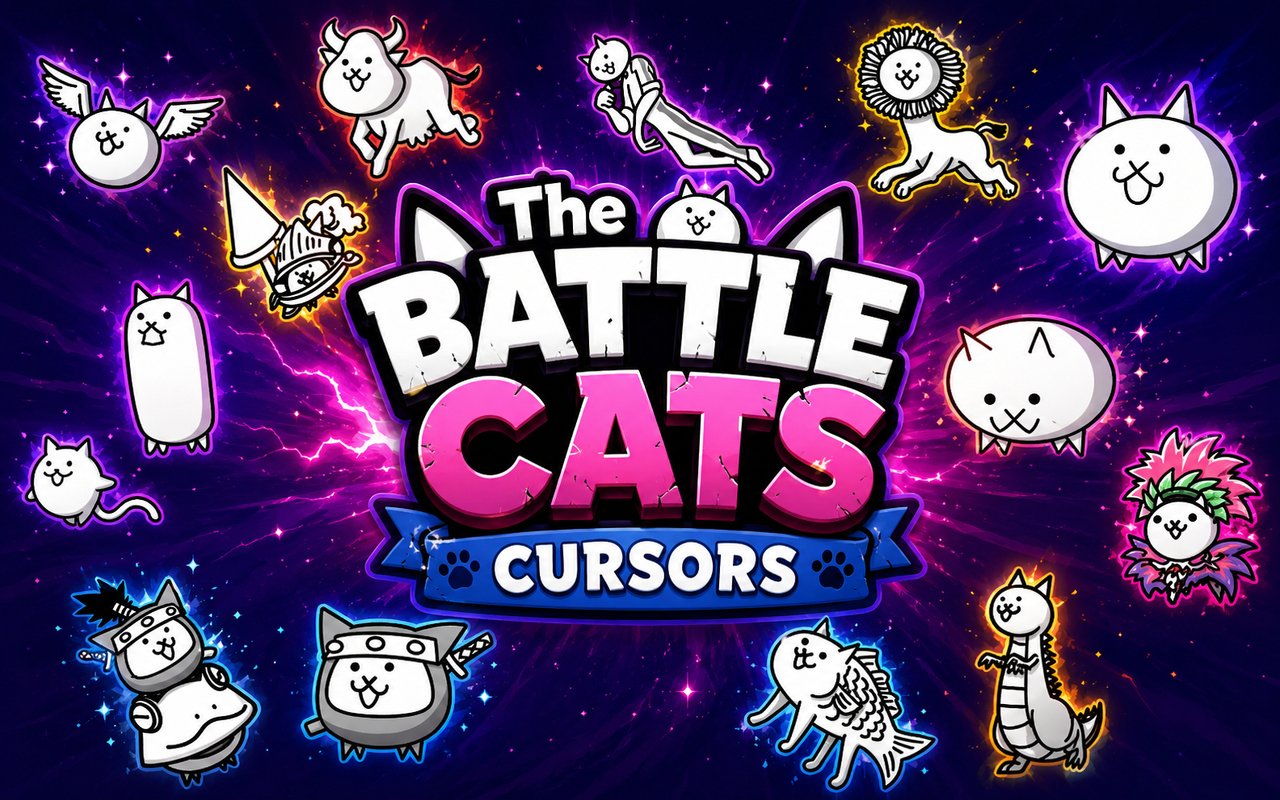
Battle Cats Cursor replaces your standard Chrome browser cursor with themed designs drawn directly from the beloved mobile tower defense game, giving every click and scroll a feline twist. The extension installs quickly and swaps your default pointer with a rotating cast of Battle Cats characters, each rendered in the game’s distinctive art style. Whether you are navigating tabs or filling out forms, your cursor becomes part of the Battle Cats universe.
The Battle Cats is a wildly popular mobile strategy game developed by PONOS Corporation, known for its absurd humor, deceptively deep gameplay, and a massive roster of cat warriors. Iconic units like the Titan Cat, Dragon Cat, and Ninja Cat have earned devoted followings among players who grind through hundreds of stages to unlock and upgrade them. The game’s irreverent charm and endless variety of cat forms are a huge part of why it has maintained such a passionate global player base.
This extension appeals to Battle Cats players who want to carry a piece of that chaotic, cat-fuelled energy into their everyday browsing sessions without any extra effort or setup.
Key Features of The Battle Cats Cursor Extension
Complete Battle Cats Cursor Collection
The extension includes cursor designs based on some of the most recognizable units in the game. Characters such as Titan Cat, Kung Fu Cat, Zombie Cat, Sumo Cat, Dragon Cat, Ninja Cat, and UFO Cat are all represented, giving fans a broad selection of fan-favourite warriors to choose from. Each design captures the character’s look in a compact cursor format that stays true to the source material.
- Titan Cat cursor
- Kung Fu Cat cursor
- Zombie Cat cursor
- Sumo Cat cursor
- Dragon Cat cursor
- Ninja Cat cursor
- UFO Cat cursor
Original Animation Art Style
Battle Cats is instantly recognizable for its deliberately crude, cartoonish aesthetic — bold outlines, flat colors, and exaggerated proportions that somehow make every unit look both ridiculous and endearing. The cursor designs honor that visual identity, using the same chunky line work and limited color palettes found in the game itself. Characters like Dragon Cat retain their wide, vacant stare and comically stubby limbs, while Ninja Cat keeps its masked, stealthy silhouette. The result is a cursor set that feels authentically rooted in the PONOS art style rather than a generic fan recreation.
Adjustable Cursor Size
A built-in size slider lets you scale each cursor up or down to suit your display and personal preference. Users on high-resolution monitors can increase the size so the character details remain visible, while those on smaller screens can keep things compact and unobtrusive. The adjustment takes effect immediately without needing to reload any pages.
Favorites System for Quick Switching
The favorites system lets you bookmark the cursor designs you return to most often, saving them in a dedicated section for instant access. Rather than scrolling through the full library every time you want to switch, your saved characters are available in a single tap. Favorites are stored persistently, so your saved selections remain in place even after closing and reopening Chrome.
Lightweight and Performance-Friendly
The extension operates quietly in the background and places no measurable load on Chrome’s memory or processing resources. Page load times, video playback, and browser performance are unaffected, even during long gaming or streaming sessions. It is equally stable on older hardware and on machines running multiple browser tabs simultaneously.
Easy Toggle On and Off
A single click on the extension icon toggles the custom cursor on or off, letting you revert to your system’s default pointer whenever needed — for video calls, professional work, or specific web applications that benefit from a standard cursor. Re-enabling it is equally instant, and the extension automatically restores whichever cursor was last active. There is no need to reconfigure anything after toggling.
How to Install The Battle Cats Cursor
- Open Google Chrome on your desktop or laptop.
- Go to the Chrome Web Store and search for Battle Cats Cursor.
- Click the extension listing to open its detail page.
- Click Add to Chrome and confirm when the popup appears.
- Click the extension icon in your Chrome toolbar to open the cursor library.
- Select any design to activate it immediately — no browser restart needed.
Why Battle Cats Cursor Fans Love This Extension
For players who have spent hours grinding through Empire of Cats stages or pulling for rare cat units, seeing Titan Cat or Dragon Cat show up as their browser cursor is a small but genuinely satisfying nod to the time they have invested in the game. The Battle Cats community has a strong attachment to specific units based on personal playthroughs — the moment you finally unlocked Ninja Cat or cleared a stage with Sumo Cat tends to stick with you. Having those characters visible during everyday browsing keeps that connection alive in a low-key, unobtrusive way. It is the kind of detail that makes a fan smile without interrupting anything they are doing.
Students and remote workers who spend long hours in a browser often appreciate small personalizations that make the environment feel less sterile, and a Battle Cats cursor is exactly that kind of low-effort customization. Mobile gamers who play Battle Cats on their phones but use a laptop or desktop for work or study will find the extension bridges both worlds in a practical, lightweight way.
Frequently Asked Questions
Does this extension work on all websites?
The cursor is active across virtually all websites you visit in Chrome. A small number of sites with strict content security policies may limit custom cursor behavior, but this is uncommon and the extension works normally on the vast majority of pages.
Can I use multiple Battle Cats Cursor cursors at once?
Only one cursor can be active at a time, but switching between designs is quick. The favorites system lets you save your preferred characters and switch between them in seconds without scrolling through the entire collection.
Will this extension slow down my browser?
No. The Battle Cats Cursor extension is built to be lightweight and runs quietly in the background. It has no noticeable impact on Chrome’s speed, memory usage, or page load performance.
Is the Battle Cats Cursor extension free?
Yes. The extension is completely free to download and use from the Chrome Web Store. You get access to the full cursor library without any subscription or in-app purchases.




Community comments
Comments are reviewed before they appear publicly.