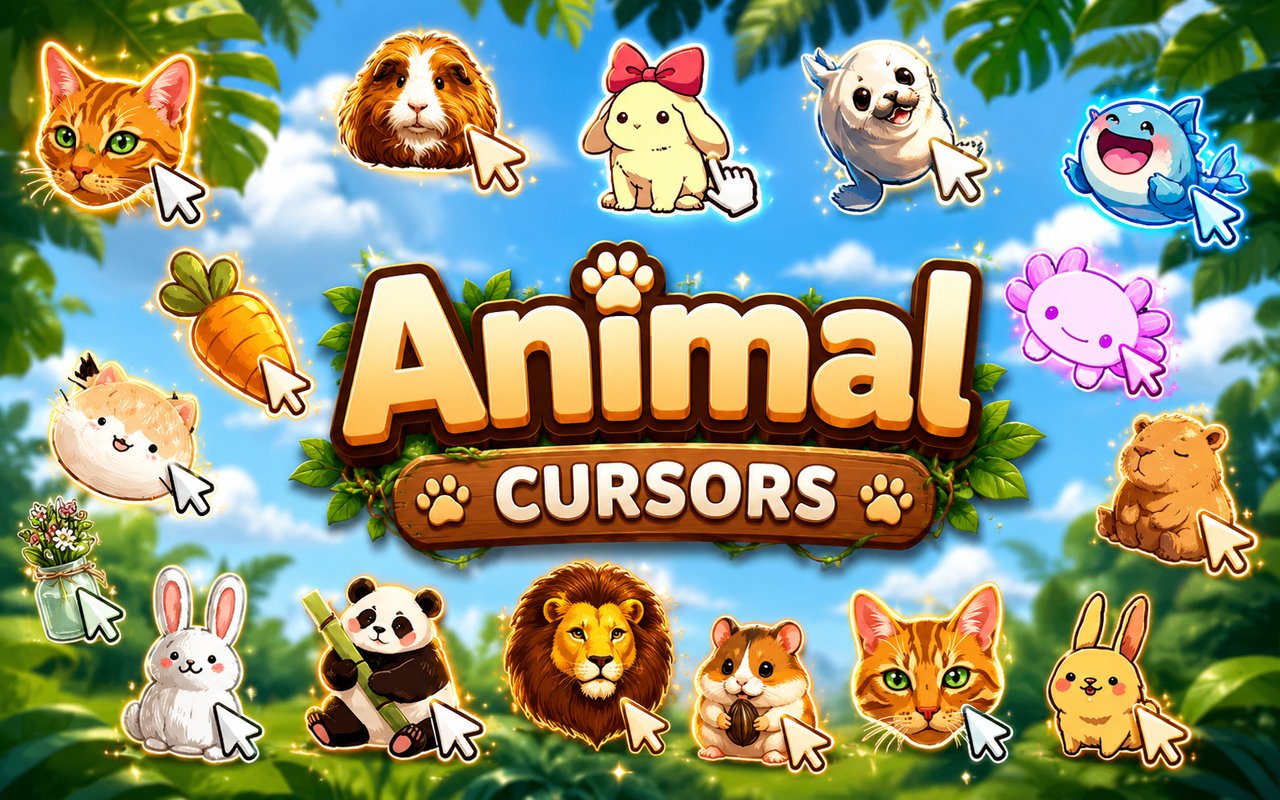
What Is The Animals Cursor?
Animals Cursor is a Chrome extension that replaces your standard browser pointer with a collection of animal-themed cursor designs, ranging from playful pets to kawaii-styled wildlife. Each cursor is crafted to bring a dose of personality to everyday browsing, swapping out the default arrow for something far more charming. The extension installs directly into Chrome and activates instantly without any complicated setup.
The collection draws inspiration from the wide world of adorable animals, featuring fan-favourite creatures like bunnies, cats, and capybaras alongside a broader range of kawaii animal designs. The capybara cursor in particular taps into the animal’s iconic reputation as the internet’s most beloved calm and sociable creature, while the bunny and cat designs lean into classic cute aesthetics that have long been popular in animal-lover communities. Each design captures the spirit of its subject with soft shapes and expressive details.
This extension appeals to animal lovers, kawaii enthusiasts, and anyone who wants their browser to feel a little warmer and more personal during daily use.
Key Features of The Animals Cursor Extension
Complete Animals Cursor Collection
The library includes a wide variety of animal-inspired designs, giving users plenty of options to match their mood or favourite creature. From fluffy bunnies and curious cats to the laid-back capybara and various kawaii animal characters, the collection covers both realistic animal aesthetics and stylised cute designs. Highlights from the collection include:
- Bunny cursor
- Cat cursor
- Capybara cursor
- Kawaii animal cursor set
- Cartoon-style bird cursor
- Puppy or dog-themed cursor
Original Animation Art Style
The cursors follow a soft, rounded visual style that is immediately recognisable as kawaii-influenced design, with gentle pastel tones and clean outlines that keep the characters readable at small sizes. Animal features like ears, tails, and expressive eyes are exaggerated just enough to feel endearing without becoming cluttered. The colour palette leans toward warm and gentle hues, complementing both light and dark browser themes. Each design feels cohesive with the others, giving the collection a unified aesthetic rather than a mix of unrelated styles.
Adjustable Cursor Size
A built-in size slider lets you scale any cursor up or down to suit your screen resolution and personal preference. Whether you are working on a compact laptop display or a large external monitor, you can dial in exactly the right size for comfortable visibility. Larger sizes are particularly useful for presentations or accessibility needs, while smaller settings keep things subtle for everyday use.
Favorites System for Quick Switching
The favorites system allows you to bookmark the cursor designs you return to most often, so you never have to scroll through the full library to find them again. Saved favorites persist across browser sessions, meaning your shortlist is waiting for you every time you open Chrome. This makes it easy to rotate between a few favourite animal designs depending on your mood without any extra effort.
Lightweight and Performance-Friendly
The extension runs quietly in the background and has no measurable effect on Chrome’s speed, memory consumption, or page load times. It is built to be efficient, making it equally suitable for older machines and for sessions involving graphic-heavy websites or browser-based games. You can keep it running all day without it competing for system resources.
Easy Toggle On and Off
A single click on the extension icon toggles the custom cursor on or off, letting you revert to Chrome’s default pointer whenever needed — whether for a video call, a work application, or a site where you prefer a plain cursor. Switching back is just as instant, and the extension remembers which cursor was last active so you do not have to reselect it each time.
How to Install The Animals Cursor
- Open Google Chrome on your desktop or laptop.
- Go to the Chrome Web Store and search for Animals Cursor.
- Click the extension listing to open its detail page.
- Click Add to Chrome and confirm when the popup appears.
- Click the extension icon in your Chrome toolbar to open the cursor library.
- Select any design to activate it immediately — no browser restart needed.
Why Animals Cursor Fans Love This Extension
Animal lovers have a deep affection for the creatures that bring them joy in daily life, and being able to carry that fondness into their browser is something that genuinely resonates. The capybara cursor, for instance, speaks directly to the huge online community that has adopted the capybara as a symbol of peace and good vibes, while the cat and bunny cursors tap into decades of enthusiasm for keeping and celebrating these animals. Kawaii animal aesthetics have their own devoted following, and seeing those familiar soft-edged, wide-eyed designs every time you move your mouse adds a quiet sense of delight to otherwise routine tasks.
Students decorating their study setup, remote workers looking to add a personal touch to long screen days, and younger users customising their browsing experience all find something to love here. It is the kind of small detail that makes a workspace feel genuinely your own rather than purely functional.
Frequently Asked Questions
Does this extension work on all websites?
The cursor is active across virtually all websites you visit in Chrome. A small number of sites with strict content security policies may limit custom cursor behavior, but this is uncommon and the extension works normally on the vast majority of pages.
Can I use multiple Animals Cursor cursors at once?
Only one cursor can be active at a time, but switching between designs is quick. The favorites system lets you save your preferred characters and switch between them in seconds without scrolling through the entire collection.
Will this extension slow down my browser?
No. The Animals Cursor extension is built to be lightweight and runs quietly in the background. It has no noticeable impact on Chrome’s speed, memory usage, or page load performance.
Is the Animals Cursor extension free?
Yes. The extension is completely free to download and use from the Chrome Web Store. You get access to the full cursor library without any subscription or in-app purchases.




Community comments
Comments are reviewed before they appear publicly.