What Is The AniArrows Cursor?
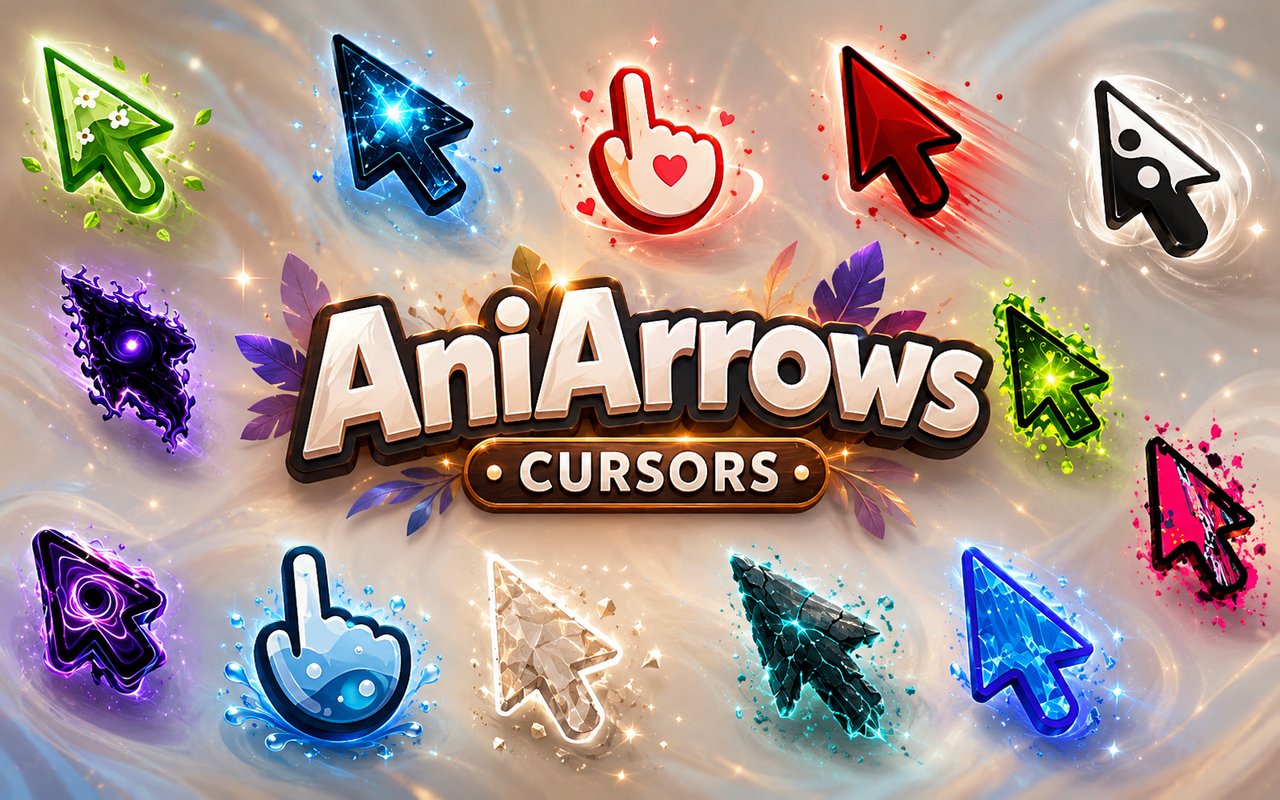
AniArrows Cursor is a Chrome extension that replaces your standard browser pointer with a collection of animated, themed cursor designs built around bold visual effects and distinct artistic styles. Instead of the plain default arrow, you browse with cursors that carry flame textures, glitch distortions, synthwave gradients, and other striking effects. The extension plugs directly into Chrome and activates your chosen design across every tab you open.
The collection draws from a broad palette of visual aesthetics rather than a single franchise, celebrating the kind of expressive, effect-driven design found in retro pixel art, neon-soaked synthwave visuals, and digital glitch culture. Iconic style references include the electric flicker of glitch art, the warm amber glow of flame effects, and the deep purples and electric blues associated with synthwave and retrowave design movements. These are aesthetics with dedicated followings built across gaming, music, and digital art communities.
The extension appeals to anyone who wants their browser to reflect a personal visual identity, from digital artists and retro gaming fans to users who simply want something more interesting than the system default while they work or browse.
Key Features of The AniArrows Cursor Extension
Complete AniArrows Cursor Effects Collection
The library covers a wide range of effect-driven and texture-based cursor styles, giving users genuine variety across moods and aesthetics. Designs include flame cursors, glitch cursors, synthwave cursors, neon outline styles, pixel art variants, and distortion effects, among others. Each one is crafted to carry a distinct visual identity rather than functioning as a simple recolor of the same base design.
- Flame texture cursor
- Glitch effect cursor
- Synthwave gradient cursor
- Neon outline cursor
- Pixel art cursor
- Retro distortion cursor
Original Animation Art Style
Each cursor in the collection is designed with a strong commitment to the visual language of its specific effect. Flame cursors use layered orange, red, and yellow gradients that mimic real combustion rather than a flat icon. Glitch cursors incorporate deliberate chromatic aberration and scan-line breaks that feel drawn from genuine digital corruption aesthetics. Synthwave designs lean into the deep indigo and electric pink color palette made iconic by retrowave culture, pairing it with clean vector lines and glow effects. The result is a set of cursors that each feel like they belong to a fully realized visual world.
Adjustable Cursor Size
The extension includes a size slider that lets you scale your cursor up or down to suit your display and personal preference. Larger sizes work well on high-resolution monitors or when you want the design to be more visible during screen sharing, while smaller sizes keep things subtle on compact laptop screens. The adjustment is saved so your preferred size is ready each time you open Chrome.
Favorites System for Quick Switching
Users can bookmark any cursor design as a favorite, building a shortlist of preferred styles that is accessible without browsing the entire library each time. This is particularly useful when you rotate between a few specific designs depending on your mood or the type of work you are doing. Favorites are stored persistently, so your saved selections remain intact even after closing and reopening the browser.
Lightweight and Performance-Friendly
The extension is built to operate quietly in the background without drawing on Chrome’s resources in any meaningful way. It adds no measurable overhead to page load times and does not compete with memory-intensive tasks like gaming sessions, video editing, or running multiple tabs simultaneously. Users on older machines will find it runs just as smoothly as on newer hardware.
Easy Toggle On and Off
A single click on the extension icon toggles the custom cursor on or off, letting you revert to the system default whenever a specific website or task calls for it. This is useful for video calls, web-based applications, or any context where a custom cursor might feel out of place. When you switch it back on, the extension immediately restores whichever design was last active.
How to Install The AniArrows Cursor
- Open Google Chrome on your desktop or laptop.
- Go to the Chrome Web Store and search for AniArrows Cursor.
- Click the extension listing to open its detail page.
- Click Add to Chrome and confirm when the popup appears.
- Click the extension icon in your Chrome toolbar to open the cursor library.
- Select any design to activate it immediately — no browser restart needed.
Why AniArrows Cursor Fans Love This Extension
For fans of glitch art, synthwave culture, and effect-driven digital aesthetics, seeing these visual styles represented at the cursor level turns something ordinarily invisible into a small but genuine expression of taste. The deep association between synthwave visuals and late-night browsing sessions, or the restless energy of glitch aesthetics tied to gaming and creative work online, makes these cursors feel contextually right rather than arbitrary. Flame effects carry a long history in digital customization culture, and having that tradition available as a fully animated cursor gives it a fresh context. These are not decorations chosen at random — they are designs with real communities behind them.
For someone studying, working on a creative project, or spending long hours gaming in the browser, having a cursor that reflects their aesthetic makes the desktop feel more cohesive and intentional. Artists, streamers, and retro gaming enthusiasts in particular tend to gravitate toward this extension because it aligns with the visual identity they already maintain across their setup and online presence.
Frequently Asked Questions
Does this extension work on all websites?
The cursor is active across virtually all websites you visit in Chrome. A small number of sites with strict content security policies may limit custom cursor behavior, but this is uncommon and the extension works normally on the vast majority of pages.
Can I use multiple AniArrows Cursor cursors at once?
Only one cursor can be active at a time, but switching between designs is quick. The favorites system lets you save your preferred characters and switch between them in seconds without scrolling through the entire collection.
Will this extension slow down my browser?
No. The AniArrows Cursor extension is built to be lightweight and runs quietly in the background. It has no noticeable impact on Chrome’s speed, memory usage, or page load performance.
Is the AniArrows Cursor extension free?
Yes. The extension is completely free to download and use from the Chrome Web Store. You get access to the full cursor library without any subscription or in-app purchases.




Community comments
Comments are reviewed before they appear publicly.