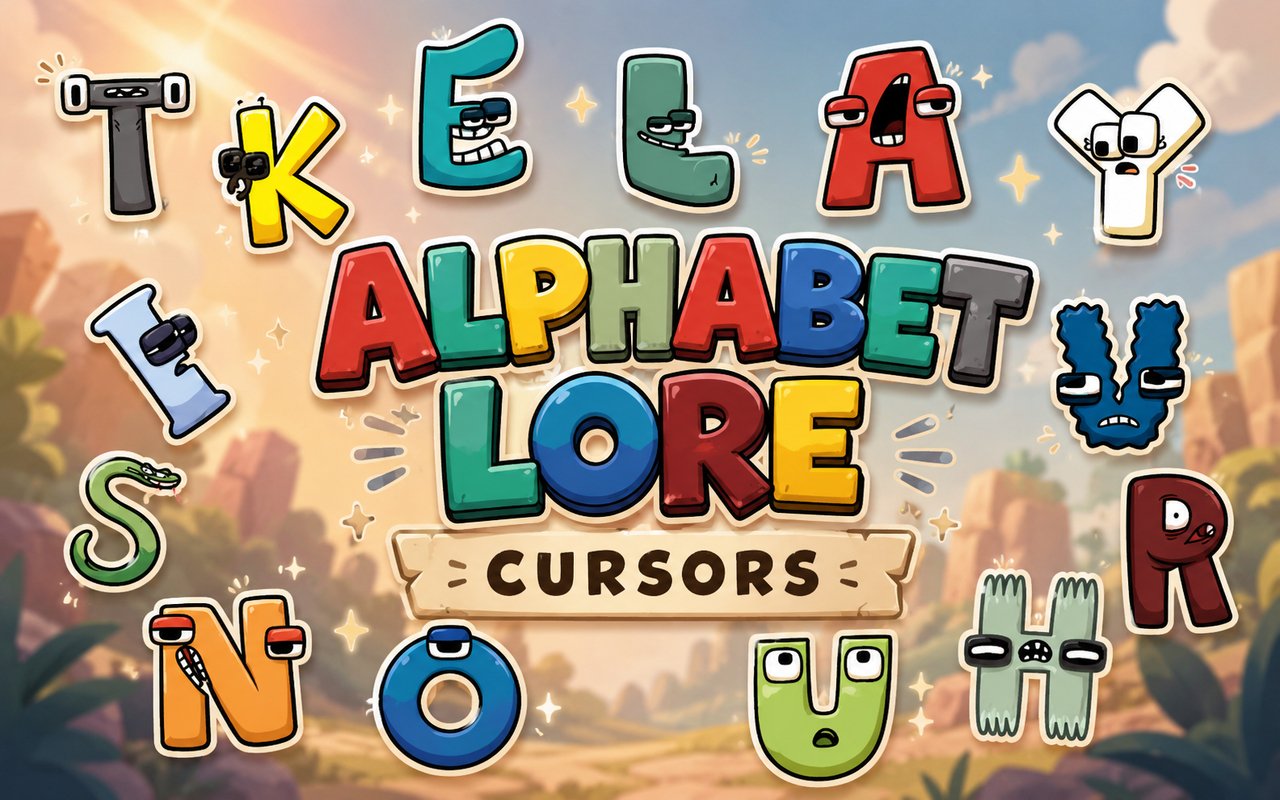
What Is The Alphabet Lore Cursor?
The Alphabet Lore Cursor is a Chrome extension that replaces your standard browser pointer with custom-designed cursors inspired by the viral Alphabet Lore series. Each cursor is drawn from the colorful cast of letter characters that made the franchise a sensation, bringing them directly into your everyday browsing experience. The extension installs in seconds and activates immediately without any complicated setup.
Alphabet Lore originated as a web series in which each letter of the alphabet is personified as a distinct character with its own personality, expressions, and storyline. Characters like the menacing F, the heroic A, and the dramatic N became fan favorites thanks to their exaggerated emotions and memorable designs. The series spread rapidly across YouTube and social media platforms, building a devoted following among younger audiences and internet culture enthusiasts alike.
This extension is a natural fit for fans who want to carry a piece of that playful, chaotic energy into their daily Chrome sessions without altering anything else about their setup.
Key Features of The Alphabet Lore Cursor Extension
Complete Alphabet Lore Cursor Collection
The collection draws from the full roster of letter characters, giving users a wide range of cursor options to choose from. Characters and designs available include the bold A, the sinister F, the expressive N, the cheerful B, the dramatic M, and the iconic Z, among others spread throughout the alphabet:
- A cursor design
- F character cursor
- N character cursor
- B character cursor
- M character cursor
- Z character cursor
Original Animation Art Style
The cursors faithfully capture the distinctive visual style that made Alphabet Lore immediately recognizable — bold outlines, expressive facial features, and the vivid flat colors used throughout the original series. Each letter character retains its signature color coding and emotional expression, so fans will instantly recognize their favorites. The designs avoid generic clipart aesthetics and instead feel like they were lifted directly from the source animation. This visual consistency makes the collection feel cohesive rather than like a mismatched set of fan drawings.
Adjustable Cursor Size
The extension includes a size slider that lets you scale each cursor up or down to suit your monitor resolution and personal preference. Smaller sizes work well on compact laptop displays, while larger sizes make the character details easier to appreciate on wide or high-resolution screens. Adjusting the size takes only a moment and applies instantly without reloading the page.
Favorites System for Quick Switching
The favorites system lets you bookmark specific cursor designs from the library so you can return to them without scrolling through every option each time. Once saved, your preferred characters appear in a dedicated section for fast access at any point during browsing. These saved preferences persist across browser sessions, so your favorites are waiting for you every time you open Chrome.
Lightweight and Performance-Friendly
The extension operates quietly in the background and places no meaningful demand on Chrome’s memory or processing resources. Page load times and browsing speed remain unaffected, even during graphic-intensive tasks like streaming or online gaming. It runs just as smoothly on older machines as it does on newer hardware.
Easy Toggle On and Off
A single click on the extension icon switches the custom cursor on or off, giving you an instant way to revert to Chrome’s default pointer whenever needed. This is particularly useful during video calls, professional work sessions, or when using web applications that have their own cursor behavior. When you re-enable the extension, it automatically restores the last cursor you had active.
How to Install The Alphabet Lore Cursor
- Open Google Chrome on your desktop or laptop.
- Go to the Chrome Web Store and search for Alphabet Lore Cursor.
- Click the extension listing to open its detail page.
- Click Add to Chrome and confirm when the popup appears.
- Click the extension icon in your Chrome toolbar to open the cursor library.
- Select any design to activate it immediately — no browser restart needed.
Why Alphabet Lore Cursor Fans Love This Extension
For fans of the series, Alphabet Lore characters carry a strong sense of humor and nostalgia tied to the moments that made the franchise go viral. Seeing F’s intense expression or N’s dramatic arc rendered as a browser cursor is the kind of detail that genuinely lands for someone who followed the series closely. The characters have distinct personalities that fans grew attached to, and having them present during everyday browsing keeps that connection alive in a low-key but enjoyable way. It is a small touch that consistently gets a reaction from anyone who recognizes the source material.
Students who grew up with Alphabet Lore will find the extension particularly appealing during long study sessions or casual browsing, where a familiar and amusing cursor makes the experience feel a little more personal. Content creators and streamers who are fans of internet animation culture will also appreciate having these recognizable characters visible during screen-share sessions or recorded workflows.
Frequently Asked Questions
Does this extension work on all websites?
The cursor is active across virtually all websites you visit in Chrome. A small number of sites with strict content security policies may limit custom cursor behavior, but this is uncommon and the extension works normally on the vast majority of pages.
Can I use multiple Alphabet Lore Cursor cursors at once?
Only one cursor can be active at a time, but switching between designs is quick. The favorites system lets you save your preferred characters and switch between them in seconds without scrolling through the entire collection.
Will this extension slow down my browser?
No. The Alphabet Lore Cursor extension is built to be lightweight and runs quietly in the background. It has no noticeable impact on Chrome’s speed, memory usage, or page load performance.
Is the Alphabet Lore Cursor extension free?
Yes. The extension is completely free to download and use from the Chrome Web Store. You get access to the full cursor library without any subscription or in-app purchases.




Community comments
Comments are reviewed before they appear publicly.