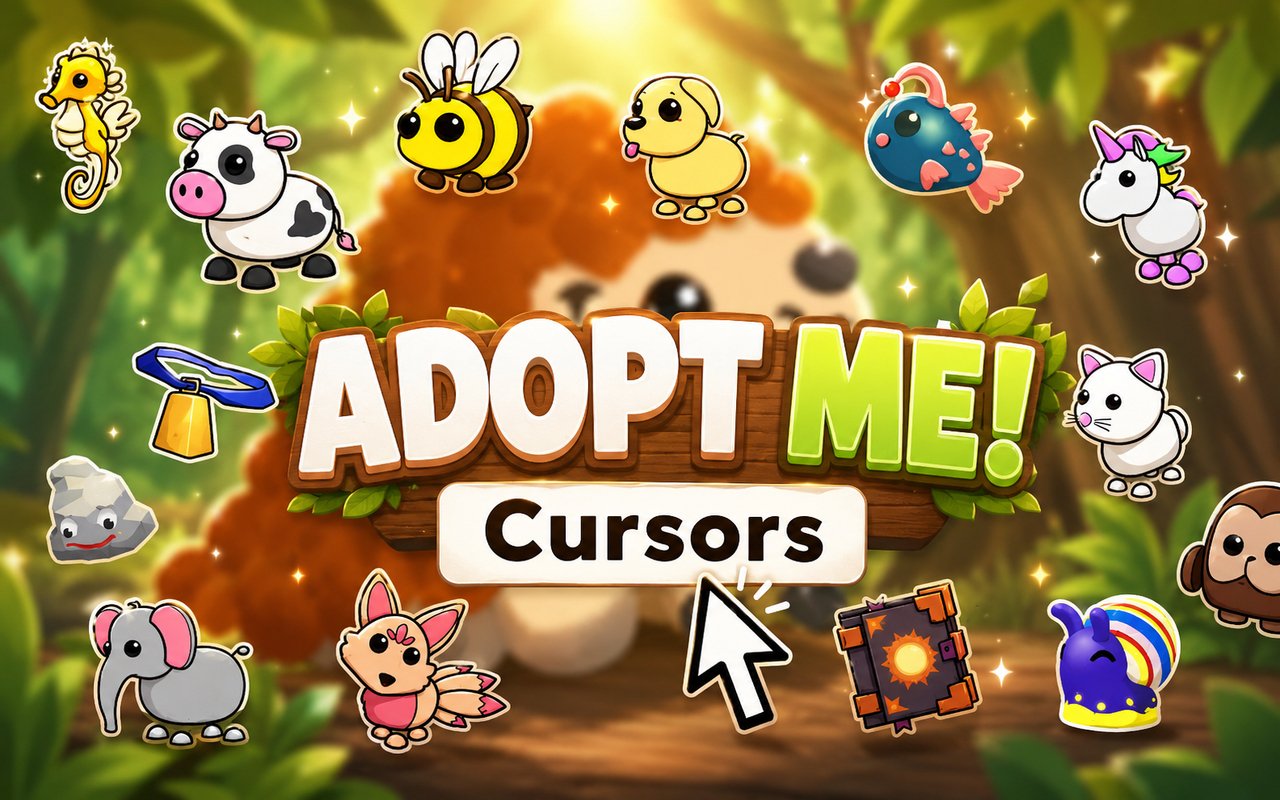
What Is The Adopt Me Cursor?
The Adopt Me Cursor replaces your standard Chrome browser cursor with themed designs drawn from the beloved Roblox Adopt Me universe, letting you interact with every webpage using a cursor that reflects your favorite game. The extension connects directly to your Chrome browser and activates instantly, swapping out the default pointer for pet-themed artwork without requiring any technical setup. It is a free, lightweight addition that works across your entire browsing experience.
Adopt Me is one of the most popular games on the Roblox platform, built around collecting and raising virtual pets, hatching eggs, and trading rare animals with other players. The game features iconic characters and items including the Unicorn, the Neon Dragon, legendary pets, and the signature colorful eggs that players hatch to discover new companions. Its cheerful world has attracted tens of millions of players who return regularly to expand their collections and care for their animals.
This extension appeals most to Adopt Me players and Roblox fans who want their browser to feel connected to the game they love, making everyday browsing feel a little more personal and fun.
Key Features of The Adopt Me Cursor Extension
Complete Adopt Me Cursor Collection
The cursor library draws from the rich visual world of Adopt Me, featuring beloved pets, collectibles, and game elements. Characters and items represented include the Unicorn, the Dragon, the Griffin, the Frost Dragon, the Shadow Dragon, the classic Egg, and various baby pet designs, giving fans plenty of familiar faces to choose from. Available cursors include:
- Unicorn cursor
- Dragon cursor
- Griffin cursor
- Frost Dragon cursor
- Shadow Dragon cursor
- Adopt Me Egg cursor
Original Animation Art Style
The cursors are crafted in the bright, rounded, cartoon style that defines the Adopt Me visual identity, using the game’s signature pastel color palette of soft pinks, purples, blues, and yellows. Each design captures the wide-eyed, friendly look of the pets players know from the game, with clean outlines and smooth fills that remain sharp and readable at any cursor size. The artwork stays true to how these characters appear in Roblox, so fans will immediately recognize every design. This consistency with the source material is what separates a themed cursor collection from a generic one.
Adjustable Cursor Size
A built-in size slider lets you scale the cursor up or down to suit your screen resolution and personal preference. Whether you are using a compact laptop display or a large external monitor, you can find a size that feels natural without the cursor overwhelming the page or becoming too small to see clearly. The adjustment takes effect immediately and is saved automatically for your next session.
Favorites System for Quick Switching
The favorites system allows you to bookmark the cursor designs you return to most often, so you can access them directly without scrolling through the full library every time. Once saved, your favorites appear in a dedicated section of the extension panel for fast one-click switching. These saved preferences persist across browser sessions, meaning your chosen designs are waiting for you every time you open Chrome.
Lightweight and Performance-Friendly
The extension operates quietly in the background and has no measurable effect on Chrome’s speed, memory consumption, or page load times. It is optimized to run efficiently on older machines as well as on systems handling graphic-intensive tasks like streaming or gaming. You can keep it active at all times without any concern about it affecting your browser’s overall performance.
Easy Toggle On and Off
A single click on the extension icon toggles the custom cursor on or off, letting you revert to your system’s default cursor whenever a specific website or task requires it. This is useful during video calls, screen sharing, or certain web applications where a custom cursor might be distracting. When you switch it back on, the extension restores the last cursor you had active automatically.
How to Install The Adopt Me Cursor
- Open Google Chrome on your desktop or laptop.
- Go to the Chrome Web Store and search for Adopt Me Cursor.
- Click the extension listing to open its detail page.
- Click Add to Chrome and confirm when the popup appears.
- Click the extension icon in your Chrome toolbar to open the cursor library.
- Select any design to activate it immediately — no browser restart needed.
Why Adopt Me Cursor Fans Love This Extension
For players who have spent hours hatching eggs, trading pets, and raising Unicorns or Dragons in Adopt Me, seeing those same characters follow their cursor around the browser brings a genuine sense of connection to the game they enjoy. The Frost Dragon and Shadow Dragon in particular carry real emotional weight for dedicated players who worked hard to obtain those rare pets in-game, and having them represented in a cursor collection feels like a meaningful nod to that effort. Younger players who play Adopt Me regularly with friends often find that small touches like this make the game feel present even when they are away from Roblox. It is the kind of detail that fans notice and appreciate because it shows the collection was made with knowledge of what actually matters in the game.
Students who play Adopt Me after school and spend time browsing in between sessions get the most out of this extension, since it keeps the game’s atmosphere alive during homework breaks or while watching content online. It is also popular among younger users who customize their devices as an extension of their interests, making a themed cursor a natural addition to their setup alongside wallpapers, themes, and other personalizations.
Frequently Asked Questions
Does this extension work on all websites?
The cursor is active across virtually all websites you visit in Chrome. A small number of sites with strict content security policies may limit custom cursor behavior, but this is uncommon and the extension works normally on the vast majority of pages.
Can I use multiple Adopt Me Cursor cursors at once?
Only one cursor can be active at a time, but switching between designs is quick. The favorites system lets you save your preferred characters and switch between them in seconds without scrolling through the entire collection.
Will this extension slow down my browser?
No. The Adopt Me Cursor extension is built to be lightweight and runs quietly in the background. It has no noticeable impact on Chrome’s speed, memory usage, or page load performance.
Is the Adopt Me Cursor extension free?
Yes. The extension is completely free to download and use from the Chrome Web Store. You get access to the full cursor library without any subscription or in-app purchases.




Community comments
Comments are reviewed before they appear publicly.