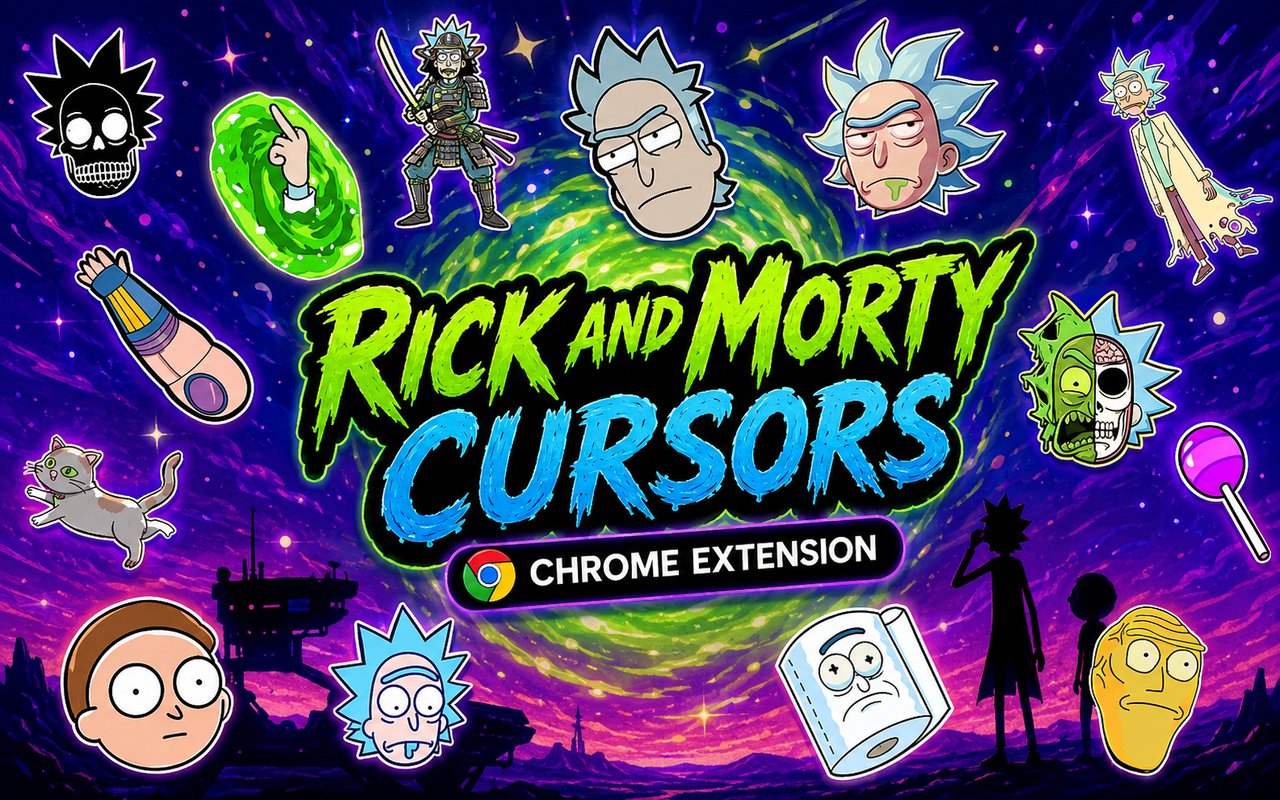
What Is The Rick and Morty Cursor?
The Rick and Morty Cursor is a Chrome extension that replaces your standard browser pointer with custom-designed cursors inspired by the beloved animated series. Each cursor is crafted around iconic characters, objects, and moments from the show, bringing the chaotic energy of the Smith household directly into your daily browsing. The extension works seamlessly across Chrome and activates the moment you select a design from the built-in library.
Rick and Morty is an adult animated science fiction series created by Justin Roiland and Dan Harmon, following the misadventures of eccentric scientist Rick Sanchez and his anxious grandson Morty Smith. The show is packed with memorable elements including the Portal Gun, Pickle Rick, the Meeseeks Box, and a sprawling cast of interdimensional beings. Its sharp writing and surreal visual style have earned it a massive global following since it premiered in 2013.
This extension appeals to fans of the show who want to carry a piece of that irreverent, dimension-hopping spirit into their browser without any complicated setup or settings adjustments.
Key Features of The Rick and Morty Cursor Extension
Complete Rick and Morty Cursor Collection
The collection draws from across the series, featuring characters and props that fans will recognise immediately. From Rick Sanchez and Morty Smith to Pickle Rick, the Portal Gun, Mr. Meeseeks, Beth Smith, Jerry Smith, and Summer Smith, the library covers a wide range of the show’s most iconic imagery. Each cursor is designed to represent a distinct character or element from the series:
- Rick Sanchez cursor
- Morty Smith cursor
- Pickle Rick cursor
- Portal Gun cursor
- Mr. Meeseeks cursor
- Beth Smith cursor
- Jerry Smith cursor
- Summer Smith cursor
- Interdimensional portal design cursor
- Rick’s flask cursor
Original Animation Art Style
The cursors closely mirror the show’s distinctive hand-drawn aesthetic, with thick outlines, flat colour fills, and exaggerated character proportions that are immediately recognisable to any fan. Rick and Morty uses a deliberately simple yet expressive visual style, and each cursor captures that same loose, energetic quality. The signature green and yellow tones from the show’s interdimensional portal effects are present throughout several designs. Whether it is Rick’s white lab coat or the vivid blue-green of a swirling portal, the colour choices stay true to the source material.
Adjustable Cursor Size
A built-in size slider lets you scale each cursor up or down to suit your monitor resolution and personal preference. Smaller sizes work well on compact laptop screens where screen real estate is limited, while larger sizes make the characters more visible on wide or high-resolution displays. You can adjust the size at any point without needing to reinstall or reconfigure the extension.
Favorites System for Quick Switching
The favorites system lets you bookmark the cursor designs you return to most often so they are always within easy reach. Instead of scrolling through the full library every time you want to change designs, your saved favorites appear in a dedicated section for instant access. These preferences are stored persistently, so your saved selections remain intact even after closing and reopening Chrome.
Lightweight and Performance-Friendly
The extension is built to run quietly in the background without consuming meaningful system resources. There is no noticeable effect on Chrome’s page load times, memory usage, or overall responsiveness, even during sessions involving video streaming or browser-based games. It performs reliably on older machines as well as modern high-performance setups.
Easy Toggle On and Off
A simple one-click toggle in the extension popup lets you switch between the custom cursor and your default system cursor whenever needed. This is useful during video calls, work presentations, or when using web applications where a standard cursor is preferable. When you re-enable the extension, it returns to whichever design was last active without requiring you to reselect it.
How to Install The Rick and Morty Cursor
- Open Google Chrome on your desktop or laptop.
- Go to the Chrome Web Store and search for Rick and Morty Cursor.
- Click the extension listing to open its detail page.
- Click Add to Chrome and confirm when the popup appears.
- Click the extension icon in your Chrome toolbar to open the cursor library.
- Select any design to activate it immediately — no browser restart needed.
Why Rick and Morty Cursor Fans Love This Extension
For fans of the show, Rick and Morty is more than just a cartoon — it is a series built around characters and catchphrases that have become deeply embedded in pop culture. Seeing Pickle Rick or the Portal Gun appear as your cursor every time you open a tab is a small but genuinely satisfying nod to some of the show’s most celebrated moments. The connection fans feel to Rick’s reluctant mentorship of Morty, or to the absurd running jokes involving Jerry and Mr. Meeseeks, makes these cursor designs feel personal rather than decorative. It is a way of expressing genuine enthusiasm for something you actually care about.
Students who rewatch episodes between study sessions, remote workers who keep the show on in the background, and dedicated fans who follow every new season will all find that having these characters on screen adds a layer of personality to an otherwise ordinary browsing environment. The extension is particularly popular among younger users who grew up with the show and want their browser setup to reflect their interests.
Frequently Asked Questions
Does this extension work on all websites?
The cursor is active across virtually all websites you visit in Chrome. A small number of sites with strict content security policies may limit custom cursor behavior, but this is uncommon and the extension works normally on the vast majority of pages.
Can I use multiple Rick and Morty Cursor cursors at once?
Only one cursor can be active at a time, but switching between designs is quick. The favorites system lets you save your preferred characters and switch between them in seconds without scrolling through the entire collection.
Will this extension slow down my browser?
No. The Rick and Morty Cursor extension is built to be lightweight and runs quietly in the background. It has no noticeable impact on Chrome’s speed, memory usage, or page load performance.
Is the Rick and Morty Cursor extension free?
Yes. The extension is completely free to download and use from the Chrome Web Store. You get access to the full cursor library without any subscription or in-app purchases.




Community comments
Comments are reviewed before they appear publicly.