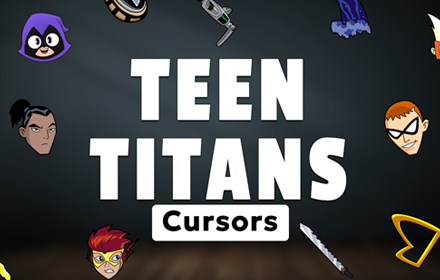
What Is The Teen Titans Cursor?
Teen Titans Cursor is a Chrome extension that replaces your standard browser pointer with custom-designed cursors inspired by the beloved Teen Titans animated series. Every click, hover, and scroll becomes an interaction with characters drawn directly from the show’s iconic universe. The extension installs in seconds and activates your chosen design immediately across all your browsing.
Teen Titans originally aired on Cartoon Network and followed a team of young superheroes led by Robin, taking on villains and protecting Jump City. Characters like the dark and mysterious Raven, the shape-shifting Terra, and the relentless antagonist Slade became defining figures of early 2000s animation. The series built a devoted following that has carried well into adulthood for many fans.
This extension is a natural fit for anyone who grew up watching the show and wants a small, personal touch added to their everyday time spent online.
Key Features of The Teen Titans Cursor Extension
Complete Teen Titans Cursor Collection
The collection covers a wide roster of characters from across the series, giving fans plenty of variety to choose from. Designs include Raven, Slade, Terra, Red X, Trigon, Kid Flash, Bumblebee, and Speedy, each rendered to reflect their distinct look and personality from the show.
- Raven cursor design
- Slade cursor design
- Terra cursor design
- Red X cursor design
- Trigon cursor design
- Kid Flash cursor design
- Bumblebee cursor design
- Speedy cursor design
Original Animation Art Style
The cursors draw directly from the visual language of the Teen Titans animated series, which blended American superhero aesthetics with Japanese anime influences. Characters feature bold outlines, vivid color blocks, and expressive designs that made the show immediately recognizable on screen. Raven’s deep purples, Slade’s stark orange and black mask, and Terra’s earthy tones all carry through into each cursor accurately. The result is a cohesive set that feels true to the source material rather than a generic interpretation.
Adjustable Cursor Size
A built-in size slider lets you scale each cursor up or down to match your monitor resolution and personal comfort. Larger displays benefit from a bigger cursor that stays visible during fast movements, while compact laptop screens can be set to a smaller, more precise size. The adjustment takes effect instantly without needing to reload any pages.
Favorites System for Quick Switching
The favorites system lets you bookmark your preferred cursor designs so they are always one click away. Rather than scrolling through the full collection each time you want to change your pointer, saved favorites appear in a dedicated shortlist for immediate access. Your saved selections carry over between browser sessions, so your preferred characters are ready each time you open Chrome.
Lightweight and Performance-Friendly
The extension runs quietly in the background and places no measurable load on Chrome’s memory or processing resources. Page load times remain unaffected whether you are streaming video, running web apps, or working across many open tabs. It performs just as smoothly on older hardware as it does on high-end machines.
Easy Toggle On and Off
A simple on/off toggle in the extension menu lets you switch back to your default system cursor whenever you need to. This is useful for professional video calls, screen sharing sessions, or any situation where a custom cursor is not appropriate. When you are ready to bring your favorite character back, re-enabling the extension restores the last active cursor design automatically.
How to Install The Teen Titans Cursor
- Open Google Chrome on your desktop or laptop.
- Go to the Chrome Web Store and search for Teen Titans Cursor.
- Click the extension listing to open its detail page.
- Click Add to Chrome and confirm when the popup appears.
- Click the extension icon in your Chrome toolbar to open the cursor library.
- Select any design to activate it immediately — no browser restart needed.
Why Teen Titans Cursor Fans Love This Extension
For a generation that watched Teen Titans after school throughout the early 2000s, the characters carry a genuine sense of nostalgia that goes well beyond casual interest. Slade’s calculated menace, Raven’s quiet intensity, and the wild energy of Kid Flash were formative parts of how many fans experienced animated storytelling as children. Seeing Terra or Red X appear as a cursor is a small but meaningful callback to episodes that stuck with people for years. The extension taps into that connection in a way that feels effortless and personal rather than forced.
Students spending long hours on their laptops, fans rewatching the series while browsing, and collectors who want their browser to reflect their interests all find a natural home with this extension. It suits anyone who considers Teen Titans a meaningful part of their personal pop culture history and wants that reflected in how their browser looks and feels day to day.
Frequently Asked Questions
Does this extension work on all websites?
The cursor is active across virtually all websites you visit in Chrome. A small number of sites with strict content security policies may limit custom cursor behavior, but this is uncommon and the extension works normally on the vast majority of pages.
Can I use multiple Teen Titans Cursor cursors at once?
Only one cursor can be active at a time, but switching between designs is quick. The favorites system lets you save your preferred characters and switch between them in seconds without scrolling through the entire collection.
Will this extension slow down my browser?
No. The Teen Titans Cursor extension is built to be lightweight and runs quietly in the background. It has no noticeable impact on Chrome’s speed, memory usage, or page load performance.
Is the Teen Titans Cursor extension free?
Yes. The extension is completely free to download and use from the Chrome Web Store. You get access to the full cursor library without any subscription or in-app purchases.




Community comments
Comments are reviewed before they appear publicly.