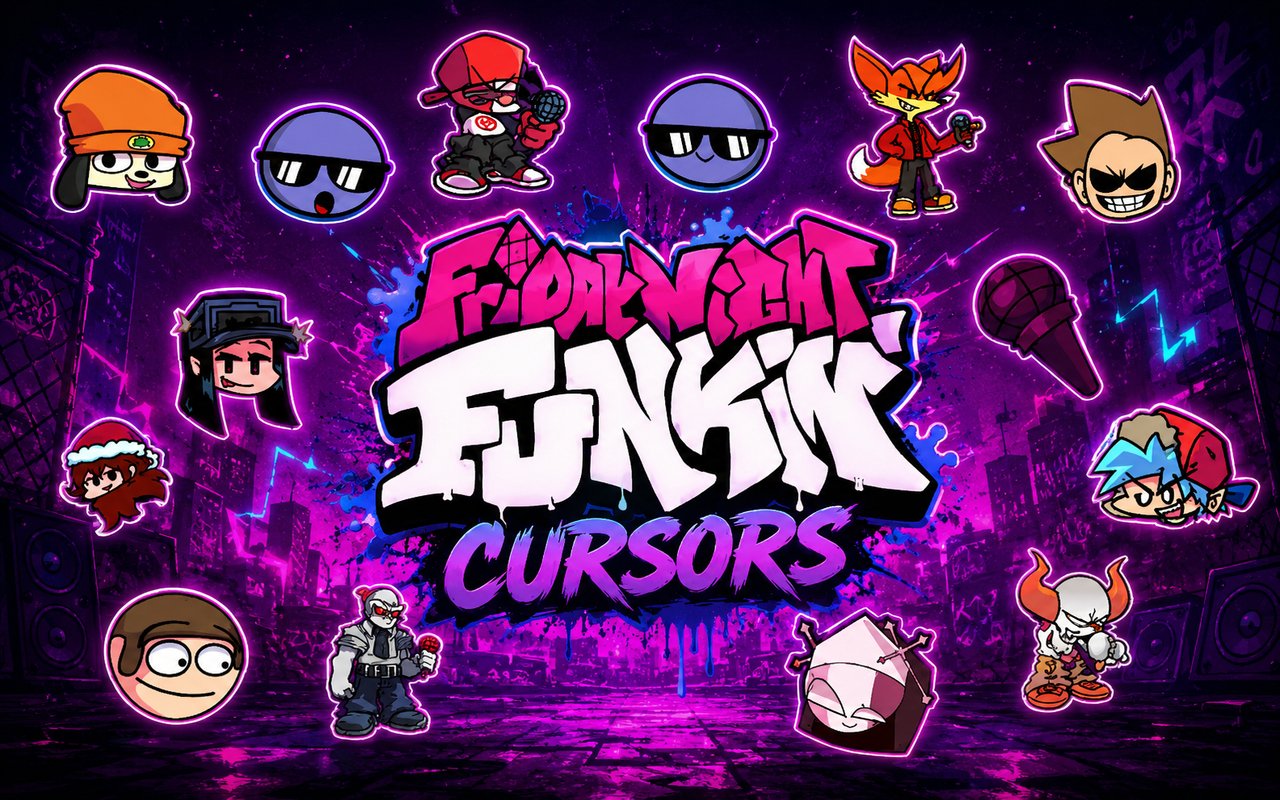
What Is The Friday Night Funkin Cursor?
The Friday Night Funkin Cursor is a Chrome extension that replaces your standard browser cursor with custom designs drawn from the popular rhythm game Friday Night Funkin. Each cursor is built around characters and visual elements from the game, giving your browser a look that matches your taste in music and gaming culture. You can switch between multiple character designs directly from the extension panel.
Friday Night Funkin is an indie rhythm game that gained a massive following through its catchy music, fast-paced gameplay, and distinctive cast of characters. The roster includes fan favorites like Boyfriend and Girlfriend, as well as mod-introduced characters such as Hex, Taki, Sarvente, and Selever, each with their own visual identity and dedicated fanbases. The game’s open modding community has kept it thriving well beyond its initial release.
This extension is a natural fit for players and fans who spend hours in Chrome and want their browsing environment to reflect the music and characters they care about.
Key Features of The Friday Night Funkin Cursor Extension
Complete Friday Night Funkin Cursor Collection
The collection draws from across the FNF universe, covering both core game characters and beloved mod additions. Fans of Hex, Taki, Sarvente, and Selever will find familiar faces alongside other staples from the game’s growing roster. Each design is crafted to reflect the character’s look and personality, making the selection feel genuine rather than generic. Characters and designs included in the library:
- Hex cursor
- Taki cursor
- Sarvente cursor
- Selever cursor
- Boyfriend cursor
- Girlfriend cursor
Original Animation Art Style
Friday Night Funkin has a bold, expressive visual style rooted in Flash-era animation, and the cursors in this extension capture that aesthetic faithfully. Characters are rendered with thick outlines, vivid flat colors, and the exaggerated poses that make the game’s sprite work immediately recognizable. The color palette across the set ranges from the neon pinks and blues associated with Boyfriend and Girlfriend to the warmer, more complex tones of mod characters like Sarvente and Selever. Every design reads clearly at cursor scale without losing the details that make each character distinct.
Adjustable Cursor Size
A built-in size slider lets you scale your cursor up or down to suit your display and personal preference. Smaller sizes work well on compact laptop screens where screen real estate matters, while larger sizes make the character art more visible on high-resolution monitors. You can adjust the size at any time directly from the extension panel without restarting Chrome.
Favorites System for Quick Switching
The favorites system allows you to bookmark the cursor designs you return to most often, so you are not scrolling through the full library every time you want to switch. Saved favorites are accessible from a dedicated section of the panel, making character switching a matter of a single click. Your favorites carry over between browser sessions, so your preferred setup is always ready when you open Chrome.
Lightweight and Performance-Friendly
The extension runs quietly in the background and places no measurable load on Chrome’s memory or processing resources. Page load times and browser responsiveness remain unaffected, even during graphic-intensive browsing sessions or while running other extensions alongside it. It performs reliably on older machines as well as modern setups without any configuration needed.
Easy Toggle On and Off
A single click on the toggle switch disables the custom cursor and restores your default system cursor instantly, which is useful for video calls, work applications, or any situation where a standard cursor is preferable. Re-enabling it is equally fast, and the extension automatically remembers which cursor was last active so you never have to reselect your design after toggling back on.
How to Install The Friday Night Funkin Cursor
- Open Google Chrome on your desktop or laptop.
- Go to the Chrome Web Store and search for Friday Night Funkin Cursor.
- Click the extension listing to open its detail page.
- Click Add to Chrome and confirm when the popup appears.
- Click the extension icon in your Chrome toolbar to open the cursor library.
- Select any design to activate it immediately — no browser restart needed.
Why Friday Night Funkin Cursor Fans Love This Extension
For players who have spent hours perfecting their timing to tracks like Satin Panties or Gospel, these characters carry a real sense of attachment that goes beyond casual gaming. Sarvente and Selever in particular have passionate fan communities built around their mod storylines, and seeing those characters represented in a daily browsing tool means something to fans who followed those arcs closely. Hex’s geometric design and Taki’s sharp visual style have become iconic within the FNF community, and having them at your cursor tip is a small but genuine nod to the games and mods that defined a period of indie gaming culture.
Students who listen to FNF soundtracks while studying, streamers who keep Chrome open during sessions, and fans who simply spend most of their day in a browser will find this extension slots naturally into their routine. It is especially popular among younger users who want their browser setup to match the rest of their gaming-oriented workspace without any complicated configuration.
Frequently Asked Questions
Does this extension work on all websites?
The cursor is active across virtually all websites you visit in Chrome. A small number of sites with strict content security policies may limit custom cursor behavior, but this is uncommon and the extension works normally on the vast majority of pages.
Can I use multiple Friday Night Funkin Cursor cursors at once?
Only one cursor can be active at a time, but switching between designs is quick. The favorites system lets you save your preferred characters and switch between them in seconds without scrolling through the entire collection.
Will this extension slow down my browser?
No. The Friday Night Funkin Cursor extension is built to be lightweight and runs quietly in the background. It has no noticeable impact on Chrome’s speed, memory usage, or page load performance.
Is the Friday Night Funkin Cursor extension free?
Yes. The extension is completely free to download and use from the Chrome Web Store. You get access to the full cursor library without any subscription or in-app purchases.




Community comments
Comments are reviewed before they appear publicly.