
Make your everyday browsing a little sweeter with Teddy Bear Wallpapers New Tab, a Chrome extension built around the adorable charm of fluffy plush bears, soft pastel colors, and cozy aesthetic imagery. Instead of the standard new tab page, enjoy a cute bear-inspired background while keeping useful browsing tools close at hand.
Whether you collect teddy bears, love kawaii artwork, or simply enjoy comforting, gentle designs, a teddy bear wallpaper can bring a warmer personality to your browser. From classic brown plush bears to dreamy pink-and-cream illustrations, the teddy bear aesthetic works beautifully with cozy digital spaces.
The extension pairs its HD bear-themed wallpapers with a smart search bar, customizable clock and date, keyboard shortcuts, and quick access to popular websites. This guide explains the features, explores popular cute bear wallpaper styles, and shows how to make a teddy bear-themed new tab part of your daily routine.
Enjoy Cute Teddy Bear Wallpapers on Every New Chrome Tab
A new Chrome tab is something many people open again and again. Giving that space a personal theme is a simple way to make browsing feel less ordinary. Teddy Bear Wallpapers New Tab brings the charm of cuddly stuffed animals to a page you use regularly, turning an everyday interaction into a small moment of visual comfort.
Teddy bears have a timeless appeal. Their familiar rounded shapes, soft textures, gentle expressions, and playful poses suit many decorative styles. A cute bear wallpaper can feel nostalgic and inviting without relying on busy artwork or intense colors.
The exact wallpaper designs included depend on the extension’s current image pack. Check the Chrome Web Store screenshots if you’re looking for a specific bear style, color, or scene. The overall theme focuses on adorable, cozy visuals that complement a browser’s search and shortcut controls.
Key Features of Teddy Bear Wallpapers New Tab
High-Definition Teddy Bear Wallpapers
Enjoy handpicked high-resolution teddy bear-inspired images featuring plush toys, cute stuffed animal designs, gentle pastel shades, and cozy bear aesthetics. The wallpaper collection gives your Chrome new tab a recognizable and welcoming look.
Smart Search Bar
Search the web from the new tab page using your chosen default search engine. The extension works with your existing search provider rather than changing it, so you can personalize the page without disrupting your normal browsing habits.
Customizable Clock and Date Display
Keep the time and date visible with a built-in display. Choose among four positions and four formats to find a layout that works with your favorite wallpaper. For instance, a simple clock in a corner can leave the center of a teddy bear portrait unobstructed.
Quick Links to Popular Websites
Open YouTube, ChatGPT, Instagram, and X with convenient one-click shortcut tiles. These links help turn an attractive wallpaper page into a practical starting point for entertainment, studying, and everyday online tasks.
Keyboard Search Shortcuts
Press / or Ctrl+K to focus the search field and start typing. This makes it easy to move through your routine without needing an extra click to begin a search.
Privacy-Focused Browsing
The extension is designed without requiring an account, sign-in, or browsing-activity tracking. Your layout and shortcut preferences remain in your own browser. It uses the search permission to pass queries to your default engine and does not request host permissions to read the pages you visit. Shortcut icons come from Google’s public favicon service.
Settings and Support Tools
Access settings, privacy information, support, and an uninstall option through the available controls. These useful tools help keep your teddy bear new tab comfortable to use as well as pleasant to look at.
Adorable Plush Bear Wallpapers and Stuffed Animal Aesthetics
The classic stuffed teddy bear is one of the most recognizable symbols of comfort. Round ears, soft fur, little button-like eyes, and an endearing expression are enough to create a charming visual subject. In a wallpaper, close-up plush textures can also add a sense of warmth that flat graphic designs sometimes lack.
Plush bear wallpapers can take many forms: a teddy bear sitting on a cozy blanket, a carefully arranged shelf of stuffed animals, or a single cuddly toy against a clean background. Each style creates a slightly different mood. The first may feel homey and relaxed, while the last suits a minimalist look.
Bears paired with blankets, pillows, ribbons, and soft furnishings are particularly appealing to people who enjoy cozy bedroom aesthetics. A simple brown teddy on a cream-colored backdrop offers a neutral look that works well alongside a clean browser interface.
Kawaii Teddy Bear Wallpapers for a Cute Chrome Theme
The Japanese word kawaii is often used to describe a style built around cuteness, approachable shapes, and playful details. Teddy bears fit naturally into that aesthetic thanks to their rounded forms, friendly appearance, and expressive accessories.
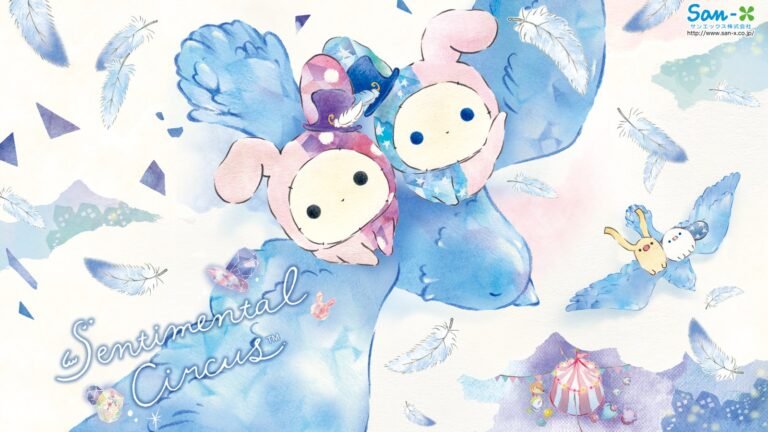
Kawaii bear wallpapers may use soft pinks, pale yellows, lavender, tiny hearts, bows, stars, and charming illustrated characters. These decorative details can give a browser a cheerful atmosphere while remaining visually gentle.
Users who enjoy cute characters and plush-inspired art may also appreciate Rilakkuma Wallpapers on AddonSpot. That is a separate character-themed collection, whereas Teddy Bear Wallpapers focuses on the broader teddy bear and plush toy aesthetic.
Soft Pastel Teddy Bear Wallpapers
Pastel colors are a natural match for cute teddy bear imagery. Blush pink, beige, warm cream, powder blue, soft lavender, and muted peach create a gentle palette that suits lighthearted and cozy backgrounds. Combined with a plush bear illustration, these colors can make a new tab feel welcoming rather than visually overwhelming.
A pastel teddy bear wallpaper might place a small bear against an uncluttered background, letting the character act as the focal point. Other compositions add clouds, stars, flowers, or subtle patterns that make the image feel whimsical.
Aesthetic wallpapers also benefit from thoughtful contrast. A softly colored background should leave enough separation for the clock and search bar to remain readable. If the center of a wallpaper contains an elaborate illustration, positioning the clock to one side can help maintain a clean appearance.
Brown Teddy Bear Wallpapers and Neutral Cozy Designs
Not every cute wallpaper needs bright pink or pastel purple. Traditional brown teddy bears offer a timeless appearance that complements natural, neutral color palettes. Warm tan, caramel, oatmeal, ivory, and chocolate brown tones can create a calm, coordinated theme.
Brown teddy bear wallpapers are especially suitable for users who prefer cozy or minimalist aesthetics. A soft plush bear on a knitted throw, wooden shelf, or textured cushion can evoke the atmosphere of a comfortable room without excessive detail.
Neutral bear backgrounds work well with a simple Chrome layout because their understated colors help other elements remain visually distinct. They can also complement warm desk lighting, beige accessories, and the kind of quiet digital workspace that feels inviting during a long study or work session.
Cute Teddy Bear Illustrations and Cartoon-Style Backgrounds
Teddy bears are also popular subjects for illustration because their simple shapes are expressive. A little bear holding a heart, reading a book, sitting beneath the stars, or wearing an oversized sweater can tell a small story within a single image.
Illustrated teddy bear backgrounds may feel more playful than realistic plush toy photography. Clear outlines, rounded features, soft gradients, and minimal expressions create friendly characters that look appealing at different screen sizes.
This general bear aesthetic is distinct from licensed cartoon characters. Users who prefer an established cute character collection can also explore Pompompurin Wallpapers, while the Teddy Bear theme is better suited to people who enjoy classic stuffed-animal imagery and simple bear illustrations.
Teddy Bear Wallpapers for Cozy, Romantic, and Dreamy Aesthetics
A teddy bear can symbolize affection, friendship, nostalgia, or a familiar comforting object. That versatility is part of its appeal as a decorative theme. Soft lighting, gentle colors, and calm compositions can create a cozy digital mood that feels appropriate for many occasions.
Some designs pair teddy bears with tiny hearts or ribbon details for a sweet, romantic feel. Others emphasize pillows, moonlight, or dreamy star patterns. Whether the goal is a peaceful workspace or a playful personal browser, these visual elements offer different ways to use the same recognizable subject.
A cozy teddy bear new tab is especially attractive to fans of soft girl aesthetics, cute stationery, plush toy collections, and warm bedroom decor. These interests can overlap visually without requiring the browser to copy an entire room design.
Why Choose Teddy Bear Wallpapers for Google Chrome?
Teddy Bear Wallpapers New Tab balances visual personality with everyday usefulness. The cute bear background brings charm to your browser, but familiar features such as search, time, and website shortcuts mean you can continue using Chrome normally.
- Teddy bear collectors and lovers of cute stuffed animals
- Kawaii aesthetic enthusiasts who enjoy friendly illustrated characters
- Users looking for pastel pink, beige, or cozy wallpaper themes
- Fans of plush toys, ribbons, hearts, and whimsical bear designs
- Students and home-office users who enjoy gentle browser backgrounds
- Chrome users wanting a customizable new tab with search and shortcuts
The extension is meant to customize the new tab page rather than change the websites you browse. It also does not replace your computer’s desktop wallpaper. This makes it a straightforward way to try a cute digital aesthetic without altering other parts of your setup.
Build a Cozy Teddy Bear-Themed Digital Workspace
A coordinated browser appearance can complement a wider desktop setup. If you have warm desk lighting, a neutral mouse pad, pastel accessories, or a favorite plush toy beside your monitor, a teddy bear wallpaper can bring the same visual mood onto your screen.
For a clean layout, choose an image with some empty space around the bear. A single plush character against a plain background often works well when the search bar and clock need room. If you enjoy a busier collage, try arranging the clock away from the main subject and keeping the shortcut area easy to recognize.
You can also explore Minimal Wallpapers New Tab if you prefer an even simpler visual theme. Teddy Bear Wallpapers keeps that potential for simplicity while adding a friendly, cuddly focal point.
How to Install Teddy Bear Wallpapers New Tab in Chrome
- Open Google Chrome on your desktop or laptop.
- Find Teddy Bear Wallpapers New Tab in the Chrome Web Store when its listing becomes available.
- Review the publisher information, wallpaper screenshots, and requested permissions.
- Select Add to Chrome, then confirm by clicking Add extension.
- Open a new tab to see the teddy bear-themed wallpaper interface.
- Use the available settings to adjust your clock, date, and layout preferences.
Always review the current Chrome Web Store information before installing any extension. Teddy Bear Wallpapers changes the browser new tab experience, not the desktop wallpaper in Windows, macOS, or Linux.
Frequently Asked Questions (FAQ)
What is Teddy Bear Wallpapers New Tab?
Teddy Bear Wallpapers New Tab is a Chrome extension designed to replace the standard new tab page with high-definition teddy bear-inspired backgrounds. It also includes a search field, clock, date, keyboard shortcuts, and convenient links to popular websites.
Does the extension feature cute teddy bear wallpapers?
Yes. The theme focuses on adorable teddy bears, plush-toy aesthetics, and cute bear designs. The exact images are determined by the included wallpaper pack.
Are kawaii teddy bear backgrounds available?
The theme draws on cute and kawaii-inspired aesthetics, including soft colors and playful bear imagery. Check the extension screenshots for specific artwork.
Can I enjoy pastel teddy bear wallpapers?
Pastel tones and cozy bear aesthetics are central to the theme. The exact combinations of pink, cream, beige, and other colors depend on the wallpaper collection.
Will a teddy bear background appear whenever I open a new Chrome tab?
Yes. The extension displays its teddy bear-themed new tab interface when you open a new Chrome tab.
Does Teddy Bear Wallpapers change my search engine?
No. The search bar works with your existing default search engine and does not change your preferred search provider.
Can I customize the clock and date display?
Yes. Choose from four display positions and four formats to find a layout that suits your wallpaper.
Can I search using keyboard shortcuts?
Yes. Press / or Ctrl+K to focus the search bar and begin typing.
Does the teddy bear extension track browsing history?
The extension is designed without browsing-activity tracking and does not request host permissions to read webpages you visit. Your layout and shortcut settings remain within your browser.
Which websites have shortcut tiles?
Convenient one-click shortcut tiles are included for YouTube, ChatGPT, Instagram, and X.
Does it change my computer’s desktop wallpaper?
No. It customizes your Google Chrome new tab page, not the background of your Windows, macOS, or Linux desktop.
How do I uninstall Teddy Bear Wallpapers?
Open Chrome’s Extensions management page, locate Teddy Bear Wallpapers New Tab, and select Remove. You can reinstall it from the Chrome Web Store if the listing remains available.
Make Every New Tab a Little Cuter
Turn an ordinary browser moment into something charming with Teddy Bear Wallpapers New Tab. Adorable plush bear imagery, soft pastel colors, cozy backgrounds, and cute illustrated details can give Chrome a warm, recognizable personality.
The extension combines its aesthetic wallpapers with practical daily tools, including smart search, an adjustable clock and date, popular website shortcuts, and keyboard controls. Whether you love classic brown teddy bears or whimsical kawaii designs, the theme brings a gentle touch of cuteness to your browsing routine.
Look for Teddy Bear Wallpapers New Tab in the Chrome Web Store when its listing becomes available, and enjoy a cozy teddy bear-inspired background whenever you open a tab.

Community comments
Comments are reviewed before they appear publicly.