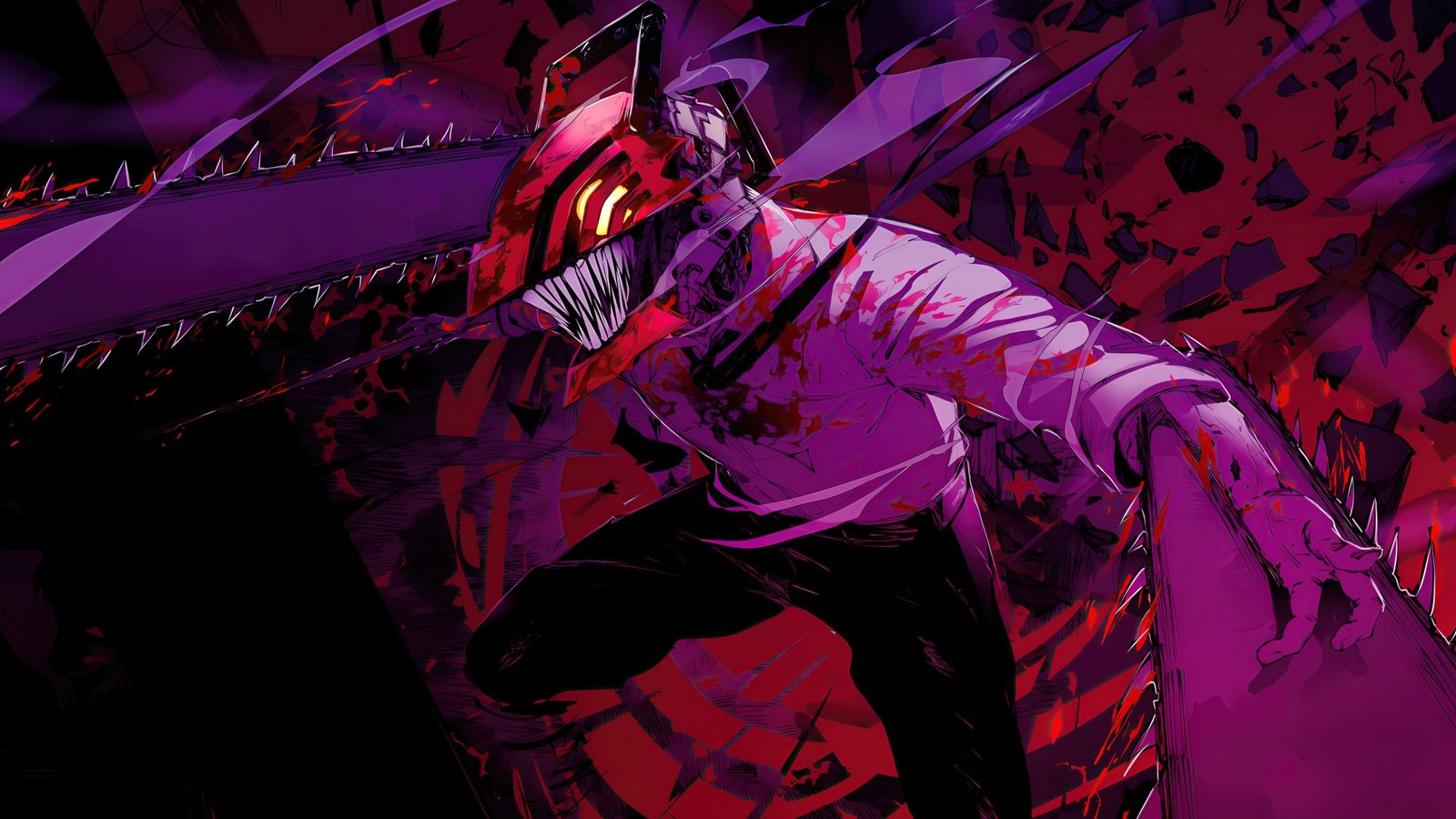
Every new tab is a chance to look at something you actually like instead of a blank page. The Chainsaw Man Wallpaper – Anime New Tab extension replaces that blank page with an HD Chainsaw Man wallpaper, so every browser session opens with a bit of dark fantasy energy.
This guide covers what the extension does, its main features, how to install it, and answers to the questions people ask most often about it.
Why Chainsaw Man Wallpapers Are Popular
Chainsaw Man has become one of the biggest names in modern manga and anime, known for its dark fantasy tone, unpredictable story, and bold character designs. Search interest in Chainsaw Man wallpaper stays high across every new chapter and season. Fans want Denji’s devil hunter look, the dark fantasy art style, and standout scenes on their phone and desktop. A new tab wallpaper extension is a simple way to keep that look in view every time you open the browser, without hunting for image files or resetting your wallpaper manually.
What the Extension Does
Chainsaw Man Wallpaper – Anime New Tab replaces the default new tab page with a rotating set of HD Chainsaw Man wallpaper images. Instead of a blank page or a stock browser homepage, you get a dark fantasy wallpaper background paired with a working search bar, clock, and shortcut tiles.
Key Features
HD wallpapers. A handpicked set of high-resolution Chainsaw Man wallpaper images, sharp on any screen size.
Brightness control. A dimmer for the wallpaper layer, useful when the artwork is too dark or too bright to read text comfortably over it.
Smart search bar. Searches run through your existing default search engine. The extension does not change your search provider.
Recent searches. Stored locally on your device and cleared with one click.
Keyboard shortcut. Press / or Ctrl+K from anywhere on the new tab page to start typing a search.
Clock and date. Four position options and four display formats.
Popular shortcuts. One-click tiles for sites like YouTube, ChatGPT, Instagram, and X.
Privacy by design. No account, no sign-in, no tracking.
How to Install the Chainsaw Man Wallpaper Extension
- Open the Chrome Web Store listing for Chainsaw Man Wallpaper – Anime New Tab.
- Click Add to Chrome.
- Confirm the permission prompt.
- Open a new tab. The Chainsaw Man wallpaper loads automatically.
- Use the settings panel to adjust brightness, clock position, or shortcuts.
The same steps work in any Chromium-based browser, including Edge and Brave, since they use the same extension store format.
Privacy and Permissions
The extension asks for a single permission, search, which lets the built-in search bar pass your query to your default search engine. There are no host permissions, so the extension cannot read the content of the pages you visit. Your layout, shortcuts, and search history stay on your own device. Shortcut tiles load their site icon from Google’s public favicon service.
Frequently Asked Questions
Is this extension affiliated with the Chainsaw Man franchise or its creator? No. This is an unofficial, fan-made wallpaper extension. It is not affiliated with or endorsed by any rights holder. Artwork and names belong to their respective owners.
Will it slow down my browser? No. The extension only replaces the new tab page. It does not run scripts on other websites and has no host permissions.
Can I keep using Google, Bing, or another search engine? Yes. The search bar sends queries to whatever search engine is already set as your Chrome default. It does not change that setting.
Does the extension collect or sell my data? No. There is no account system and no tracking. Search history and shortcuts are stored locally and can be cleared at any time.
Can I lock a single wallpaper instead of rotating through the set? Yes. The settings panel includes an option to select and lock one wallpaper if you prefer a fixed background over rotation.
How do I remove the extension? Open Chrome’s extension manager, find Chainsaw Man Wallpaper – Anime New Tab, and click Remove. An uninstall option is also available from the extension’s own settings panel.
Is it free? Yes, the extension is free to install and use.
Get the Chainsaw Man Wallpaper Extension
A new tab is one of the most viewed pages in any browser. Filling it with an HD Chainsaw Man wallpaper is a simple way to bring dark fantasy energy into your daily browsing, without giving up a working search bar, clock, or shortcuts. Install it from the Chrome Web Store and set your preferred brightness and layout from the settings panel.




Community comments
Comments are reviewed before they appear publicly.