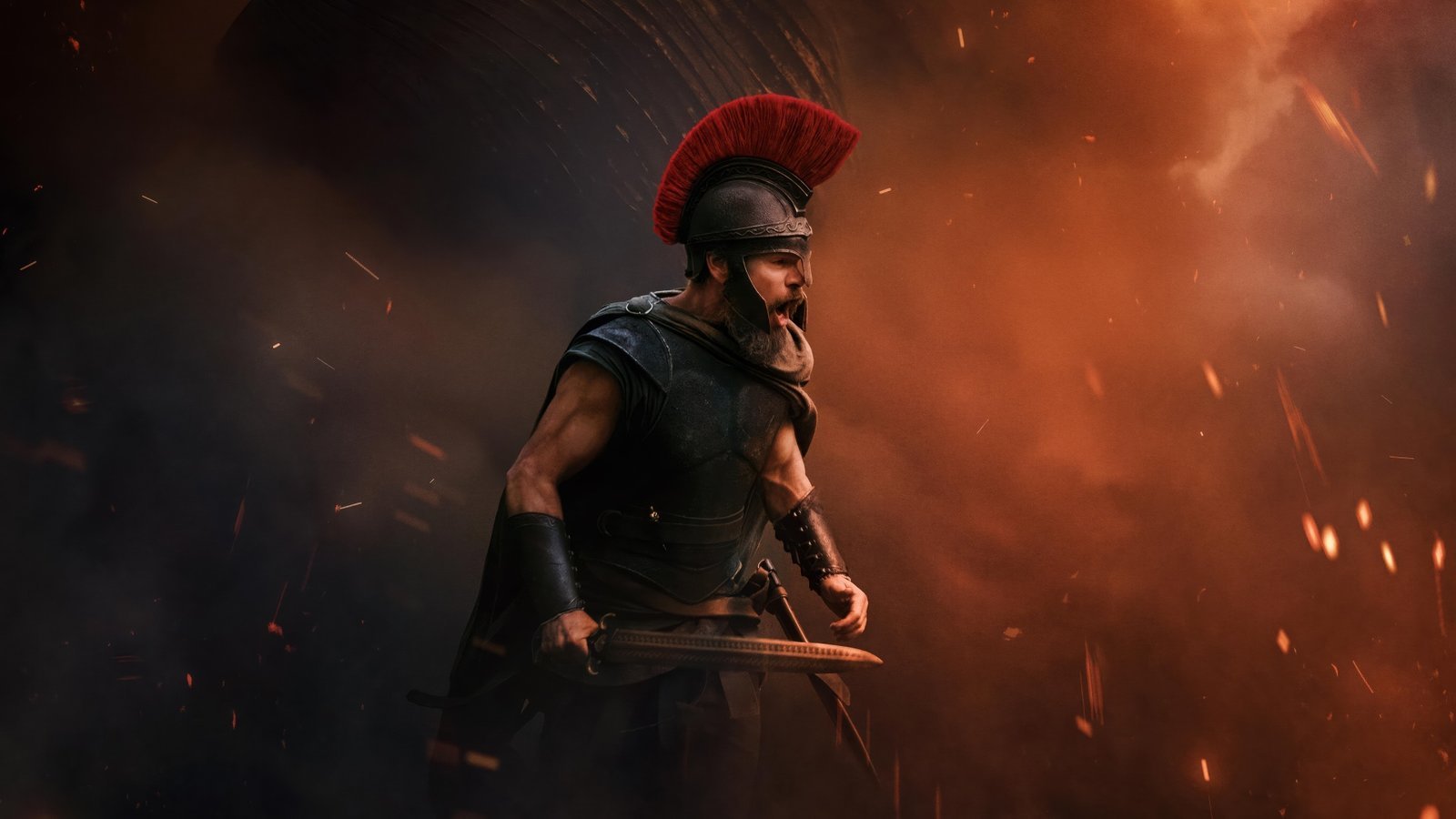
Some wallpapers feel like a destination; others feel like the beginning of a journey. Odyssey Wallpapers New Tab brings that sense of exploration to your Chrome browser with high-definition adventure-inspired backgrounds, atmospheric scenery, and imaginative landscapes.
For people who enjoy epic journeys, fantasy artwork, dramatic horizons, and cinematic scenery, an Odyssey-themed new tab offers a distinctive way to personalize Chrome. The extension adds everyday browsing essentials—including search, clock, date, and shortcuts—without losing the focus on the artwork.
A New Adventure Every Time You Open a Chrome Tab
The word odyssey evokes a long, eventful journey. As a wallpaper theme, it calls to mind striking places, wide-open views, mysterious paths, and the feeling of stepping into a larger world. Odyssey wallpapers bring that atmosphere to a place you see repeatedly: your browser’s new tab page.
Whether you prefer cinematic landscapes, atmospheric lighting, or imaginative fantasy scenes, the Odyssey wallpaper concept emphasizes mood and visual storytelling. The exact artwork in the extension depends on the images included in its collection.
Key Features of Odyssey Wallpapers New Tab
HD Odyssey Adventure Wallpapers
Enjoy handpicked high-resolution wallpapers centered on epic journeys, sweeping landscapes, and adventure-inspired visuals. The images give your Chrome new tab a dramatic, cinematic feel.
Smart Search Bar
Search the web straight from the new tab using the search engine you already prefer. The extension does not change your default search engine.
Clock and Date
A built-in clock and date add useful information to your background. Choose among four screen positions and four display formats to complement your layout.
Popular Website Shortcuts
Shortcut tiles provide one-click access to YouTube, ChatGPT, Instagram, and X, keeping familiar destinations within easy reach.
Quick Keyboard Search
Press / or Ctrl+K to focus the search field and start typing without unnecessary clicks.
Privacy-Conscious Browsing
The extension needs no account or sign-in and is designed without browsing activity tracking. Layout preferences and shortcuts stay in your own browser. It requests only the search permission, not host permissions to read the websites you visit. Shortcut icons are loaded from Google’s public favicon service.
Why Choose Odyssey Wallpapers for Chrome?
Adventure-inspired wallpaper can make a browser feel different from a plain start page. Expansive imagery, dramatic color palettes, and thoughtful composition make the new tab a more personal space, whether you use Chrome for study, work, or leisure.
This style appeals to cinematic art lovers, fantasy wallpaper enthusiasts, travelers at heart, people who enjoy evocative landscapes, and anyone interested in new tab customization.
Odyssey Wallpaper Styles and Visual Themes
Cinematic Landscapes
Large mountain ranges, distant coastlines, open horizons, and sweeping views can evoke the feeling of a grand journey. Cinematic framing, light, and perspective make scenic backgrounds particularly effective on widescreen browser tabs.
Fantasy Adventure Artwork
Fantasy-themed imagery can suggest ancient worlds, mysterious destinations, imaginative architecture, or unexplored places. Atmospheric art helps create a story-like quality without needing a crowded browser layout.
Dreamy Skies and Distant Horizons
Sunsets, dramatic clouds, starlit skies, and distant landmarks can give an adventure background a calm or mysterious mood. These visual ideas fit users who prefer expressive scenery over busy character portraits.
Minimalist Journey Backgrounds
An Odyssey-inspired wallpaper can also be subtle: a single road, an isolated silhouette, or an expansive sky. If you prefer restrained designs, see Minimal Wallpapers New Tab for another clean Chrome background style.
Adventure-Inspired Color Palettes
Warm golds and deep blues can feel cinematic, while muted earth tones suggest natural landscapes. High-contrast imagery offers an energetic look; softer gradients suit a more peaceful visual atmosphere.
These are examples of Odyssey-inspired aesthetics. Check the extension’s actual screenshots to see which specific scenes and designs are included.
How a Wallpaper Theme Changes Your Browsing Experience
Your new tab appears frequently throughout the day. A carefully chosen wallpaper gives this familiar page a consistent visual identity, while the search bar, time display, and quick links make it useful. The best background is one you enjoy looking at without finding its details distracting.
If you enjoy words of encouragement alongside beautiful imagery, Motivational Quotes Wallpapers provides a different approach to a personalized Chrome new tab.
Odyssey Wallpapers and the Idea of Exploration
The word odyssey has long been associated with travel, challenges, and discovery. That broad idea works across many types of artwork, from natural scenery to stylized fantasy worlds. What ties the visuals together is an emphasis on movement, imagination, and the possibility of something beyond the horizon.
For Chrome users, Odyssey Wallpapers New Tab offers a way to carry that atmosphere into ordinary browsing. It is a visual theme rather than a travel guide, video game, or interactive adventure.
How to Install Odyssey Wallpapers New Tab in Google Chrome
- Find the Odyssey Wallpapers New Tab listing in the Chrome Web Store when it becomes available.
- Select Add to Chrome on the verified listing.
- Confirm by selecting Add extension.
- Open a new Chrome tab to see the Odyssey-themed wallpaper.
- Adjust the available clock, date, and layout options using the extension settings.
Before installing, review the current Chrome Web Store page for screenshots, the extension publisher, and permission details.
Frequently Asked Questions (FAQ)
What is Odyssey Wallpapers New Tab?
Odyssey Wallpapers New Tab is a Chrome extension that displays HD adventure-inspired wallpaper backgrounds on the new tab page. It also offers a search bar, clock, date, keyboard shortcuts, and popular website links.
Does a new Odyssey wallpaper appear when I open a tab?
The extension showcases an Odyssey-themed HD wallpaper whenever you open a new Chrome tab, drawing from the wallpaper collection bundled with it.
Is this an Assassin’s Creed Odyssey extension?
This Odyssey wallpaper theme is described around the broader idea of epic journeys and cinematic adventure. It is not presented as an official Assassin’s Creed Odyssey product or as a game-specific extension.
Does Odyssey Wallpapers include a video game?
No. The extension customizes Chrome’s new tab page with wallpaper imagery and browsing features. It does not provide gameplay.
Will it change my default search engine?
No. The built-in search bar uses the default search engine you have already selected.
Can I change the clock and date layout?
Yes. There are four positions and four formats available for the clock and date.
Which website shortcuts are included?
The extension provides quick-access tiles for YouTube, ChatGPT, Instagram, and X.
Does it track browsing history?
The extension is designed without browsing activity tracking and does not ask for host permissions to read the pages you visit.
Does it change my desktop wallpaper?
No. It changes the Chrome new tab page rather than your computer’s Windows or macOS desktop background.
Can I use it without creating an account?
Yes. No account registration or sign-in is required to use the extension’s new tab experience.
How can I remove Odyssey Wallpapers?
Go to Chrome’s Extensions management page, find Odyssey Wallpapers New Tab, and select Remove.
Bring an Adventure-Inspired Look to Your Browser
Odyssey Wallpapers New Tab pairs evocative HD scenery with the everyday tools that make a new tab practical. Its adventure-inspired visual style is a simple way to give your browser a distinctive atmosphere without adding unnecessary complexity.
Visit the official Chrome Web Store listing when available to check the current wallpaper screenshots, permissions, and installation details.
Wallpaper imagery and associated artwork remain the property of their respective creators and rights holders.



Community comments
Comments are reviewed before they appear publicly.